

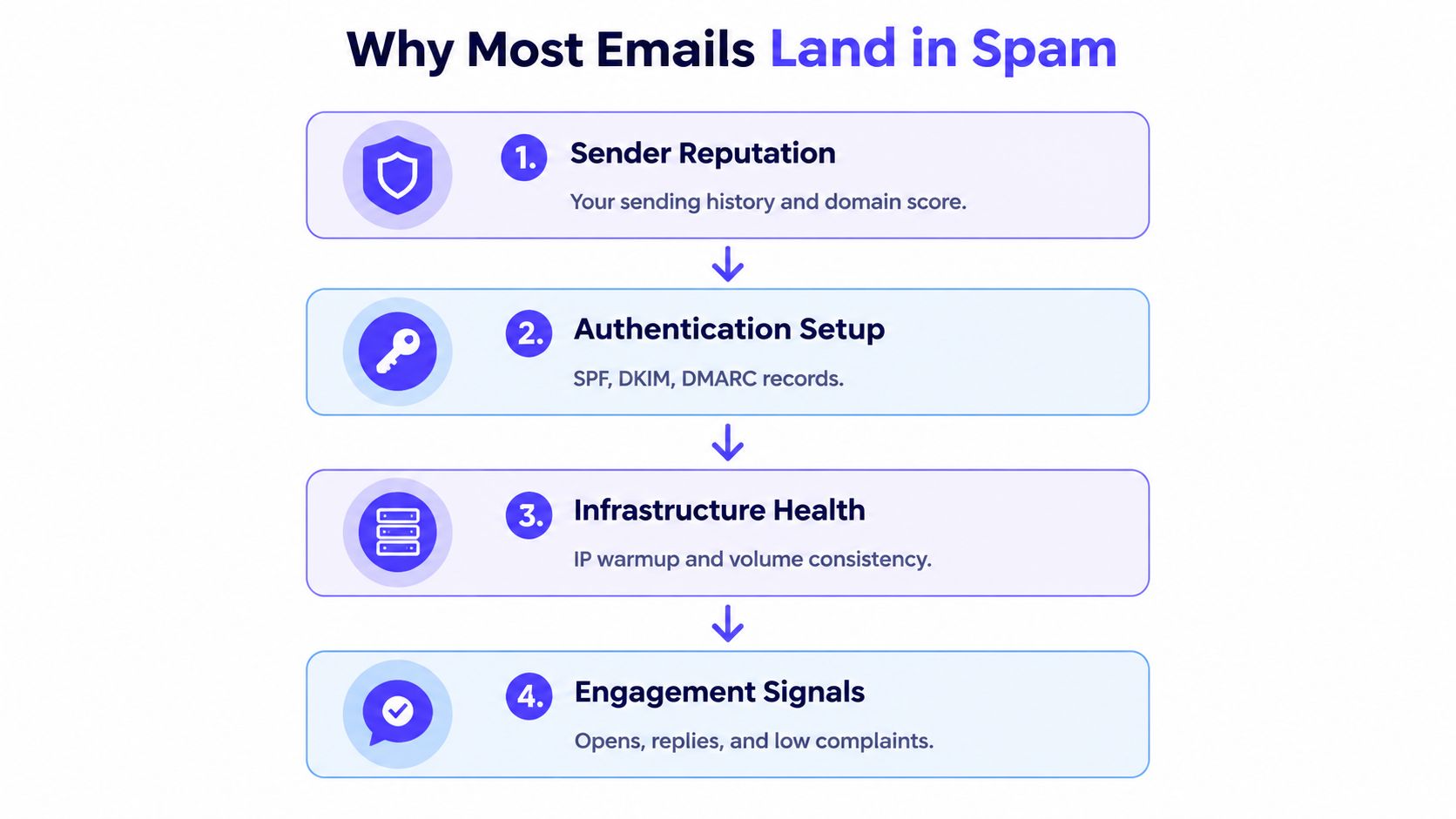
Most advice on how to improve email deliverability starts with subject lines. That's usually the wrong place to start. Deliverability is driven by sender reputation, authentication, engagement, and content, in that order, so polished copy can't rescue a damaged domain or a poorly authenticated mailbox.
The practical path is to fix the infrastructure first, establish consistent and wanted engagement, protect the list from bounces and complaints, then measure actual mailbox placement. Mailbox providers accepted a new baseline after Gmail and Yahoo began enforcing bulk-sender requirements in February 2024, making authenticated, reputation-aware sending a minimum requirement rather than an optional refinement. AWS explains the Gmail and Yahoo bulk-sender requirements.
Why Most Emails Still Land in Spam
A polished subject line rarely rescues a damaged sender. For B2B marketing teams and outbound sales reps, the largest deliverability failures usually come from missing authentication, erratic volume, poor list hygiene, and campaigns that produce unwanted complaints.
Mailbox providers evaluate the sender as a system. They examine the domain and infrastructure history, authentication, recipient behavior, and message content. Reputation comes first, because past sending behavior shapes how providers interpret every new campaign.
A new outreach account that sends a handful of messages for several days, disappears, then sends hundreds in one session resembles a compromised account. A valid SPF record does not make that pattern safe, and a clever subject line cannot offset hard bounces or repeated spam reports.
Practical rule: Fix the sender before trying to fix the sentence.
The scale of filtering explains why small operational mistakes matter. In 2024, spam represented 47.27% of global email traffic, roughly 169 to 171 billion messages out of 376.4 billion emails sent each day, according to independent deliverability statistics. That source also reports average inbox placement of 83.1% across 15 major email service providers, so legitimate marketing messages still frequently miss the intended inbox.
A later benchmark reported average commercial inbox placement of 89% in 2026, with B2B SaaS at 92% and retail at 87%, a 6-point industry spread associated with differences in sender reputation, list quality, and authentication discipline. The 2026 industry benchmark reinforces the operational distinction: server acceptance does not guarantee inbox placement. A provider can accept a message and still route it to spam or another folder.
The improvements ranked by impact
Use this order when deciding where to spend engineering and campaign time:
- SPF, DKIM, and DMARC alignment. Authentication confirms that the sending service is authorized and connects the visible sender identity to the authenticated domain.
- Consistent warmup with real engagement. Replies, threads, inbox movement, and wanted interactions provide stronger evidence than automated sending activity alone.
- Bounce control. Repeated hard bounces expose weak list quality and put sender reputation at risk. Detailed bounce guidance belongs with list verification and campaign controls.
- Complaint control. Unwanted messages create a direct reputation problem, especially when recipients repeatedly report them. Set the operating target in the dedicated complaint-rate section rather than treating it as a copy issue.
- A dedicated outbound domain or subdomain. Cold outreach should not share sender reputation with transactional or newsletter traffic.
- Stable daily volume. Sudden spikes and long gaps can make legitimate outreach resemble compromised-account behavior.
- List verification before every campaign. Clean data protects the authentication and reputation work already completed.
- Content that earns engagement. Clear, relevant messages make genuine replies more likely and reduce the chance that recipients report the campaign.
This is a ranked sequence, not a flat checklist. A spam-word scan can look clean while placement remains poor because the domain has little reputation or authentication is misaligned. Teams that repair the first four areas before testing subject lines usually make faster progress than teams optimizing copy on a damaged sender.
Authentication Trio and DNS Setup
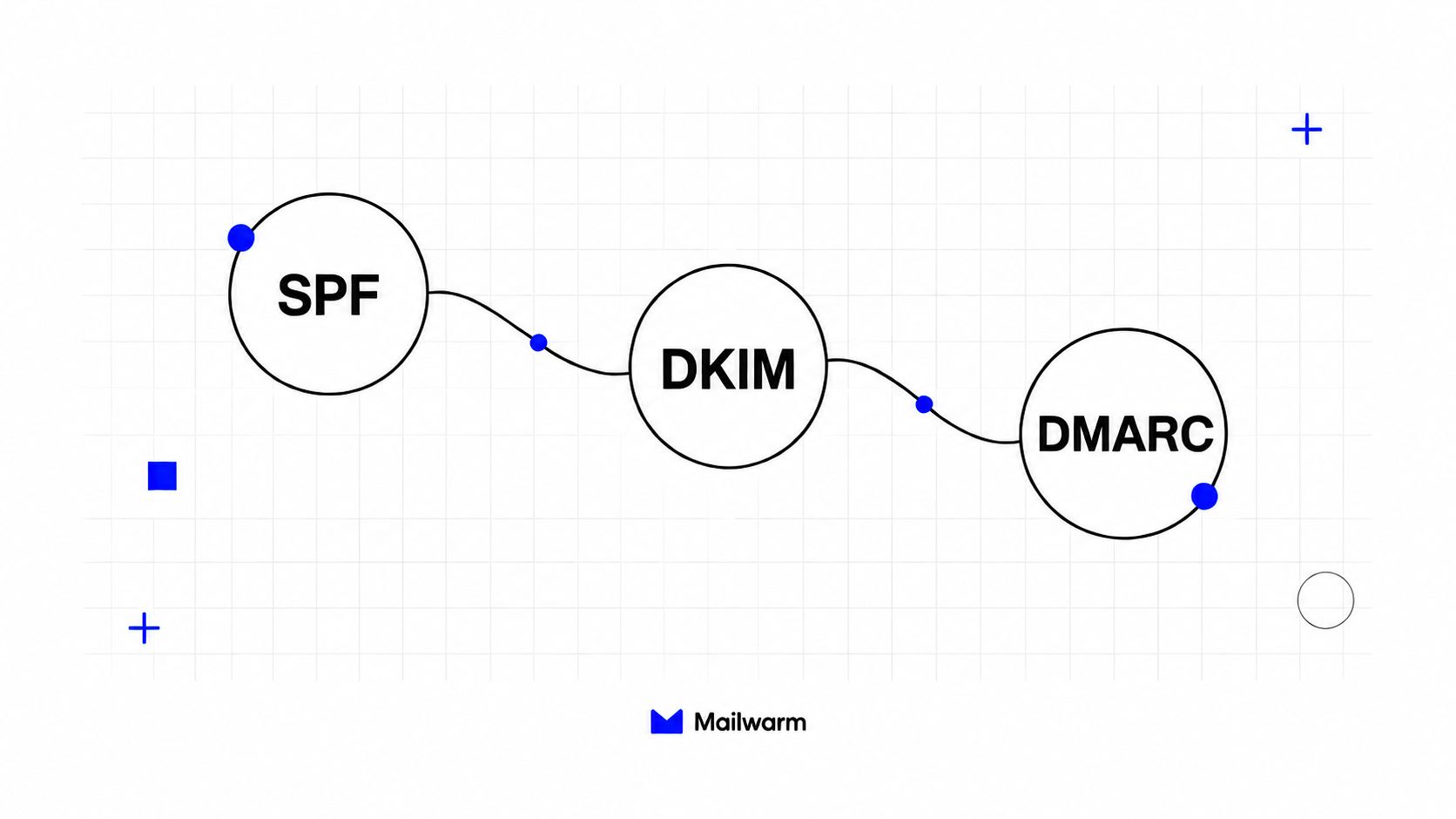
Authentication works as a sequence, not as three boxes to tick. SPF and DKIM establish the sending identity, while DMARC checks whether that identity aligns with the domain recipients see.
Start with SPF. The record should authorize every legitimate sending service, including the email service provider, CRM, and any warmup platform. The common failure is publishing an incomplete record, or creating multiple SPF records instead of maintaining one accurate policy.
Next, enable DKIM signing through the sending platform and publish its public key. A basic DNS check isn't enough. The sending platform should sign messages consistently, and the DKIM domain should align with the visible From domain.
DMARC should begin in monitoring mode with p=none and a reporting mailbox. That lets the team inspect alignment failures before enforcement affects delivery. After a sustained period of clean reporting, the policy can move to p=quarantine, then eventually p=reject when alignment remains reliable.
Alignment is the part teams miss
SPF can pass while DMARC fails. The same is true for DKIM. The From header domain, envelope-from domain, and DKIM signing domain need to align under the DMARC policy.
A practical rollout has four checkpoints:
- Authorize senders: Confirm that every legitimate platform appears in SPF.
- Sign messages: Verify DKIM on every sending stream.
- Review reports: Use the DMARC reporting mailbox to identify unauthorized sources and alignment failures.
- Scale cautiously: Keep volume stable until alignment has remained clean through real sends.
Fully authenticated domains have been reported as 2.7 times more likely to achieve inbox placement, with warmup-stage placement often in the 85% to 95% range, compared with below 50% for setups without authentication. The authentication benchmark and recommended SPF, DKIM, and DMARC sequence are detailed by Truly Inbox. Those figures describe benchmark observations, not a guarantee for every domain.
Warmup and Real Engagement Signals
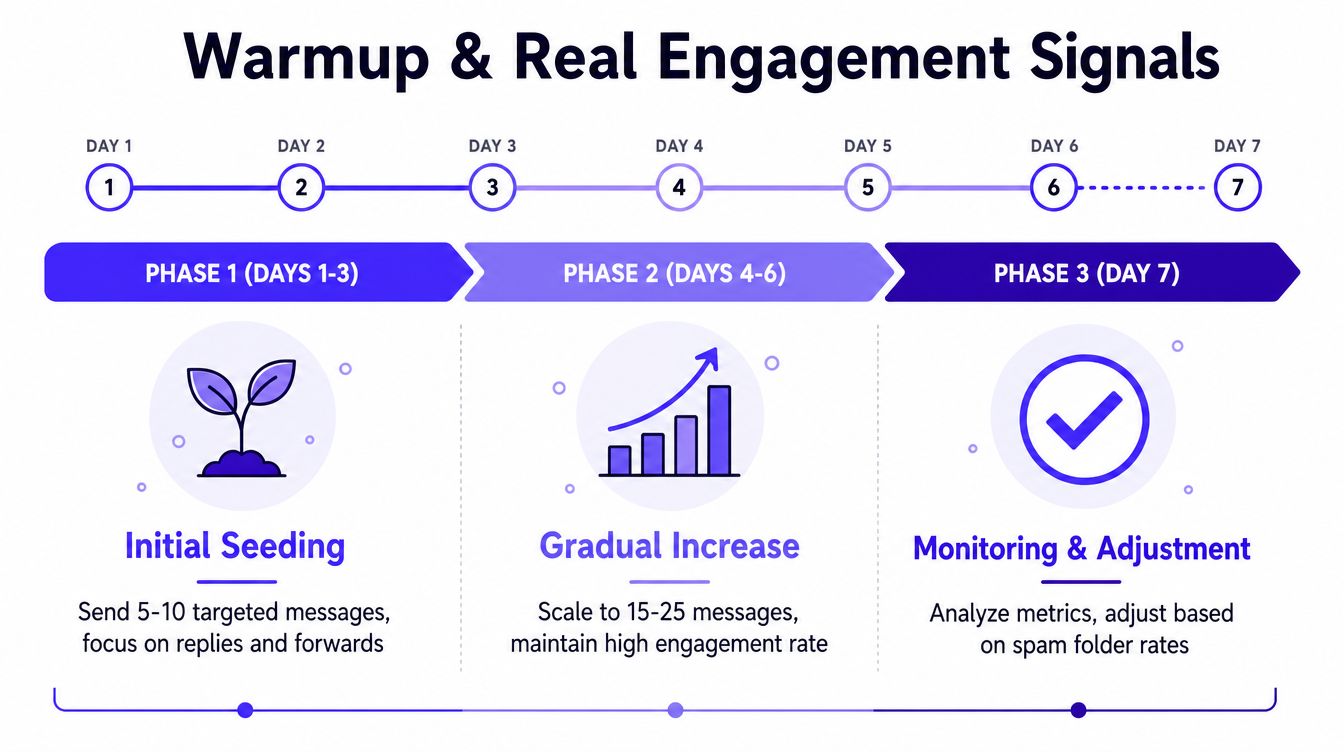
Warmup isn't a volume contest. It's the process of building a history of wanted sending behavior before a mailbox or domain carries meaningful outreach volume.
A cautious ramp starts with 5 to 10 messages per day, sent to known contacts or trusted engagement sources. The sender can increase gradually only when replies and inbox placement remain stable. If engagement weakens sharply, the ramp should pause instead of pushing through the warning.
Basic exchange networks often optimize for opens. That can make a dashboard look active without creating the broader signals providers evaluate, such as replies, thread depth, spam removal, and important marking.
Mailwarm is a premium email warmup and deliverability platform that uses 50,000+ aged real inboxes and real engagement signals, including opens, replies, threads, spam removal, and important marking. It also offers provider-level warmup, B2B and B2C warmup, custom content warmup, spam score monitoring, inbox placement insights, authentication fix tools, bounce prevention, and deliverability analytics. Depending on the plan, warmup emails can receive up to 100% replies, and the platform doesn't require IMAP access or permission to read a private inbox.
A practical warmup rhythm
- Begin conservatively: Use a small, known-contact audience and watch replies rather than raw send counts.
- Increase in stages: Raise volume only after the current level produces stable engagement.
- Keep warming after launch: Reserve part of daily sending for warm contacts once outreach begins.
- Use provider controls: Gmail, Outlook, Microsoft 365, Yahoo, and SMTP traffic shouldn't be treated as identical.
- Pause on warning signals: A rise in spam placement, bounces, or complaints is a reason to hold volume.
Warmup can support reputation building, but it can't make unwanted outreach wanted. Recipient relevance and list quality still determine whether the engagement is healthy.
Teams using an SMTP infrastructure should also review smtp warmup separately, because provider-level reputation can vary across SMTP and mailbox sending paths.
List Verification, Bounce Control, and Dedicated Domains
List hygiene sets the ceiling for every other deliverability improvement. One careless upload can cancel weeks of authentication work and stable engagement during a single campaign.
Verify each address before sending. The check should flag invalid mailboxes, disposable addresses, role-based accounts, and domains that repeatedly return uncertain results. Treat catch-all domains cautiously because verification cannot confirm that a specific mailbox exists. Verification is a filter, not permission to send to every address that passes.
Apply suppression rules across every campaign and sending platform:
- Hard bounces: Remove them immediately and block future imports.
- Unsubscribes: Suppress them everywhere, including separate outreach tools.
- Spam complaints: Do not reintroduce these contacts through another list.
- Role addresses: Review accounts such as info@ or sales@ before sending.
- Persistent inactivity: Remove segments that remain unengaged instead of mailing them repeatedly.
Keep the operating floor below 2% bounce rate, as outlined in the 2026 bounce-rate benchmark guidance. That boundary is a warning line, not a target. If a campaign approaches it, stop scaling, inspect the source list, and verify the next batch before resuming.
| Bounce Rate | Risk Level | Provider Response |
|---|---|---|
| Below 2% | Lower operational risk | Continue sending while monitoring list quality |
| At or above 2% | Rising risk | Pause scaling and verify the next list |
| Repeatedly high | Serious risk | Suppress bad data, review infrastructure, and rebuild sending discipline |
A dedicated outbound subdomain can separate cold outreach from newsletters and transactional mail. It limits the blast radius when outreach performance declines, but it does not repair poor list quality or excuse unwanted messages. Review each stream independently so a damaged outreach reputation does not immediately affect revenue-critical mail.
Volume Consistency, Content Quality, and Complaint Rates
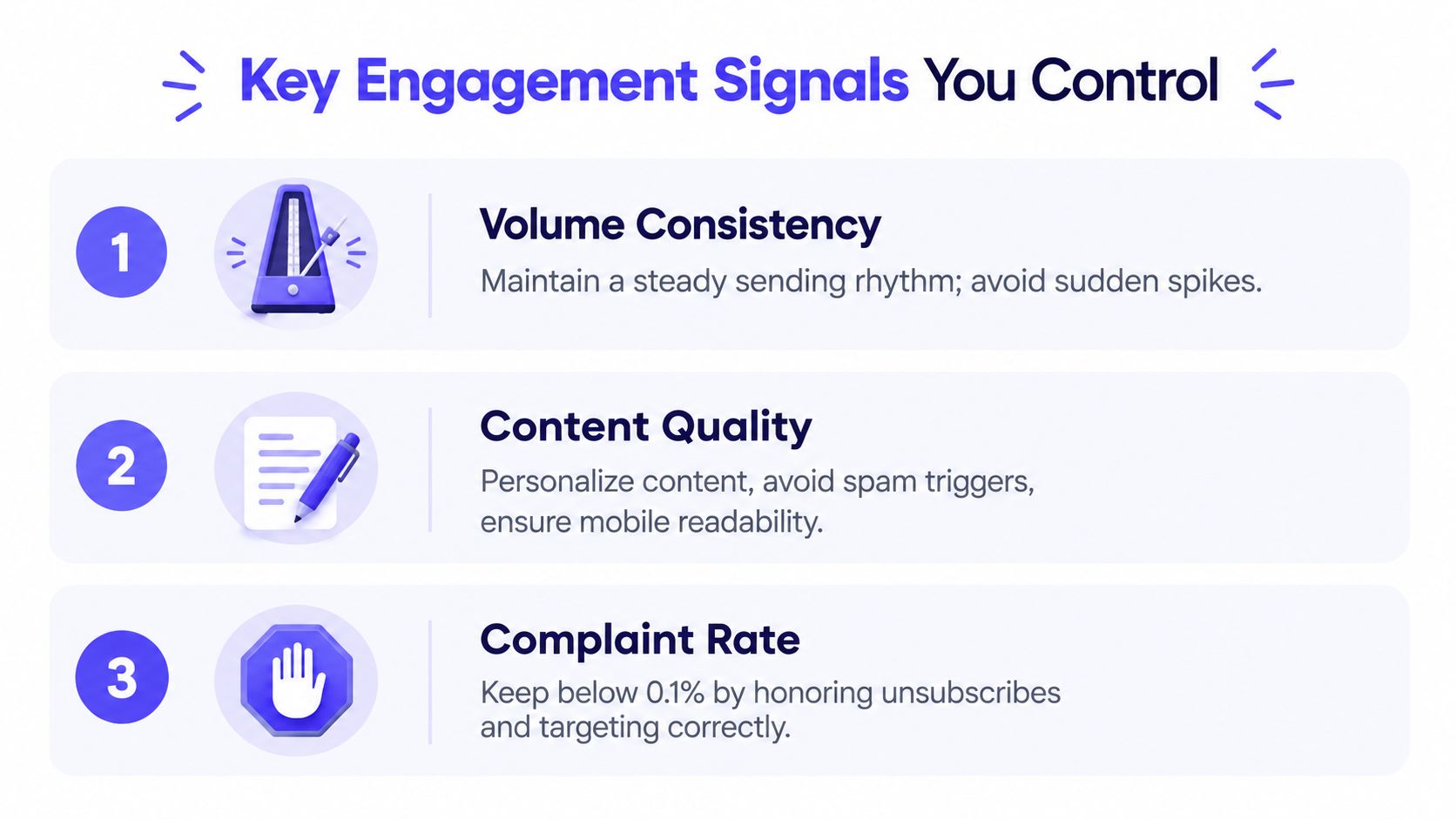
Mailbox providers learn from sending rhythm. A stable daily pattern gives filters a clearer history than alternating silence with large bursts.
Set a daily volume the team can sustain, then keep it consistent across working days. Account for weekends, holidays, sales bursts, and list imports in the campaign calendar. Sudden increases can erase the reputation gains built during warmup, so scale only after recent sends show acceptable engagement and complaint behavior.
Content affects results after authentication and sender reputation are in place. Keep each message relevant, easy to understand, and consistent with the reason for contacting that recipient.
The content controls that matter
- Use mostly text: Keep messages readable on mobile and avoid layouts that depend on images or tracking elements.
- Avoid questionable infrastructure: URL shorteners and tracking-only domains can add unnecessary risk.
- Write accurate subjects: Keep the subject concise, avoid all caps, and match it to the body preview.
- Make the reply easy: Ask one focused question so the recipient has a clear reason to respond.
- Honor opt-outs: Suppress unsubscribed contacts quickly across every sending system.
Google's stated spam-complaint ceiling is below 0.3%, while many deliverability teams work toward 0.1% or less for additional safety. The complaint-rate guidance and measurement context are available here. A complaint rate of 0.1% corresponds to roughly one complaint per 1,000 sends, though its operational meaning depends on the provider, audience, and sending history.
Teams that need help improving outreach relevance can use this resource to craft reply-worthy emails using AI. AI can improve clarity and variation, but it should not invent personalization or hide an irrelevant offer.
Before launch, an email spam checker can flag content and formatting risks. Treat the result as a screening step, not proof of inbox placement.
Monitoring, Placement Testing, and Provider Reputation
Configuration scores don't prove that messages reach visible inboxes. Monitoring must connect technical health with what recipients see.
Gmail Postmaster Tools provides visibility into spam rate, IP reputation, domain reputation, and feedback-loop information where available. Microsoft SNDS helps teams assess reputation signals associated with Outlook.com and Hotmail traffic. Yahoo requires its own attention because engagement and stable sending behavior remain important to placement.
A seed list gives the team a practical view of mailbox outcomes. It should include real accounts across Gmail, Outlook, Yahoo, and relevant enterprise suites, then be tested regularly through tools such as Mail Tester, GlockApps, or Inboxalytics.
| Mailbox Provider | Key Reputation Signal | Monitoring Source | Warning Threshold |
|---|---|---|---|
| Gmail | User-reported spam rate and domain reputation | Google Postmaster Tools | Spam rate above 0.3% |
| Outlook.com and Hotmail | IP reputation and complaint behavior | Microsoft SNDS | Rising complaints or weakening IP reputation |
| Yahoo | Engagement and sending consistency | Provider feedback and placement testing | Declining inbox visibility |
| Enterprise suites | Authentication, filtering, and local policy | Seed accounts and provider logs | Repeated spam placement |
Recent benchmark data shows why broad delivery metrics can mislead. One report found 65% of tested messages reached the actual inbox while 32% went directly to spam, despite SPF passing for 93% of senders and DKIM passing for 90%. The benchmark also identifies DMARC adoption at about 50% and emphasizes provider-specific monitoring.
Teams should review dashboards before every major campaign and run a domain blacklist lookup when placement falls unexpectedly. A blacklist result doesn't explain every spam-folder decision, but it can reveal an infrastructure issue that deserves immediate investigation.
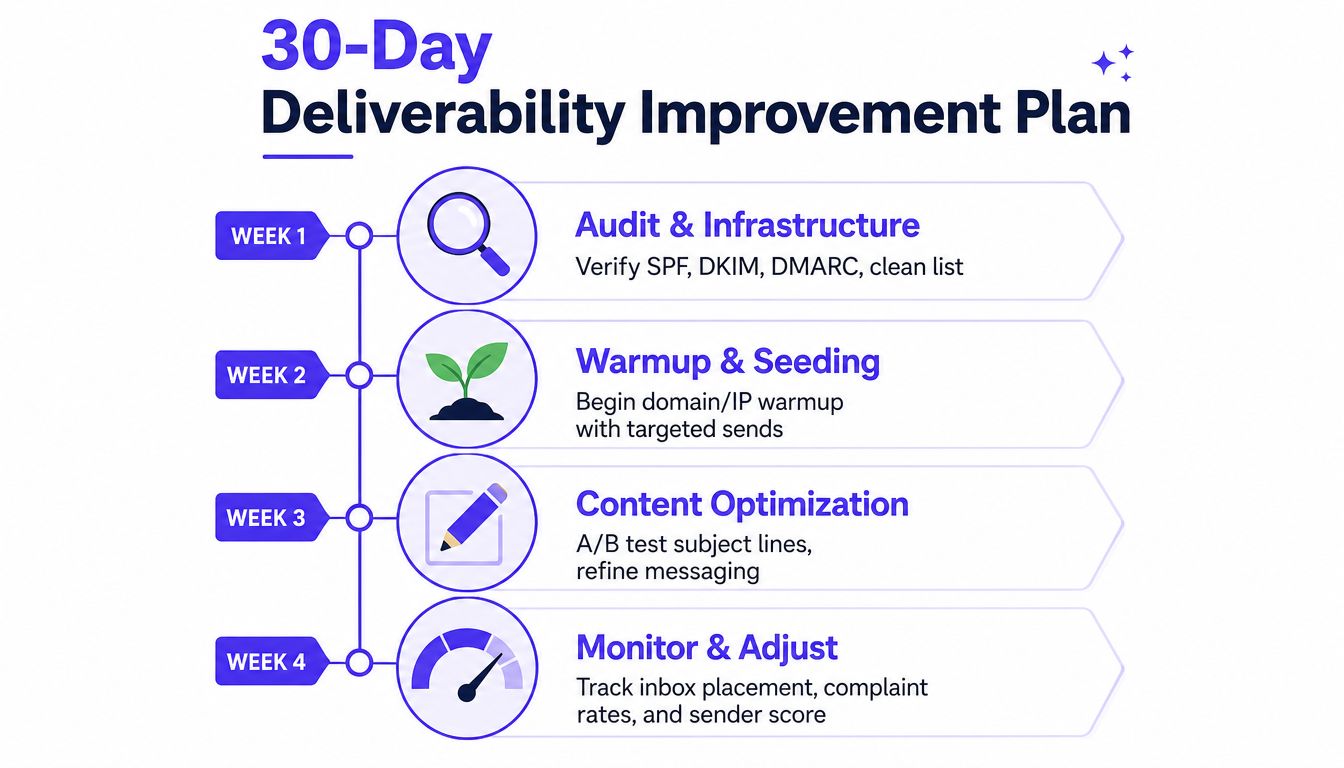
30-Day Deliverability Improvement Plan
改善 deliverability 的順序比單項技巧更重要。先修正基礎設施,再建立可控的互動與發送節奏,最後用 placement 和聲譽資料決定是否擴量。一次只改變幾個變數,團隊才知道哪項調整真正有效。
| 期間 | 主要工作 | 成功檢查 | 決策點 |
|---|---|---|---|
| 第 1 週 | 稽核 SPF、DKIM、DMARC、寄件者身分、名單來源,以及專用 outbound domain 或 subdomain。連接 Google Postmaster Tools 和 Microsoft SNDS。 | 驗證對齊,監測資料可用。 | 身分和驗證一致前,不要擴量。 |
| 第 2 週 | 以真實互動開始保守 warmup。驗證下一批 campaign 名單,建立 suppression rules,檢查訊息內容。 | Bounce 和 complaint rate 符合前文設定的目標。 | 若 bounces、complaints 或 spam placement 上升,暫停增加量。 |
| 第 3 週 | 逐步增加 volume,維持穩定的每日節奏。持續聯絡 warm contacts,並在主要 provider 測試訊息。 | Provider-level placement 沒有惡化,且互動品質維持。 | Placement 變弱時,先維持現有 volume。 |
| 第 4 週 | 執行 placement tests,檢查 reputation dashboards 和內容,對比 inbox、spam 與 tab 結果。 | Placement 改善,bounces 和 complaints 沒有同步上升。 | 問題持續時,升級至專業 warmup 和專家檢查。 |
Can a new domain fix poor deliverability fast
更換 domain 或 IP 很少能立刻清除問題。新基礎設施仍會累積 engagement history、authentication 結果、bounces 和 complaints,mailbox providers 也可能辨識相關的發送行為。
重建應該建立在診斷之後,而不是取代診斷。如果名單和 campaign 沒有改變,新 domain 只會把相同風險轉移到一個較沒有歷史紀錄的寄件者。
What affects deliverability the most
Sender reputation built through recipient engagement is the largest practical lever. Authentication 能證明身分,卻不能證明收件者想收到訊息。內容和 volume 支撐整個系統,replies、低 complaints 以及乾淨的名單行為,則持續提供 mailbox providers 用來判斷是否維持 inbox access 的訊號。
How should teams measure deliverability
Google Postmaster 的 spam rate 與 seed-list inbox placement 回答的是不同問題。Postmaster Tools 反映 Google 對 complaints 和 reputation signals 的觀察,seed testing 則顯示選定訊息在不同 provider 和資料夾中的位置。
兩種指標可能出現 20 或以上的差距,因為它們使用不同受眾、provider、篩選規則和測量方法。Benchmark reporting on visible mailbox placement shows why delivery and visibility aren't interchangeable。把差距當成診斷線索。判斷收件者是否看得到訊息時,優先看 provider-specific placement。決定是否暫停或重建時,則結合 complaint 與 reputation data。
第一個月結束時,若 spam complaints 仍高於 0.1%,或 inbox placement 低於 80%,就應啟動升級處理。Mailwarm 可用於 real inbox engagement、provider-level warmup、spam score monitoring、inbox placement insights、authentication fix tools 和 bounce prevention,也提供每個方案包含的 expert deliverability calls。
Frequently asked questions
How can teams improve email deliverability fast?
The fastest responsible path is to fix SPF, DKIM, and DMARC alignment, stop sending to risky contacts, suppress bounces and complaints, and stabilize daily volume. A new domain alone usually won't solve the problem because sending behavior still creates the reputation providers evaluate.
What affects deliverability the most?
Sender reputation and recipient engagement have the strongest practical influence. Authentication is essential because it verifies identity, but replies, low complaints, clean lists, and consistent sending determine whether that identity earns continued inbox access.
How should teams measure deliverability?
Use Google Postmaster Tools for Gmail reputation and spam-rate signals, Microsoft SNDS for Outlook-related IP information, and seed-list placement tests across major providers. Delivery alone isn't enough because a message can be accepted by a server and still land in spam or another mailbox tab.
Does warmup improve inbox placement?
Warmup can help establish positive sending history when it produces genuine engagement and runs alongside clean authentication and list hygiene. It isn't enough to compensate for irrelevant outreach, high bounces, or repeated complaints.
Is email warmup enough to fix deliverability?
No. Warmup is one part of a broader system that also includes authentication, reputation management, list verification, content quality, volume control, and monitoring. Teams should treat it as ongoing reputation protection rather than a one-time switch.
Does Mailwarm need access to a private inbox?
No. Mailwarm doesn't require IMAP access or permission to read a user's private inbox. It provides warmup and deliverability capabilities through real inbox engagement, provider-level controls, monitoring, authentication tools, and expert guidance.
If email supports business growth, visit Mailwarm to use a premium email warmup and deliverability platform built around real inbox engagement, provider-level warmup, placement insights, and reputation protection. Its expert guidance and deliverability tools can help teams execute this 30-day plan without relying on warmup activity alone.