

To send a read receipt in Gmail, you need a Google Workspace work or school account, and your admin must allow the feature. On desktop, open Compose, click More options, choose Request read receipt, and then send the email. Personal @gmail.com accounts cannot use Gmail's native read receipt feature.
A critical email goes out. It might be a proposal, a follow-up after a demo, a recruiting message, or a contract note that cannot sit unanswered for days.
The sender checks the inbox again and refreshes once more. Did the recipient open it? Did it land in spam? Did it get buried in Promotions? Or did they see it and choose not to reply?
That uncertainty is why so many people search for how to send read receipt in Gmail. It sounds simple. Ask Gmail to notify the sender when the message is opened.
In practice, Gmail's read receipt feature is narrow, controlled, and less dependable than many expect. It works for some Google Workspace environments, but it is not a universal Gmail feature. It also should not be mistaken for reliable engagement tracking or delivery confirmation.
That Feeling After You Hit Send
A founder sends an investor update and wants to know whether it reached the right people. A recruiter sends an interview invitation and hopes it was not missed. A sales rep follows up on a proposal and needs a reason to decide whether to call, wait, or send another message.
All three are chasing the same answer, was the email seen?
Gmail's native read receipt sounds like the answer. For many users, especially anyone with a personal Gmail account, it will not work the way they expect. Even in business settings, it depends on account type, admin permissions, and recipient behavior.
Practical rule: A Gmail read receipt is a request for acknowledgement, not proof of attention.
That distinction matters. A recipient can open the email and never send confirmation. Another recipient may never see the request because of how their email service handles it. If the email never reaches the inbox cleanly, a read receipt will not solve the underlying issue.
For teams that rely on email for growth, the better question is not only whether someone opened a message. It is whether the message had a real chance to be seen in the first place.
Quick Answer and What Read Receipts Are
Quick answer: To send a read receipt in Gmail, the sender needs a work or school Google account, not a personal @gmail.com account, and the feature must be available in that environment. Google states this directly in its Gmail Help article on read receipts. The sender opens Gmail on a computer, clicks Compose, then uses More options → Request read receipt before sending.
A read receipt is a notification sent back to the sender after a recipient opens a message.
That does not mean the email was fully read, understood, or acted on. It only signals that the email was opened and that the receipt flow completed.
Keep the definition simple:
Read receipt: A sender-requested acknowledgment that an email was opened
Not the same as delivery: It does not confirm inbox placement
Not always automatic: The recipient may need to approve it
For anyone looking up how to send read receipt in Gmail, that last point changes expectations quickly.
How to Request and Send Read Receipts in Gmail
Gmail read receipts are an enterprise-controlled feature, not a standard consumer Gmail setting. In Google Workspace, they are not available to personal Gmail accounts, and they must be enabled by an administrator in Admin console → Gmail → User settings → Email read receipts. Admins can allow receipts only inside the organization plus allowlisted external addresses, or allow them for any address, as explained in this Google Workspace walkthrough from GMass.

What the admin has to do first
If the sender does not see the read receipt option, the issue usually is not user error. It is admin configuration.
An admin needs to:
Open the Admin console and go to Gmail user settings
Find Email read receipts
Choose the permission scope, either internal plus allowlisted external addresses, or any email address
Save the setting so eligible users can request receipts
Without that setup, the compose window will not give users a working read receipt workflow.
How an end user sends one
Once the setting is available, the sender's process is short:
Open Gmail on a computer
Click Compose
Write the message
Open the three-dot menu
Select Request read receipt
Send the email
If the recipient's environment requires approval, they may get a prompt before any confirmation goes back to the sender.
Gmail's read receipt is permission-based. The sender can request it, but the recipient side still influences whether anything comes back.
A short visual walkthrough can help teams that need to train users across sales, recruiting, or account management.
What actually happens after sending
Many teams get confused here. A requested receipt does not create guaranteed tracking.
The sender may receive a confirmation. They may receive nothing. The recipient may have to approve the request, and their mail environment may handle the request differently than Gmail expects.
A practical checklist helps:
| Step | What to verify |
|---|---|
| Account type | Must be a work or school account |
| Admin setting | Read receipts must be enabled |
| Device | Use Gmail on a computer |
| Compose action | Add Request read receipt before sending |
| Recipient flow | Approval may still be required |
For operational teams, this matters because the feature lives inside the send flow, but control is split between the sender's admin settings and the recipient's environment.
The Real-World Limitations of Gmail Read Receipts
Knowing how to request one is useful. Relying on it is different.
Read receipts in Gmail have real reliability limits. The recipient may need to click yes to send the receipt, and even then the process is not guaranteed across all email services or account types. Boomerang's walkthrough explains that some services do not support or honor the request, which makes Gmail read receipts an opt-in signal rather than high-confidence verification in its guide to Gmail read receipts.
Why they fail in normal business use
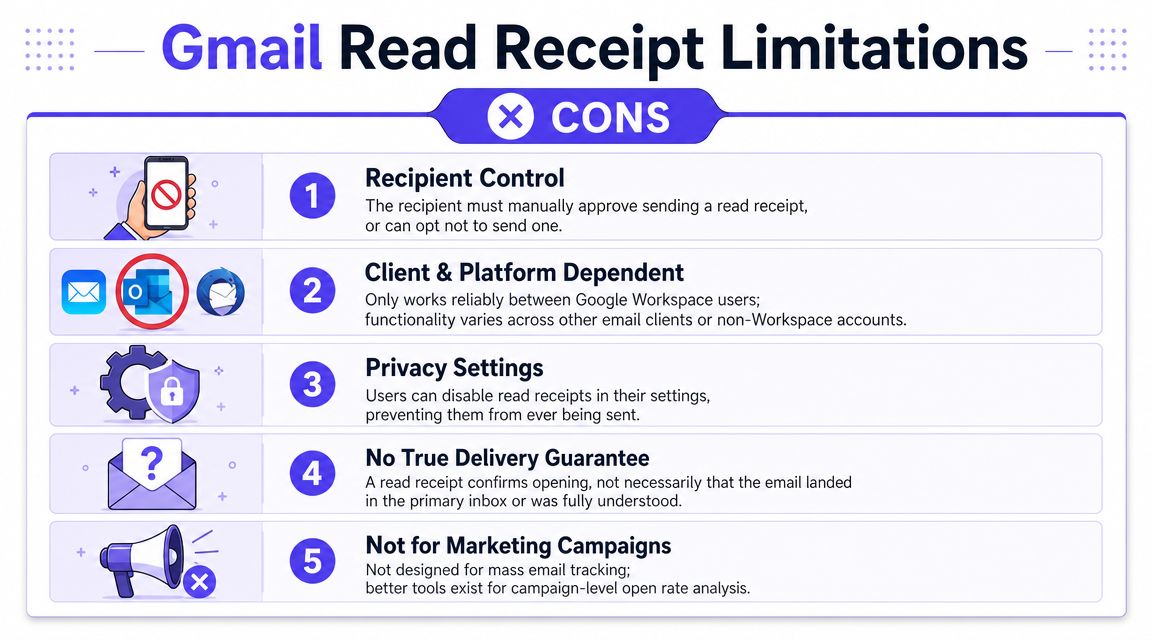
The first limitation is recipient control. If the person on the other end does not approve the receipt, the sender may never get confirmation.
The second is platform dependency. Different email clients handle these requests differently. Even when both sides use mainstream tools, the receipt flow can break without warning.
The third is scope. Google's documentation notes that Gmail delivers read receipts only to individual user email accounts, not to groups or mailing lists. That makes the feature a poor fit for broader communication workflows.
What a read receipt does not tell you
A read receipt does not answer the questions professional senders usually care about most.
It does not confirm:
Inbox placement: The email may have landed somewhere unhelpful
Attention quality: Opening is not the same as reading
Commercial intent: A prospect may open and still ignore it
Campaign health: One message result does not explain domain reputation
The biggest mistake is treating a Gmail read receipt like a deliverability tool. It is not one.
If outbound messages are missing replies, the problem may not be tracking at all. It may be sender reputation, poor inbox placement, or spam filtering. Teams dealing with that issue need a different fix, and this guide on how to avoid the spam folder is a more useful starting point than another read receipt request.
Better Alternatives for Professional Email Tracking
Once Gmail's native limits are clear, teams often move to third-party tracking tools.
These tools usually work by adding a tracking pixel to the email. When the recipient's email client loads images, the tool records an open event. That approach does not depend on the recipient explicitly approving a Gmail receipt request, which makes it more practical for sales outreach, recruiting follow-ups, and one-to-one business communication.
Gmail native receipts versus tracking tools
| Option | Who can use it | How it works | Main limitation |
|---|---|---|---|
| Gmail native read receipt | Eligible work or school accounts | Sender requests a receipt in Gmail compose | Approval and support can vary |
| Third-party email tracker | Wider range of users | Tracks opens through image loading | Depends on images loading |
| Deliverability tooling | Professional senders | Focuses on inbox placement and reputation | Does not replace engagement analytics |
Third-party trackers usually provide more operational visibility than Gmail's built-in feature. They may show opens, timing, and clicks depending on the product.
What serious teams actually need
There are two separate jobs here, and teams often mix them up.
One tool helps answer, "Was this email opened?"
Another helps answer, "Did this email have a good chance of reaching the inbox?"
Those are not the same thing.
Google's own documentation makes clear that the native Gmail option is only for work or school accounts and not for personal Gmail, which is one reason it is not a universal answer for business communication. Teams that want a broader diagnostic view usually need tracking plus deliverability monitoring. A practical starting point is a set of free email deliverability tools that help identify inbox risks before they damage outreach.
Open tracking is useful. But if messages are landing in spam, better tracking only measures failure more clearly.
From Tracking Opens to Ensuring Delivery with Mailwarm
Professional senders eventually run into the same ceiling. Open tracking helps after the email is sent. It does not improve the odds that the email lands where a human will see it.
That is the difference between reactive tracking and proactive deliverability.
Gmail's read-receipt capability has long been tied to Google Workspace and education accounts rather than consumer Gmail, which reinforces what the feature really is, a managed organizational signal, not a dependable universal tracking system, as described in this historical overview of Gmail read receipts.
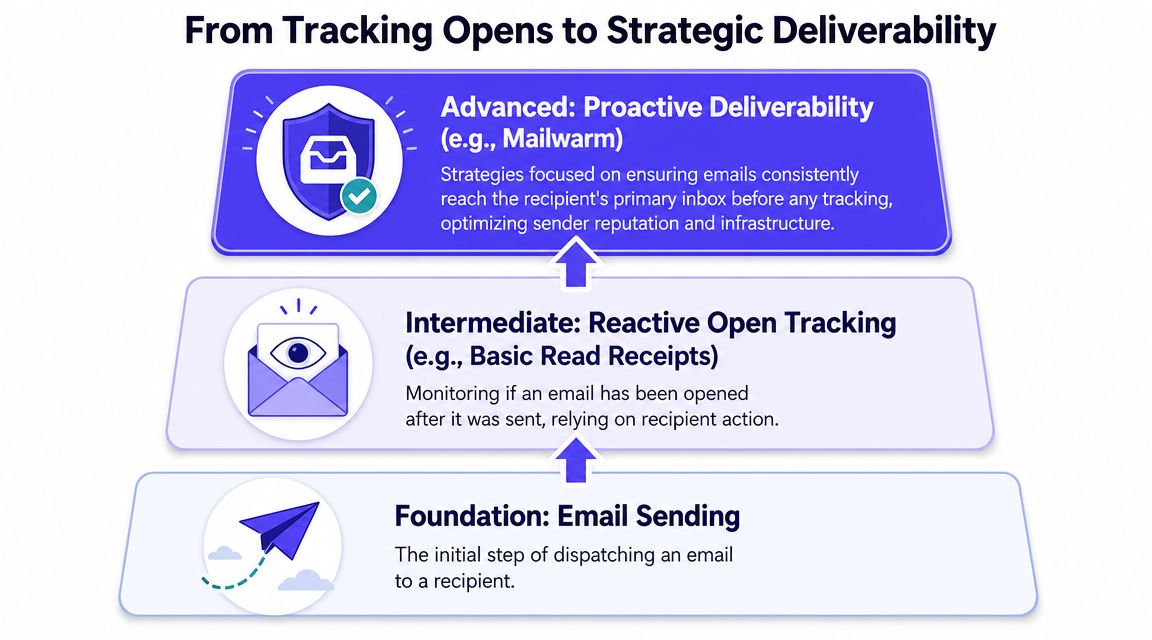
What changes when the focus shifts to deliverability
Instead of asking only whether someone opened a message, strong teams ask:
Did the mailbox have sender reputation problems
Are inbox providers learning positive engagement signals
Is the domain warming up safely
Are spam risks being monitored early
Is outreach volume aligned with reputation
That shift is what separates a tactical email habit from a system.
One option for teams that need inbox placement support
Mailwarm's email warmup tool fits that second category. Mailwarm helps senders build reputation, monitor inbox placement, and improve deliverability through real inbox engagement, advanced warmup controls, and expert guidance.
It focuses on sender reputation and inbox placement rather than pretending a read receipt solves deliverability. Mailwarm uses 50,000+ aged real inboxes to generate engagement signals such as opens, replies, threads, spam removal, and important marking. It also includes spam score monitoring, inbox placement insights, authentication fix tools, bounce prevention, deliverability analytics, up to 100% replies to warmup emails depending on the plan, and expert deliverability calls included in every plan. It also does not require IMAP access or access to the user's private inbox.
That matters for teams sending outbound at scale. If a domain's reputation is weak, a read receipt request will not rescue the campaign. Better open visibility still will not fix poor placement.
A practical way to think about the stack is:
| Need | Better fit |
|---|---|
| Confirm an occasional internal message was opened | Gmail read receipt |
| Track one-to-one business email engagement | Third-party email tracker |
| Improve inbox placement and sender reputation | Deliverability platform and warmup process |
The most effective action usually is not tracking more opens. It is building conditions where more important messages reach the inbox cleanly in the first place.
Conclusion: Your Next Step for Smarter Emailing
Regarding how to send read receipt in Gmail, the answer is straightforward but limited. It works in the right Google Workspace setup, on desktop, with admin support, and often with recipient approval in the loop.
That makes it useful for specific internal or business cases, but weak as a dependable signal.
Professional email performance depends on more than knowing whether a message was opened. It depends on inbox placement, sender reputation, and clean delivery. When email supports revenue, recruiting, or client communication, those fundamentals matter more than a fragile receipt request.
If email is part of your growth strategy, Mailwarm helps you build sender reputation, monitor inbox placement, and reduce spam risk with expert-guided warmup.
Frequently Asked Questions
Can personal Gmail accounts send read receipts
No. Gmail read receipts do not work with personal @gmail.com accounts.
How does someone request a read receipt in Gmail
On an eligible account, open Gmail on a computer, click Compose, open More options, then select Request read receipt before sending.
Why didn't a Gmail read receipt arrive
The recipient may have declined it, their email service may not support it, or the message may not have gone through a compatible receipt flow.
Do Gmail read receipts prove inbox delivery
No. A read receipt is not delivery confirmation and does not prove the message reached the primary inbox.
Do Gmail read receipts work for group emails
No. Google notes that read receipts go to individual user email accounts, not groups or mailing lists.
Are third-party email trackers more reliable than Gmail receipts
Usually, yes. They generally provide more consistent open tracking than Gmail's native receipt request, though they still have limits.
Is open tracking enough to fix poor email performance
No. Tracking shows activity after sending. It does not solve sender reputation or inbox placement problems.
Why would a team use a deliverability platform instead of just read receipts
Because the larger issue is often whether emails reach the inbox at all. Read receipts do not improve sender reputation or reduce spam risk.
Why is Mailwarm more expensive than basic email warmup tools?
Mailwarm costs more because it combines real inbox engagement, up to 100% replies to warmup emails depending on the plan, spam score monitoring, provider-level warmup, authentication tools, no IMAP access required, and expert deliverability calls included in every plan.