

Most advice about how to avoid spam folder problems is stuck in the past. Subject line tweaks and “spam word” lists matter far less than commonly assumed. What keeps email out of spam is trust, and mailbox providers decide trust based on technical setup, sender reputation, and the way real recipients interact with messages.
That's why legitimate emails still miss the inbox. Gmail, Yahoo, Outlook, and other providers don't just scan copy. They look for authentication, complaint patterns, list quality, and whether recipients reply, rescue messages from spam, or add the sender to contacts. In 2026, that foundation matters more than ever.
Why Your Emails Really Go to Spam
A common mistake in deliverability troubleshooting is focusing on copy first.
Spam placement starts with trust. Mailbox providers score that trust from three signals: authentication, sender reputation, and recipient behavior. If those signals are weak, polished copy will not save the campaign.
That is why generic “spam words” advice keeps failing businesses. Gmail, Yahoo, Outlook, and other providers care more about whether mail is properly signed, whether the sending domain has a clean history, and whether real people reply, move messages out of spam, or ignore them. In 2026, replies and other high-intent engagement signals carry more weight than open-based warmup alone.
Bulk sender rules have tightened, too. Gmail and Yahoo expect senders to authenticate mail, support one-click unsubscribe, and keep complaint rates low. If your setup is shaky, filters will treat the mail like a risk before a recipient reads a word. If you need a practical primer on SPF, DKIM, and DMARC before fixing the rest, start with this email authentication guide for senders.
Spam filters do not care about good intentions. They care about whether your mail looks safe, expected, and wanted.
I have seen this pattern repeatedly. A company rewrites subject lines for weeks, but the underlying issue is a cold domain, inconsistent sending volume, or a list full of people who never asked for the emails. The result looks like a content problem from the sender's side and a trust problem from the mailbox provider's side.
The pattern holds across industries. Teams trying to improve email deliverability for short-term rentals face the same mechanics as SaaS companies, agencies, and ecommerce brands. Inbox placement is usually decided by technical credibility and engagement quality, not by whether a message avoided a few trigger words.
Set Up Your Technical Authentication
Authentication is the floor, not the ceiling. Without it, a sender starts every campaign at a disadvantage.
Properly authenticated emails using SPF, DKIM, and DMARC achieve up to 95% inbox placement rates, compared to 60-70% for unauthenticated messages, and a strict DMARC policy can reduce spoofing risks by over 80%, according to Thryv's email strategy article.
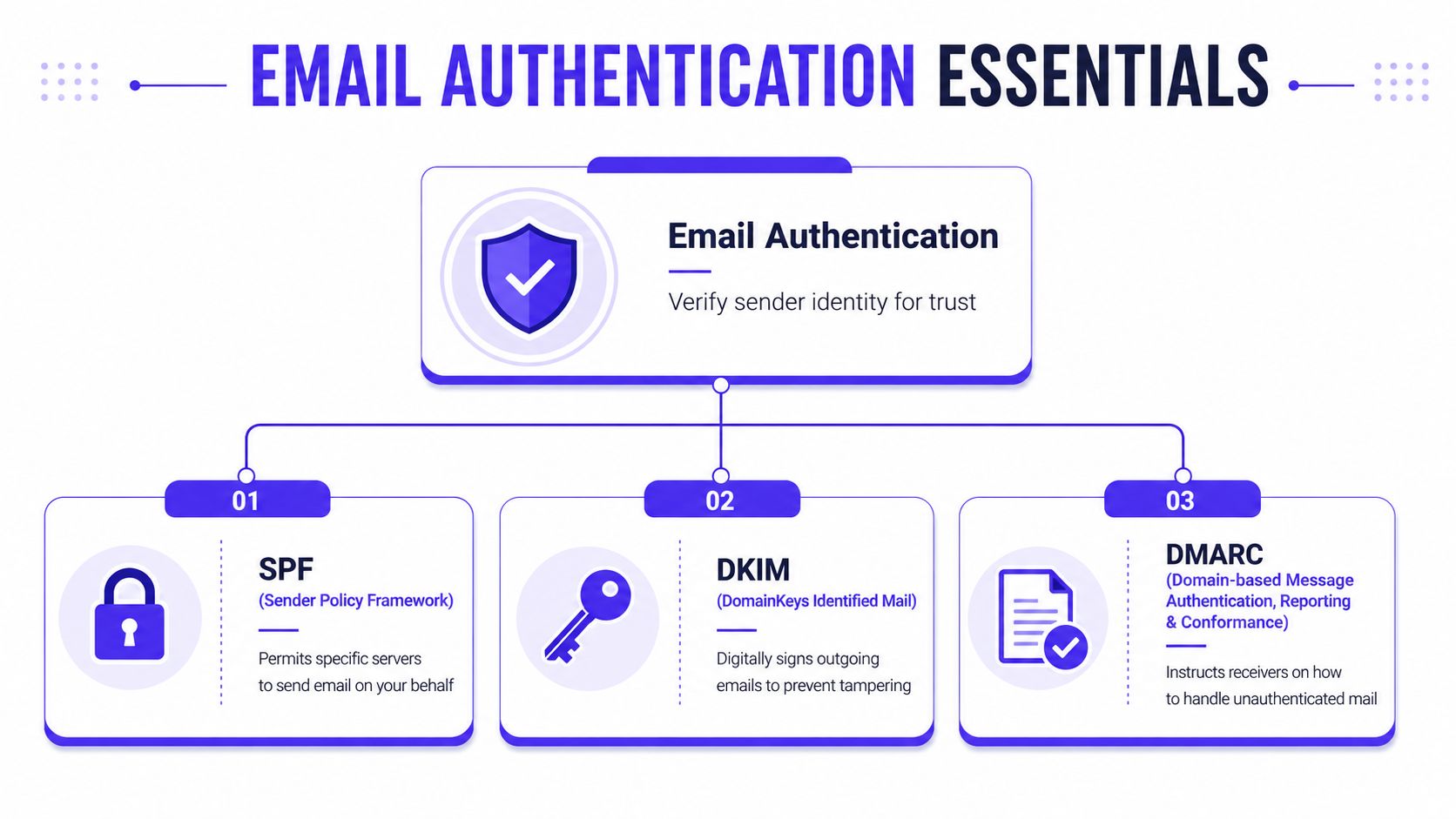
Alt text suggestion: Email authentication essentials diagram showing SPF, DKIM, and DMARC and how they improve deliverability.
What SPF does
SPF tells receiving servers which systems are allowed to send email for a domain.
If a business sends through a CRM, a newsletter platform, and a sales outreach tool, SPF needs to reflect that. Many setups fail in this situation, often without immediate detection. A team adds a new provider, forgets to update SPF, and starts failing checks without realizing it.
Use SPF to answer one simple question. Who is allowed to send mail for this domain?
What DKIM does
DKIM adds a cryptographic signature to outgoing email. That signature tells the receiving server the message hasn't been altered in transit.
Mailbox providers don't just care about who sent the message. They also care that the message content wasn't tampered with before it arrived.
A failed DKIM check doesn't always kill delivery by itself, but it weakens trust fast.
What DMARC does
DMARC sits above SPF and DKIM. It tells receiving providers what to do when those checks fail.
That policy can be lenient or strict. A stricter policy gives providers a clearer rule set, and it gives the sender more visibility into failures. That's one reason DMARC is so important for preventing impersonation and fixing hidden alignment issues.
Practical rule: SPF says who can send. DKIM proves the message is intact. DMARC tells providers how to handle failures.
How to check your setup
A clean authentication review usually follows this sequence:
Check whether SPF exists
Confirm the domain has an SPF record and that every active sending platform is included.Verify DKIM signing
Make sure each platform that sends on behalf of the domain has DKIM enabled and aligned.Review DMARC policy
Confirm there is a DMARC record and that the policy matches the business's risk tolerance and monitoring maturity.Audit after every tool change
New sending tools often create silent failures if DNS records aren't updated.
A practical place to start is this mastering email authentication guide, which walks through the core records in a business-friendly way.
Common authentication mistakes
| Issue | What happens |
|---|---|
| Old SPF record | New sending tool fails authentication |
| DKIM not enabled on one platform | Some campaigns lose trust while others pass |
| DMARC missing | Spoofing protection stays weak and visibility stays limited |
| Different teams using different tools | Authentication drifts without anyone owning it |
For local teams that need a broader operational checklist, this guide to Indianapolis email security is a useful companion because it connects email authentication to wider business security habits.
Build a Strong Sender Reputation with Quality Warmup
A lot of senders still treat warmup like a volume exercise. That approach is outdated.
Mailbox providers do not reward random activity. They reward patterns that look like real communication. A domain with clean authentication can still land in spam if early sending behavior looks synthetic, low-interest, or one-sided. The difference in 2026 is that stronger engagement signals matter more than inflated open activity.
Sender reputation is built from repeated evidence. Replies, ongoing threads, messages rescued from spam, and positive mailbox actions carry more weight than a dashboard full of opens. That is why open-only warmup often stalls out. It creates motion without much trust.
Recent guidance from Mailgun's deliverability team points in the same direction. Mailbox providers are evaluating how recipients interact with your mail, not just whether mail was sent at a growing volume.
Alt text suggestion: Screenshot of an email warmup dashboard showing inbox placement and deliverability controls.
Why open-based warmup falls short
Open tracking was never a strong trust signal, and privacy protections made it weaker.
A tracked open can mean an image loaded. It does not prove the recipient cared, read, replied, or wanted more mail from that sender. Replies do. So do real threads and manual actions that show a person recognized the sender as legitimate.
This matters most for outbound sales teams, lead generation campaigns, and anyone launching a new domain. If the first few weeks of activity look fake, providers notice.
How to warm up a domain without damaging it
Start with low volume, keep targeting tight, and send messages that can realistically get a response. Warmup should look like normal business communication, not a script running in the background.
Good warmup usually includes:
Gradual volume increases
Raise sending slowly enough that mailbox providers can observe stable behavior instead of a sudden spike.Reply-driven activity
Prioritize sends and workflows that create actual back-and-forth conversations.Provider-specific patterns
Gmail, Outlook, Microsoft 365, Yahoo, and private SMTP servers do not filter mail the same way.Clean early recipients
Use high-confidence contacts first. For cold outreach programs, this is also where email list segmentation tips help by separating engaged, relevant contacts from everyone else.
A useful model is a reply-focused email warmup tool that uses real inbox interactions instead of relying on open-heavy automation. One platform built around that model is Mailwarm, which uses a network of real inboxes to create stronger engagement signals like replies and threads, without requiring IMAP access.
What stronger warmup looks like in practice
Weak warmup creates activity. Strong warmup creates believable reputation signals.
| Warmup approach | What it usually signals |
|---|---|
| Open-heavy automation | Light activity, limited evidence of recipient interest |
| Reply-driven warmup | Real interaction and stronger trust signals |
| Generic inbox mix | Less insight into provider-specific filtering behavior |
| Provider-level warmup | Better alignment with the mailbox providers you actually send to |
There is a trade-off here. Reply-based warmup takes more planning, and it usually costs more than basic automation. It also does a better job of preparing a domain for real campaigns. That trade-off is worth it for teams that depend on inbox placement for revenue.
A sender builds reputation faster with better engagement signals than with more warmup volume alone.
Practice Excellent List Hygiene and Engagement
A clean technical setup will not save a dirty list.
You can authenticate everything correctly, warm up the domain carefully, and still end up in spam because mailbox providers see the same pattern over and over. Low-consent addresses, stale contacts, weak engagement, and too many people ignoring the message. By the time complaint rates rise, the reputation damage is already happening.
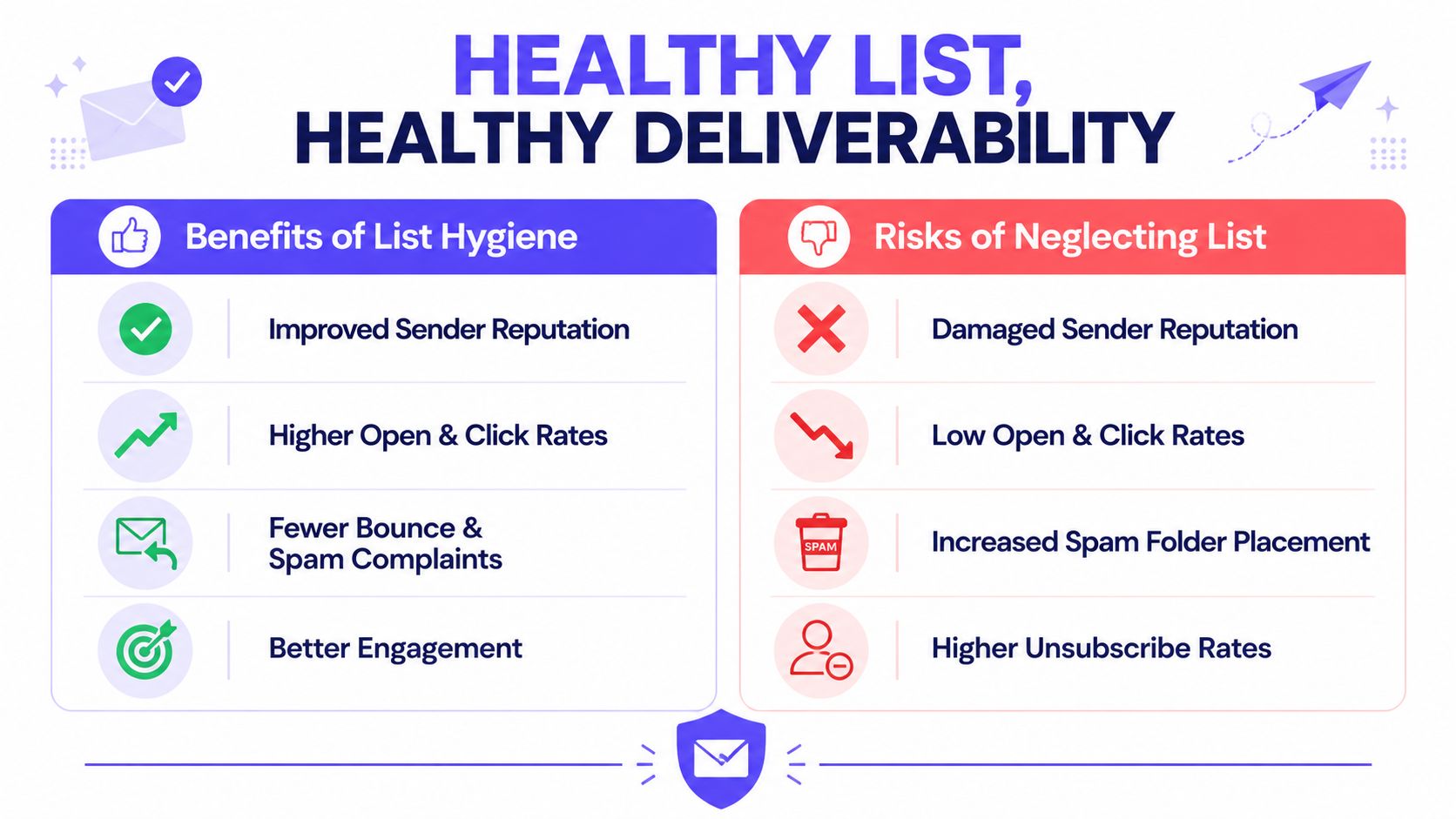
Alt text suggestion: Pros and cons chart comparing healthy email list hygiene with neglected list risks.
Start with consent, not convenience
Consent quality shapes engagement quality.
Double opt-in usually reduces raw signup volume, and that is fine. The list you keep is more likely to contain real people who recognize your brand, open on purpose, and reply when the message is relevant. That trade-off pays off later, especially for newer domains that cannot absorb much negative engagement.
Purchased lists, scraped lists, and old CRM exports create the opposite pattern. They look efficient at the top of the funnel and expensive everywhere else.
Remove risk before you send
Hard bounces are the obvious problem. Silent subscribers are often worse.
A contact who has not opened, clicked, replied, or converted in months is not neutral. That address can turn into a complaint, a spam trap, or a long streak of ignored mail that weakens your sender reputation. Providers do not need a dramatic failure to downgrade you. Consistent low engagement is enough.
That is why every serious program needs a sunset policy with a defined cutoff.
A practical list hygiene checklist
Use double opt-in
Confirm interest before adding anyone to ongoing campaigns or nurture flows.Verify addresses before import and at capture points
Bad data gets expensive fast. If you need a shortlist, start with these top email verifier tools.Set a sunset window
Stop mailing contacts who have not engaged within a period that fits your sales cycle and sending frequency.Make unsubscribing easy
A fast unsubscribe is better than a spam complaint.Segment by recent engagement and source
Separate active subscribers, passive subscribers, customers, trial users, webinar leads, and cold imports. These email list segmentation tips are a useful reference for building cleaner segments.
Smaller lists often outperform larger ones because they produce stronger positive signals per send.
Ask for the signals that matter
Open-based engagement is a weak foundation now. Privacy protections made opens less reliable, and mailbox providers have better signals to work with anyway.
Replies matter more. So do real clicks, moving a message from spam to inbox, and adding the sender to contacts. Those actions show intent. They also help separate wanted mail from tolerated mail, which is an important difference in 2026.
A simple welcome sequence should ask for one useful action early:
Reply to the first email
This is one of the strongest trust signals you can get.Add the sender to contacts
It helps with recognition and future placement.Use preference controls
Let subscribers reduce frequency instead of forcing them to complain or leave.
I have seen senders recover deliverability faster by cutting 20 percent of a list and focusing on engaged segments than by sending more volume to try to “average out” weak performance. Inbox placement improves when recipient behavior improves. That is the standard that matters.
Write and Format Emails for the Inbox
Content still matters. It just doesn't matter in the simplistic way most blog posts suggest.
The outdated version of this topic is a giant blacklist of “spam words.” The modern version is much more useful. Write emails that are easy to trust, easy to scan, and easy to understand. Providers reward that because recipients reward that.
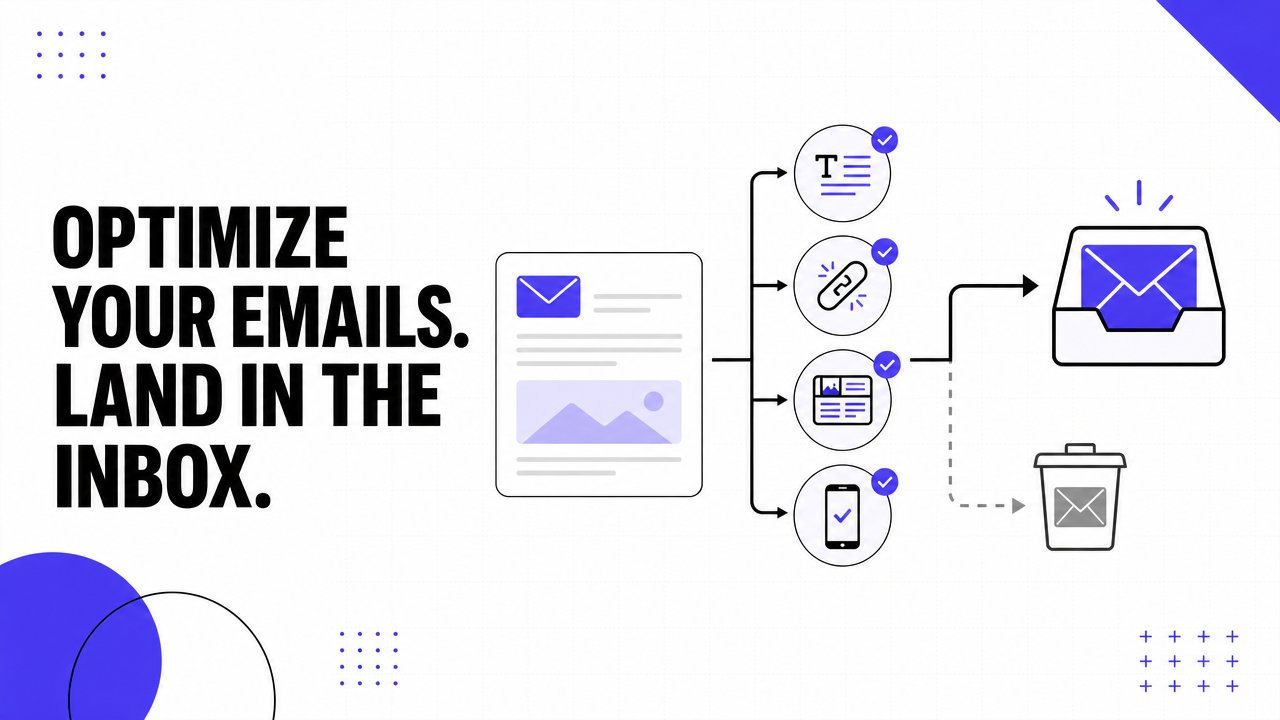
Alt text suggestion: Illustration of email optimization factors that help messages land in the inbox.
What works better than spam word lists
A clear subject line beats a clever one if the clever one confuses the recipient. A clean email layout beats an overdesigned template if the design hurts readability. A familiar sender name beats a rotating one if the recipient is deciding whether to trust the message.
The point is consistency. The sender name, domain, content style, and call to action should all feel aligned.
Inbox-friendly formatting habits
Write plain subject lines
Keep them direct and relevant to the message.Use clean HTML
Messy code and broken formatting create trust problems fast.Keep image use reasonable
Image-heavy emails with very little text often perform worse than balanced layouts.Use reputable links
Link only to domains the sender controls or deems trustworthy.Optimize for mobile
If an email is hard to read on a phone, engagement usually drops.
Better content choices
| Weak approach | Stronger approach |
|---|---|
| Vague subject line | Clear, specific subject line |
| Too many links | Fewer, more relevant links |
| One giant image | Balanced text and visual layout |
| Generic blast | Audience-specific message |
Clean formatting doesn't just help humans read the email. It helps providers trust that the email belongs in the inbox.
For most businesses, the safest rule is simple. Write emails that look like something a real person would want to receive and act on, not something engineered to slip past a filter.
Monitor and Fix Deliverability Issues Proactively
Deliverability problems are easier to fix early than after a domain has already developed a bad reputation.
That means watching the right signals before a major launch, not after open rates collapse or replies disappear.
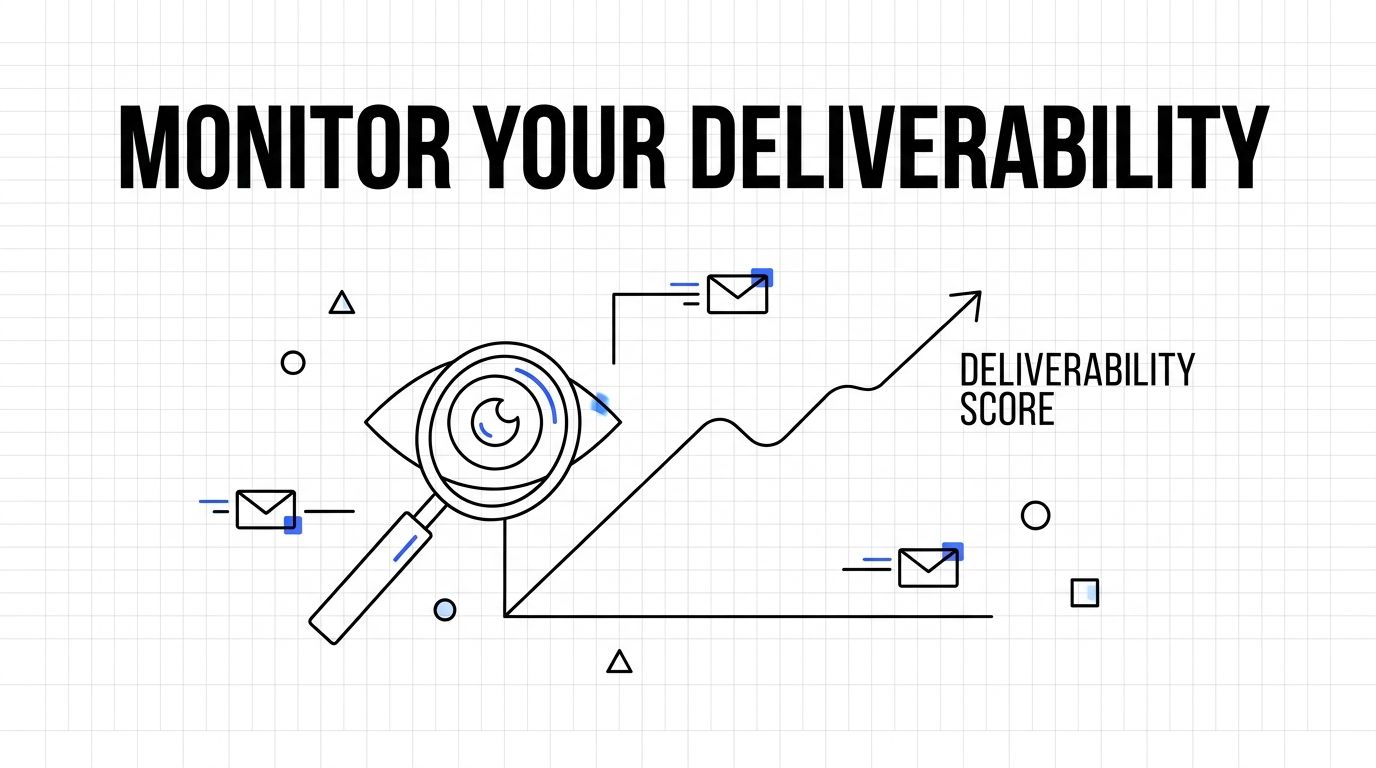
Alt text suggestion: Monitoring deliverability score illustration with email icons and performance graph.
What to monitor regularly
A practical monitoring routine usually includes:
Authentication health
Check whether SPF, DKIM, and DMARC are still passing after any platform change.Inbox placement
Test where messages land across major providers.Complaint patterns
Watch for spikes after a list upload, campaign change, or audience shift.Bounce behavior
Rising bounce activity often points to list or collection problems.Reputation tools
Google Postmaster Tools and blocklist checks can reveal domain-level issues before campaigns get worse.
Mailbox providers also pay attention to direct recipient actions. Explicitly encouraging recipients to add an email address to their contacts or whitelist it creates a powerful trust signal that helps bypass spam filters for future campaigns, and manually rescuing an email from spam is another strong positive signal, according to Validity's deliverability article.
What to do when problems appear
Don't make six changes at once. Isolate the variable.
If placement suddenly drops, check recent changes first. New sending platform, new audience segment, broken authentication, higher volume, or a stale list are common triggers. Fix the obvious infrastructure issues, reduce risk in the next send, and test again with engaged recipients.
For a quick visual walkthrough of common diagnostics, this video is useful:
A proactive process is what separates stable inbox placement from constant fire drills.
Frequently Asked Questions
What is email warmup?
Email warmup is the process of building trust for a sending domain or mailbox through gradual sending and positive engagement. The goal is to improve sender reputation so future emails are more likely to reach the inbox.
How long does email warmup take?
It depends on the age of the domain, current reputation, and sending volume plans. New sending setups usually need a gradual ramp-up, and rushing volume too early creates unnecessary risk.
Does email warmup improve inbox placement?
It can, especially when warmup creates strong engagement signals such as replies and threads instead of just opens. Warmup works best when authentication and list quality are already in good shape.
Is email warmup enough to fix deliverability?
No. Warmup helps, but it won't fix broken authentication, poor list hygiene, high complaint rates, or irrelevant messaging. Deliverability is a system, not a single tool.
Why do emails go to spam?
Emails usually go to spam because providers don't trust the sender enough. That lack of trust often comes from weak authentication, low engagement, poor list quality, or complaint patterns.
How does Mailwarm help improve sender reputation?
Mailwarm helps senders build reputation, monitor inbox placement, and improve deliverability through real inbox engagement, advanced warmup controls, and expert guidance. It focuses on stronger engagement signals, provider-level warmup, monitoring, and reputation protection rather than basic automated activity.
Why is Mailwarm more expensive than basic warmup tools?
Mailwarm costs more because it combines real inbox engagement, up to 100% replies to warmup emails depending on the plan, spam score monitoring, provider-level warmup, authentication tools, no IMAP access required, and expert deliverability calls included in every plan.
Does Mailwarm need access to my inbox?
No. Unlike basic warmup tools, Mailwarm does not require IMAP access or permission to read your private inbox. That makes the setup less intrusive and easier to evaluate for teams with stricter security requirements.
If email is part of a growth strategy, Mailwarm helps build sender reputation, monitor inbox placement, and reduce spam risk with expert-guided warmup.