

An important campaign goes out. The copy is sharp, the offer is clear, and then nothing happens. No replies, weak opens, and a quiet suspicion that the message never really had a chance because it landed in spam.
An email spam score checker is a diagnostic tool that predicts how mailbox providers are likely to judge an email before or as it goes out. An email spam score is a numeric value assigned by systems like Apache SpamAssassin to predict whether an email will land in the inbox or spam folder, based on the subject line, body text, links, and coding, with a score closer to 10 indicating higher spam risk and lower delivery likelihood, as explained in Tiny's overview of spam score testing.
That matters for more than marketing performance. Email is also a common attack path, so understanding deliverability sits next to understanding security. Teams that want a broader view should also look at understanding email attack vectors from Blowfish Technology, because the same technical weaknesses that hurt inbox placement can also create trust and security problems.
Introduction
Silence after a send usually isn't random. It often means the message triggered filters, failed a technical check, or came from a sender setup that providers don't fully trust.
An email spam score checker helps identify that risk before the damage spreads across campaigns. It doesn't just give a score. It gives clues about what mailbox providers see when they inspect the message, the domain, and the sending setup.
The useful part isn't the number by itself. The useful part is turning that number into a fix list in the right order. This is often a point of difficulty. They rewrite a few words, rerun a test, and miss the underlying issue.
What Is an Email Spam Score
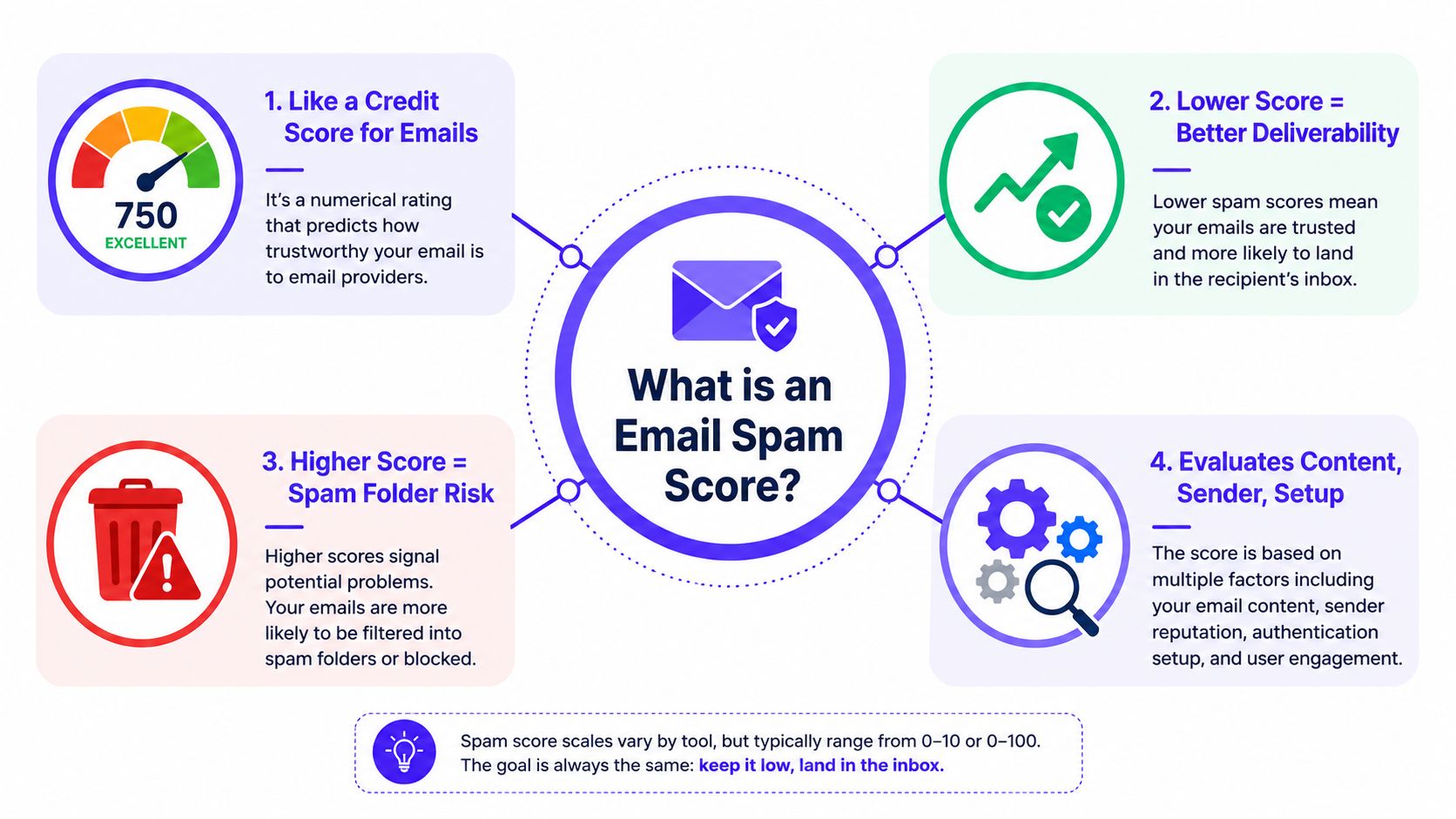
An email spam score is easiest to understand as a credit score for a message. Lower risk signals trust. Higher risk signals trouble.
Mailbox providers don't judge one thing. They judge a stack of signals. Some come from the message itself. Others come from the domain, the sending infrastructure, and the sender's past behavior.
What the score actually reflects
The score is a shorthand for risk. It tells whether a filter sees the email as trustworthy enough for inbox placement or suspicious enough for junk placement.
A practical definition helps here. Spam checkers assign a numeric value to estimate inbox versus spam risk by reviewing the subject line, body copy, links, and code. That makes the score useful, but only as a summary of several different checks working together.
Practical rule: A spam score isn't a verdict on copy quality alone. It's a verdict on the full message package.
For teams that want a closer look at one related signal, Mailwarm has a helpful piece on spam confidence level, which is worth reading alongside any spam score report.
What influences the score
A checker usually reviews these areas:
Authentication: SPF, DKIM, and DMARC show whether the sender is authorized to use the domain.
Domain and IP reputation: If the sender has a weak reputation, even decent content can struggle.
Content structure: Filters look at wording, formatting, and whether the message feels machine-generated or careless.
Links and code: Broken links, insecure links, tracking issues, and messy HTML all raise suspicion.
One common mistake is treating the score like a keyword detector. It isn't. Keywords matter, but they sit inside a much wider trust model.
Why lower is usually better
With spam scoring, lower risk means better odds. A message that looks technically sound and well structured usually gets a safer score than one with authentication gaps, risky links, or sloppy formatting.
That doesn't mean a low-risk message will always hit the inbox. Providers still weigh sender reputation and user engagement. But a cleaner score removes avoidable friction before the email meets those provider-specific filters.
How Email Spam Checkers Generate a Score
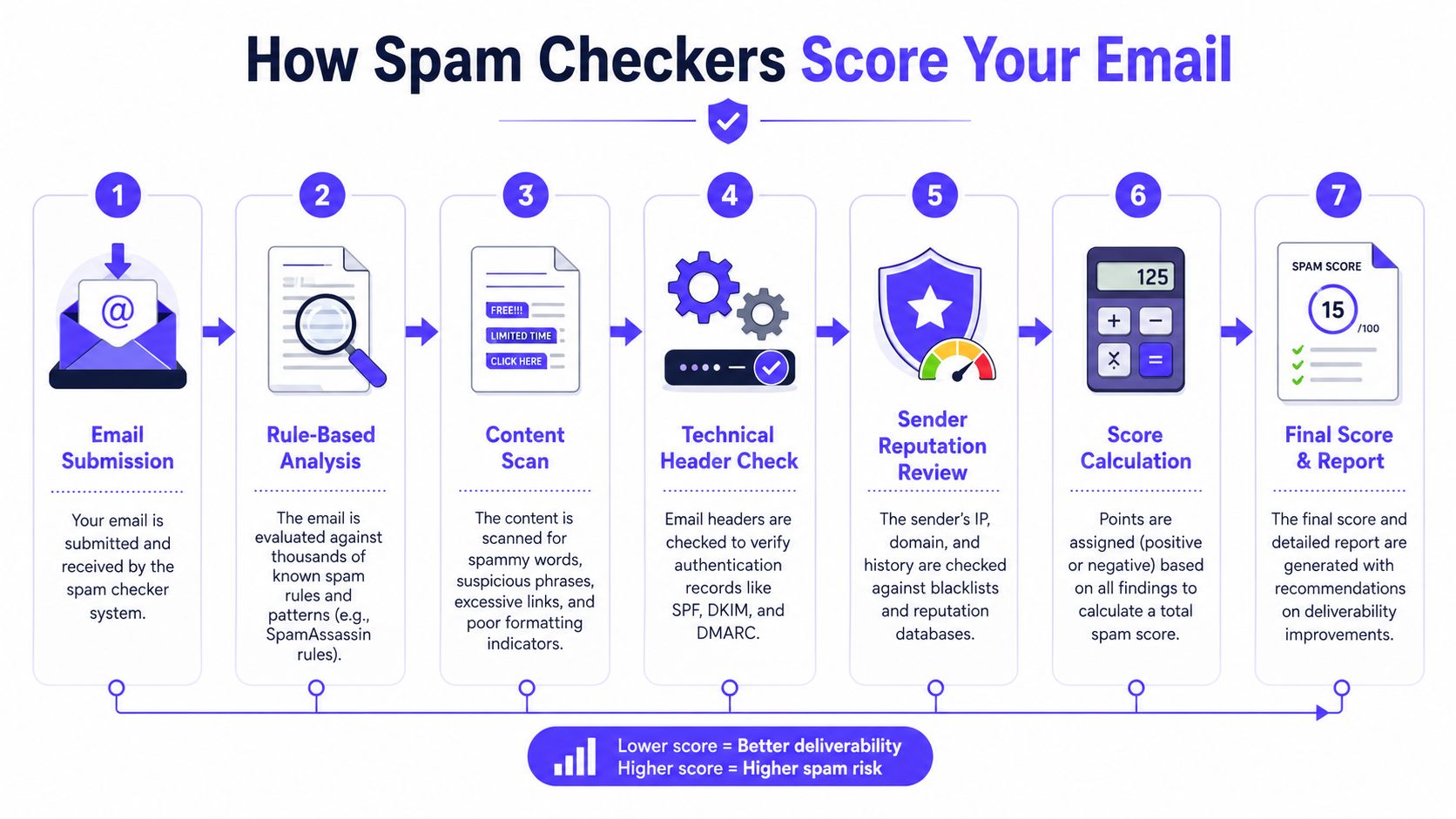
Most spam checkers don't operate like magic. They follow a rule-based process that can be understood, tested, and improved.
A common engine behind many tools is SpamAssassin. According to Constant Contact's explanation of spam testing, email spam checkers use the SpamAssassin algorithm, and a score of 5.0 or higher typically indicates a message is likely spam while the checks also simulate ISP environments and evaluate SPF, DKIM, and DMARC, flagging missing records as major spam triggers in this deliverability guide.
What happens behind the scenes
The workflow usually looks like this:
The email gets submitted
A tool gives the sender a unique test address. The sender forwards or sends the draft there.The checker parses the message
It inspects headers, content blocks, HTML, links, images, and sender metadata.Authentication gets reviewed
The checker verifies whether SPF, DKIM, and DMARC are present and aligned.Content rules get applied
Trigger words, unusual formatting, poor text balance, and coding issues get flagged.Reputation and blacklist checks run
The checker looks for known risks tied to the sending identity.A final report is generated
The sender sees a score and a list of issues ranked by severity.
Why technical setup matters so much
Many teams lose time. They keep editing copy when the message is failing because the domain isn't properly set up.
A useful outside resource on that point is the importance of proper email configuration from Technovation LLC. It helps explain why mailbox providers treat technical trust signals as the foundation, not an optional add-on.
If authentication is broken, the content review barely matters. Providers first need proof that the sender is who the sender claims to be.
What a checker can and can't do
An email spam score checker can catch obvious problems before a send. It can show why a message looks risky. It can help teams stop sending blind.
What it can't do is override poor sender reputation or weak engagement history. A clean test result helps, but it doesn't erase reputation damage from past sending behavior.
How to Run an Email Spam Check
Running an email spam check doesn't need to be complicated. The easiest path is to use an automated tester first, then do a short manual review before the final send.
Use an automated checker for a full report
Automated tools are faster and more detailed than guessing. MailReach notes that free spam test tools check for spam words, blacklisted domains, insecure links, and HTML errors, and they simulate inbox behavior so teams can fix authentication and content structure before a final send in its spam score overview. If you want a quick pre-send content review, you can also run a free spam word check before sending.
A practical workflow looks like this:
Copy the draft: Use the version that will be sent, not a simplified mockup.
Send to the test address: Tools such as Mail-Tester and MailGenius typically provide a unique address for this.
Review the report: Look for authentication failures, risky links, image-heavy layouts, and code issues.
Fix the biggest issues first: Technical flags come before style tweaks.
Retest the same message: Don't assume one edit solved everything.
Teams that want extra pre-send checks can also use Mailwarm's free email deliverability tools to catch issues before a campaign goes live.
Do a manual check before sending
An automated report is useful, but a manual pass still catches mistakes.
Use this checklist:
Check the sender identity: Make sure the message comes from a professional domain, not a free mailbox that looks inconsistent with the brand.
Review every link: Open them. Confirm they work, use secure destinations, and don't redirect in strange ways.
Send a personal test: Deliver the message to a personal Gmail or Outlook inbox and inspect how it appears.
Scan the formatting: Look for broken spacing, oversized images, strange fonts, and malformed buttons.
Read it out loud: Awkward grammar, excessive urgency, and careless typos are common spam signals.
A quick walkthrough can help teams see what this looks like in practice:
Automated vs manual checks
| Method | What it catches well | Where it falls short |
|---|---|---|
| Automated tool | Authentication issues, blacklist risk, code errors, content flags | Doesn't replace real-world reputation monitoring |
| Manual review | Broken links, awkward copy, rendering issues, brand mismatches | Easy to miss hidden technical issues |
The best workflow uses both. Automated checks find structural risk. Manual checks catch human mistakes.
Interpreting Results and Prioritizing Fixes
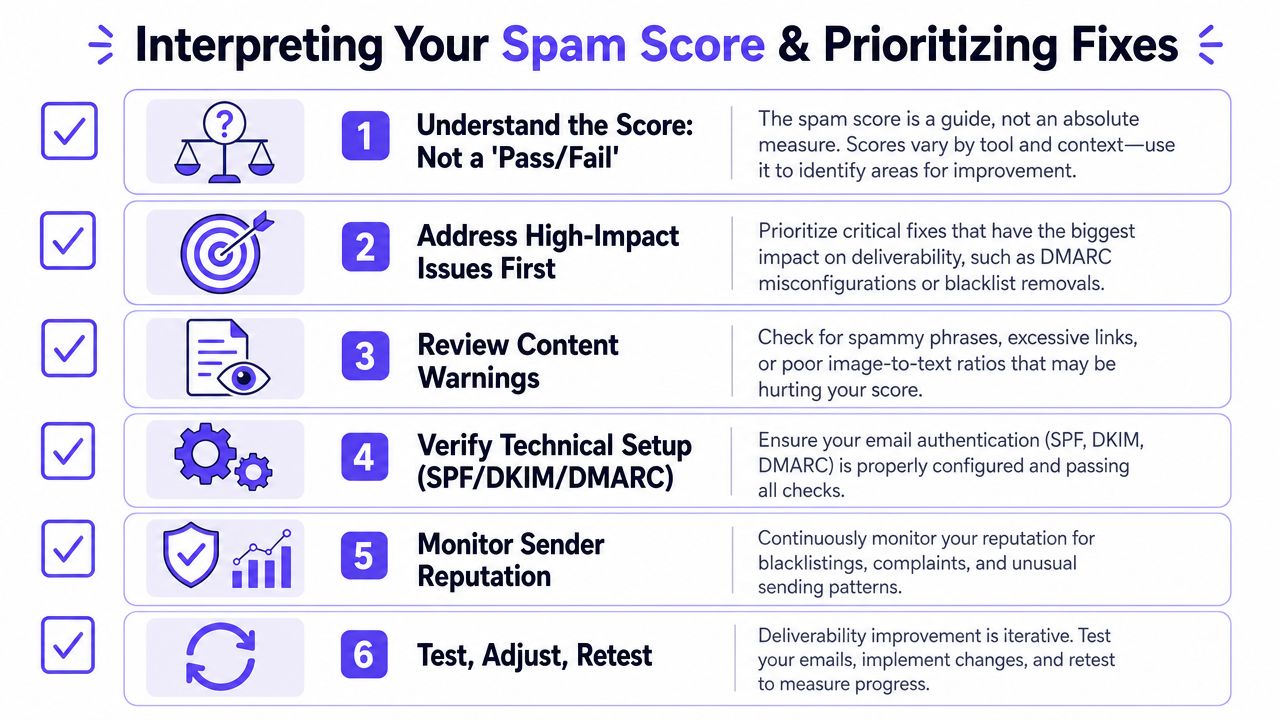
A spam score report is not a school grade. It is a triage sheet.
The common mistake is chasing a perfect score while ignoring the issue most likely to block delivery. A message can still fail badly if the score looks decent on paper but the domain has weak trust signals.
Start with critical issues
Mailmeteor points out that high spam scores often come from failed SPF, DKIM, or DMARC checks, broken links, or poor domain age, and that fixing the problem requires authentication, link validation, and reputation building rather than simple keyword edits in this spam checker guide.
That leads to a simple triage framework.
Critical
Fix these before anything else:
Authentication failures: If SPF, DKIM, or DMARC are missing or misaligned, stop and correct that first.
Blacklist hits: A listed domain or IP can block delivery regardless of copy quality.
Broken or suspicious links: Filters treat these as trust failures, not cosmetic problems.
Key takeaway: If the report shows a domain trust problem, changing adjectives in the subject line won't solve it.
Then move to high-impact content problems
Once the technical base is stable, review the message itself.
These are usually worth addressing next:
Obvious trigger phrasing: Aggressive urgency and exaggerated claims can push filters in the wrong direction.
Weak text balance: Image-heavy emails with thin copy often perform worse than plain, readable messages.
Messy HTML: Extra code, copied formatting, and broken templates can make a legitimate email look suspect.
Many teams also benefit from reviewing broader campaign hygiene. Mail Tracker for Gmail's marketing tips are useful here because they connect deliverability problems to practical sending mistakes, not just technical theory.
Leave minor issues for last
Not every warning matters equally. Minor HTML quirks, small formatting oddities, or low-priority wording suggestions shouldn't come before authentication and reputation.
A practical priority table helps:
| Priority | Fix first | Why it matters |
|---|---|---|
| Critical | SPF, DKIM, DMARC, blacklist issues, broken links | These can block or heavily downgrade delivery |
| High impact | Spammy wording, weak structure, image-heavy layouts | These influence filtering and user trust |
| Optimization | Minor code cleanup, small wording refinements | Helpful, but rarely the root cause |
Teams working through technical setup can use this guide to mastering email authentication as a practical reference.
Treat the report like a roadmap
The point of an email spam score checker isn't to create anxiety over a number. The point is to reveal what must be fixed now, what should be cleaned up next, and what can wait.
That order matters. Technical trust first. Content quality second. Fine-tuning last.
Beyond One-Time Checks Continuous Monitoring
A one-time spam check is a snapshot. Sender reputation is a moving target.
Mailbox providers keep evaluating behavior over time. They watch how recipients react, whether emails keep landing cleanly, and whether the sender acts like a trusted source or a risky one. That means a message that looked fine last week can struggle later if reputation slips.
Why static tests aren't enough
Static checkers are useful for pre-send diagnostics. They aren't designed to build reputation. They also don't create engagement signals that help mailbox providers trust future sends.
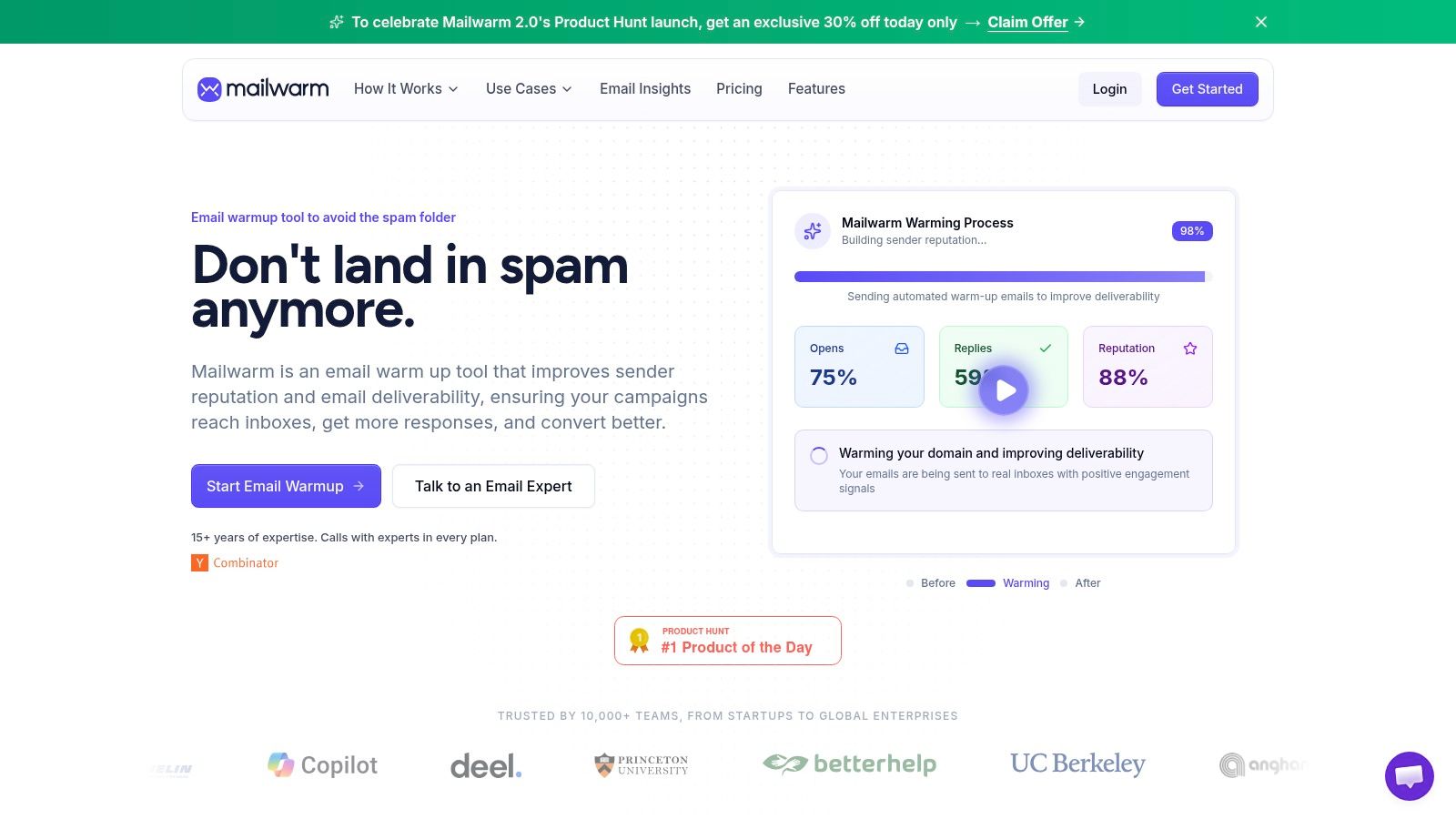
A full deliverability platform serves this purpose. Mailwarm helps senders build reputation, monitor inbox placement, and improve deliverability through real inbox engagement, advanced warmup controls, and expert guidance. According to Mailwarm, it provides dedicated spam score monitoring and inbox placement insights so teams can track whether emails land in the inbox or spam folder and identify deliverability risks over time.
What ongoing monitoring adds
For teams that depend on email, continuous monitoring changes the workflow:
Reputation building: Mailwarm uses 50,000+ aged real inboxes across major providers to generate engagement signals that support sender reputation, as described in this overview of warmup services.
Stronger interaction signals: Depending on the plan, it can generate up to 100% replies to warmup emails.
Provider-level control: Warmup can be distributed across Gmail, Outlook, Microsoft 365, Yahoo, and SMTP based on where reputation needs work.
More secure operation: It doesn't require IMAP access or permission to read a user's private inbox.
Guided improvement: Authentication tools, monitoring, analytics, and expert deliverability calls support the technical side that warmup alone can't solve.
A spam score checker tells a team what's wrong with one message. Ongoing monitoring shows whether the sender is getting healthier or drifting toward spam over time.
That difference matters for sales teams, marketers, agencies, recruiters, and any company that relies on email as a growth channel.
Frequently Asked Questions
Why do emails still go to spam with a decent score
Because the score is only one signal. Mailbox providers also weigh sender reputation, past engagement, and trust in the sending domain. A technically clean message can still struggle if the sender has weak reputation.
Are free email spam score checker tools enough
They're enough for a first pass. They can catch content warnings, authentication gaps, risky links, and code problems. They aren't enough for long-term deliverability management because they don't build reputation or monitor placement over time.
How often should a team check spam scores
Check before important campaigns, new sequence launches, template changes, or domain changes. Teams that send regularly should also monitor trends over time, because deliverability can shift even when the copy stays similar.
Is changing keywords enough to fix a high spam score
Usually not. Keyword edits can help, but many high-risk results come from authentication failures, broken links, domain trust issues, or weak sender reputation. Fix the technical base first, then clean up the wording.
How does Mailwarm help improve sender reputation
Mailwarm is a premium email warmup and deliverability platform built for teams that care about real inbox placement, not just automated warmup activity. It helps improve sender reputation and reduce spam risk through real inbox engagement, inbox placement insights, spam score monitoring, provider-level warmup, and expert guidance.
Why is Mailwarm more expensive than basic warmup tools
Mailwarm costs more because it combines real inbox engagement, up to 100% replies to warmup emails depending on the plan, spam score monitoring, provider-level warmup, authentication tools, no IMAP access required, and expert deliverability calls included in every plan.
Does Mailwarm need access to my inbox
No. Unlike basic warmup tools, Mailwarm doesn't require IMAP access or permission to read private inboxes. That makes the process less intrusive while still supporting warmup and monitoring.
Conclusion
An email spam score checker is a solid starting point, but it isn't the whole deliverability strategy. The score helps identify risk, but lasting inbox placement depends on technical health, clean content, and sender reputation that holds up over time.
The right move is simple. Test the email, fix the highest-impact issues first, and keep monitoring after the send. That's how teams stop guessing and start improving deliverability in a way that lasts.
If email is part of your growth strategy, Mailwarm helps you build sender reputation, monitor inbox placement, and reduce spam risk with expert-guided warmup.