

A campaign can contain strong copy, a relevant offer, and a clean list, yet still land in spam for Gmail while reaching the inbox at Outlook. An email reputation service helps explain why. It monitors how mailbox providers judge a sender's domain, IP, authentication, complaints, bounces, and engagement, then turns those signals into actions that can improve inbox placement.
Reputation isn't one universal score. It's a changing record of sending behavior attached to different identities and providers. Teams that understand that distinction can fix the underlying cause instead of replacing an IP or sending more warmup messages without knowing what's failing.
Introduction to Email Reputation Services
An email reputation service is software that helps senders build, monitor, and protect sender reputation across mailbox providers. It looks at the signals that influence delivery decisions, such as authentication results, complaints, bounces, engagement, sending patterns, and infrastructure history.
Mailbox providers use those signals to decide whether a message should reach the inbox, go to spam, be throttled, or be rejected. The receiving server can make that decision before it evaluates the message content in detail, which is why a good campaign can still perform poorly when the sender's reputation has weakened.
Reputation is a collection of signals
A useful service should separate at least three layers:
- Infrastructure reputation, associated with the sending IP or mail system.
- Domain reputation, associated with the visible From domain and other authenticated identities.
- Traffic reputation, shaped by a specific campaign, audience, provider, and sending pattern.
That structure matters because Gmail, Microsoft, Yahoo, corporate gateways, and blocklist operators don't share one reputation database or one scoring model. The same domain can have acceptable delivery at one provider and poor placement at another.
A service should therefore answer practical questions:
- Which mailbox provider is filtering the mail?
- Which identity is failing, the sending IP, From domain, or DKIM-signing domain?
- Are complaints, bounces, authentication failures, or volume changes driving the decline?
- What should the team change first?
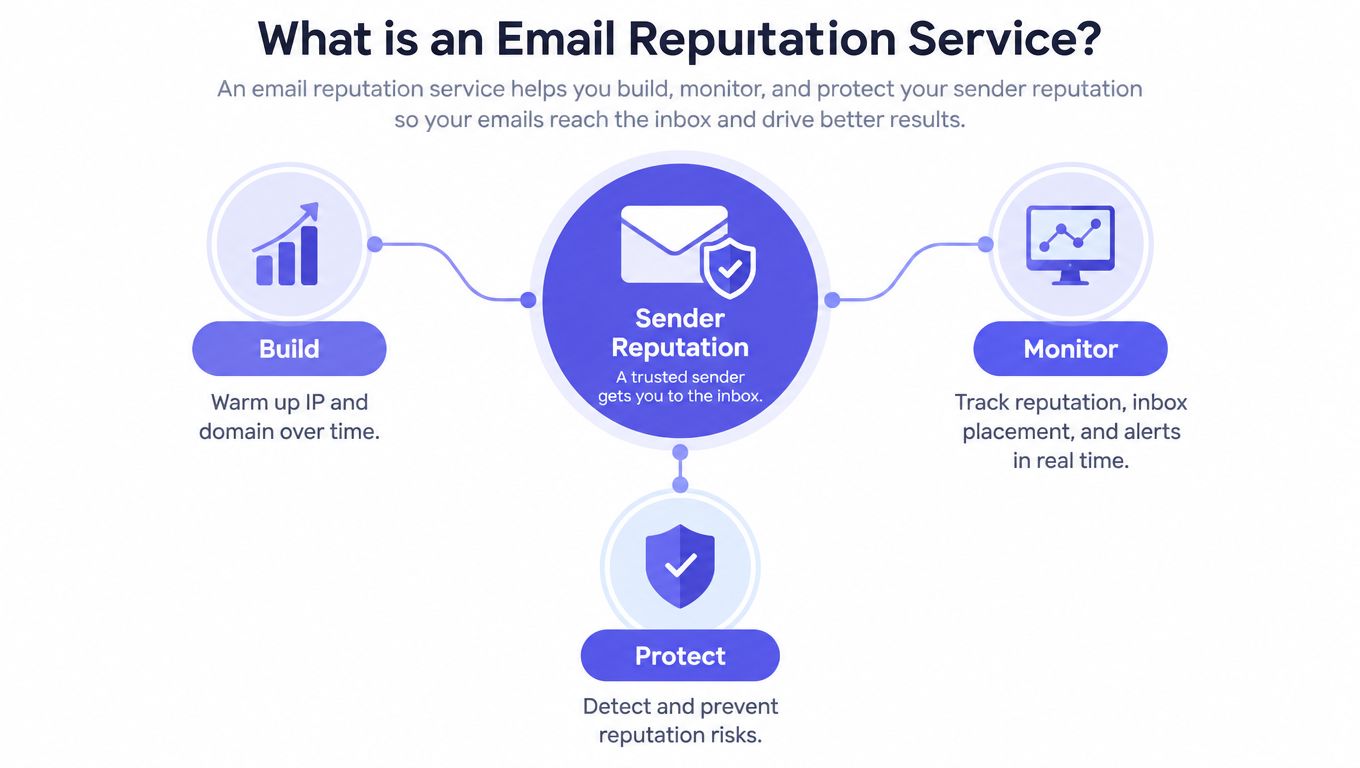
Practical rule: A single sender score can be useful as a directional signal, but it can't explain provider-specific delivery on its own.
The historical development of reputation services shows why this model exists. In 1997, the Real-time Blackhole List was created from spam-sending addresses and delivered as a BGP feed. It later became the first DNS-based blocklist, allowing receiving servers to make automated reputation decisions during SMTP connections rather than relying only on message content. SpamCop launched in 1998, the Spamhaus Project was founded in London in 1998, and Spamhaus launched its Spamhaus Block List in 2001. SORBS also appeared in 2001. These systems established the continuing principle of associating sending infrastructure with observed abuse and sharing that signal with operators (historical overview of the sender reputation arms race).
For a sales founder or marketing team, the takeaway is straightforward. An email reputation service isn't just a dashboard showing whether messages were opened. It's a diagnostic layer for understanding why delivery changes, which provider is affected, and whether the problem comes from identity, list quality, engagement, or infrastructure.
How Reputation Services Track Sender Trust
Reputation monitoring works best when it treats delivery as a system of connected variables. Opens and replies matter, but they don't cancel out authentication failures, complaints, or repeated bounces. A service should show those signals separately instead of compressing them into a reassuring aggregate score.
The signals that matter most
Complaint rate deserves priority. Gmail defines spam rate as the percentage of messages delivered to an engaged recipient's inbox that the recipient then marks as spam. Gmail recommends keeping the user-reported spam rate below 0.1%, and senders should prevent it from reaching 0.3% or higher. Gmail calculates the rate daily, and bulk senders above that level aren't eligible for mitigation until the rate remains below 0.3% for seven consecutive days (Gmail spam-rate guidance).
Yahoo also requires bulk senders to monitor complaints through its Complaint Feedback Loop and keep the rate below 0.3% (Yahoo sender best practices). These thresholds make complaints an operating control, not a vague warning. A service should segment them by mailbox provider, campaign, sending identity, and audience before a broad reputation decline develops.
Unsubscribes and complaints shouldn't be treated as the same event. An unsubscribe signals disengagement or a change in preference. A spam complaint tells the mailbox provider that the recipient considers the message unwanted, which directly damages reputation.
Authentication reveals identity problems
SPF authorizes sending hosts. DKIM connects a cryptographic signature to a domain. DMARC links those checks to the visible From domain, defines alignment, and provides reporting. A reputation service should monitor whether those checks pass in practice, not merely whether records exist.
A European Commission measurement found that SPF and DKIM adoption ranged from about 70% to 95% in the European Union, while DMARC averaged around 50% in the EU and 53% outside it. Only about 3% of examined domains used SPF, DKIM, and DMARC together (European Commission Joint Research Centre measurement).
That gap explains why authentication monitoring belongs beside engagement reporting. A sender can receive opens and replies while a vendor sends misaligned mail, a forwarding path breaks authentication, or an attacker abuses the domain.
Providers judge separately
Microsoft requires senders transmitting more than 5,000 messages per day to Outlook consumer services to comply with SPF, DKIM, and DMARC requirements. Microsoft stated that non-compliant messages would initially be routed to Junk, with enforcement potentially progressing to rejection (Microsoft high-volume sender requirements).
That doesn't mean Gmail, Yahoo, and Microsoft will respond identically to the same traffic. A team researching domain reputation glossary terminology should distinguish domain reputation from IP reputation, then map both to the providers that matter commercially.
A practical monitoring view includes:
| Signal | What it can reveal |
|---|---|
| Complaints | Whether recipients and providers consider the mail unwanted |
| Bounces | Whether list quality, targeting, or infrastructure is failing |
| SPF, DKIM, and DMARC | Whether the sending identity is authenticated and aligned |
| Opens and replies | Whether recipients engage with the traffic |
| Provider placement | Where the same message lands across Gmail, Outlook, Yahoo, and other systems |
| Sending volume | Whether a sudden change creates filtering risk |
A focused email spam checker can help assess message-level risk, but it shouldn't replace provider-level reputation monitoring. Content analysis answers one question. Reputation analysis answers why delivery differs across identities and mailbox providers.
Features That Separate Premium Services
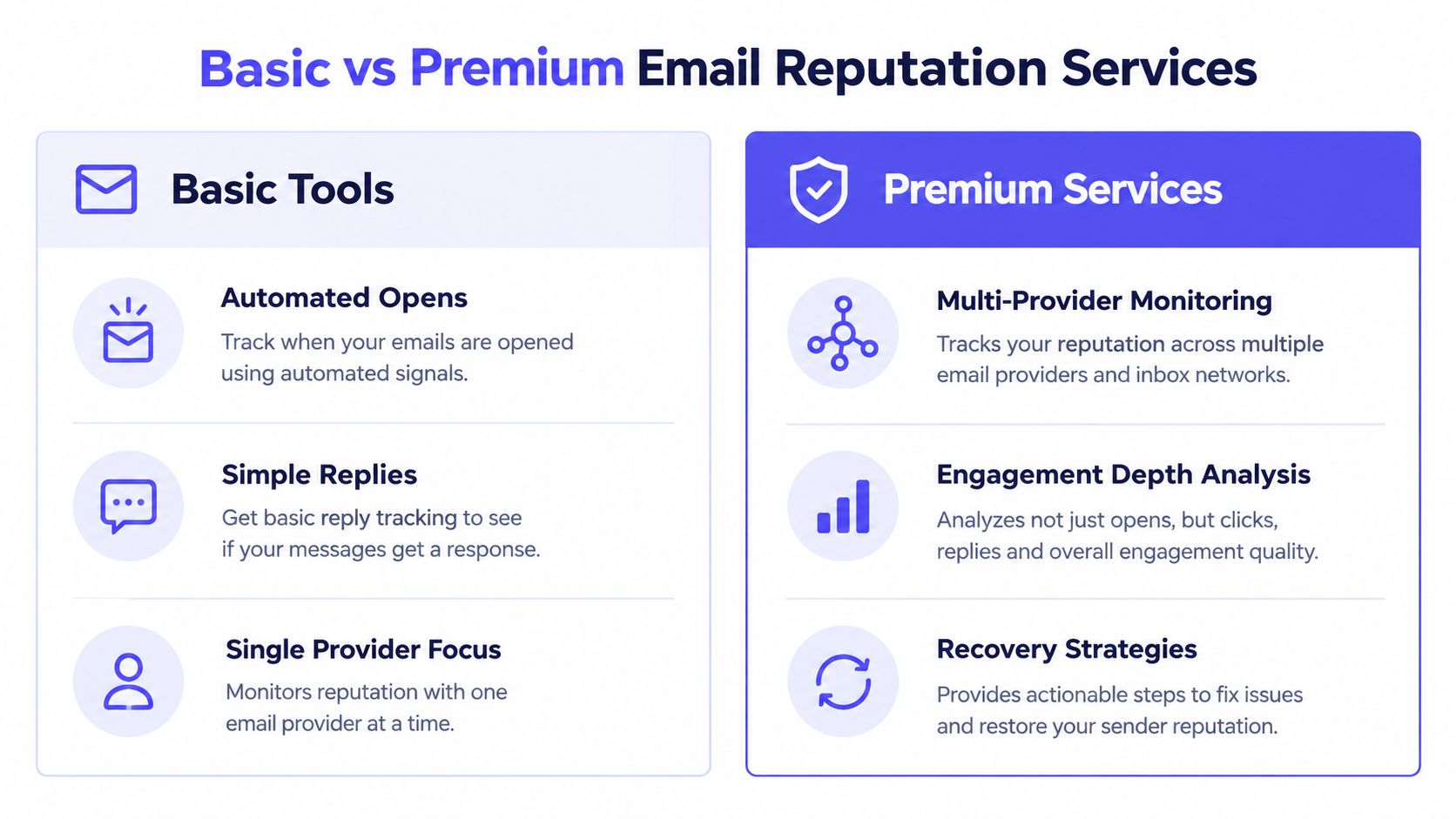
Basic warmup products often automate opens or simple reply exchanges. That can create activity, but activity alone doesn't show whether a sender is improving with the providers that matter or whether complaints and authentication problems are getting worse.
Premium reputation services connect engagement with diagnosis. They monitor inbox placement, investigate authentication, track spam risk, and give teams a recovery path when performance declines.
Basic automation versus broader monitoring
| Capability | Basic warmup tools | Premium reputation services |
|---|---|---|
| Engagement | Automated opens and simple replies | Real engagement signals, including replies, threads, spam removal, and important marking |
| Provider coverage | Often limited or generalized | Provider-level warmup and placement insights |
| Diagnostics | Basic activity reporting | Spam score monitoring, bounce prevention, and authentication checks |
| Content | Standard generated messages | Custom email content warmup |
| Security | May require mailbox-level access | Can operate without IMAP access or permission to read a private inbox |
| Human support | Self-service dashboard | Expert deliverability guidance and recovery planning |
What premium coverage looks like
Mailwarm is a premium email warmup and deliverability platform that uses 50,000+ aged real inboxes across Gmail, Outlook, Microsoft 365, Yahoo, and SMTP providers. Depending on the plan, it can generate up to 100% replies to warmup emails, alongside opens, threads, spam removal, important marking, and other positive engagement signals.
Its broader control set includes:
- Provider-level warmup, so teams can focus activity on specific mailbox providers.
- B2B and B2C warmup, useful when audience behavior differs.
- Spam score monitoring and inbox placement insights.
- Authentication fix tools and bounce prevention.
- Custom email content warmup rather than relying only on generic messages.
- Deliverability analytics for tracking changes over time.
- No IMAP access required, so the service doesn't need permission to read a private inbox.
The trade-off is cost and operational involvement. A low-cost tool may suit a sender who only wants automated warmup activity. A premium service makes more sense when a domain supports sales, recruiting, agency delivery, or lifecycle marketing and a provider-specific failure can interrupt revenue.
Teams comparing infrastructure options can also review smtp warmup when the sending system, rather than only the mailbox, needs controlled reputation building.
What doesn't work well: Treating automated opens as proof of deliverability. A sender can show activity while complaints, bounces, authentication misalignment, or Outlook filtering remain unresolved.
Real-World Example of Reputation Recovery
A B2B sales team had polished outbound copy and a defined target market, but its messages increasingly landed in spam. The team initially assumed the problem was content. A closer review found low engagement, a few bounces, inconsistent sending behavior, and authentication alignment that didn't hold across every sending path.
The recovery process started with diagnosis rather than a larger campaign. The team separated Gmail, Outlook, Yahoo, and corporate gateway results, checked the domain and sending identity, and reviewed complaint and bounce behavior. It also used a blacklist check to determine whether the infrastructure had an external reputation issue.
The recovery sequence
The team then followed a controlled sequence:
- Authentication alignment came first. The team verified SPF authorization, DKIM signing, and DMARC alignment with the visible From domain.
- Poor-fit recipients were suppressed. Addresses producing repeated bounces or unwanted engagement were removed from active sending.
- Warmup activity became more realistic. The team used real inbox engagement, including replies and threads, instead of relying only on automated opens.
- Provider results were reviewed separately. Gmail performance wasn't used as a proxy for Outlook or Yahoo performance.
- Volume increased gradually. The team avoided a sudden return to its previous sending pattern while complaint and bounce behavior were monitored.
- Content was tested in context. Custom warmup messages helped the team evaluate whether its actual sending style created spam risk.
Within weeks, the team reported improved inbox placement and lower spam risk. The important lesson wasn't that warmup alone solved the issue. The improvement followed the combination of authentication repair, list control, provider-level monitoring, realistic engagement, and disciplined volume management.
A team can check if your domain is blacklisted as one part of the investigation, but a clean blocklist result doesn't prove that Gmail, Outlook, or Yahoo will place a campaign in the inbox. Filtering can still reflect complaints, domain history, authentication, and recipient behavior.
The same method applies to a founder whose sales sequence suddenly stops producing replies. First identify the provider and identity affected. Then reduce risk, repair the failing signal, and increase activity only after the evidence supports it.
How to Choose the Right Service for Your Team
The right email reputation service should make a team faster at finding causes, not just better at collecting dashboards. A sales team needs provider-level placement and complaint visibility. An agency may need multiple sending identities and repeatable controls. A marketing team may prioritize authentication reporting, list quality, and campaign segmentation.
Start with the data source
Ask where the service gets its engagement and placement signals. Real aged inboxes across relevant providers are more useful than abstract activity that doesn't resemble the traffic a team needs to send.
Check whether the service supports:
- Gmail, Outlook, Microsoft 365, Yahoo, and relevant SMTP providers.
- B2B and B2C warmup patterns.
- Provider-specific reporting instead of one blended score.
- Replies, threads, spam removal, and important marking.
- Inbox-versus-spam placement observations.
- Custom content warmup for the messages the team sends.
Check whether it can fix problems
Monitoring without remediation leaves the team with a diagnosis and no next move. A serious platform should connect reputation changes to authentication checks, spam score monitoring, bounce prevention, and volume guidance.
Mailwarm helps senders build reputation, monitor inbox placement, and improve deliverability through real inbox engagement, advanced warmup controls, and expert guidance. Its higher price reflects the combination of real inbox engagement, up to 100% replies to warmup emails depending on the plan, spam score monitoring, provider-level warmup, authentication tools, no IMAP access required, and expert deliverability calls included in every plan.
Security also matters. Unlike basic warmup tools, Mailwarm doesn't require IMAP access or permission to read a private inbox. That's a meaningful consideration for agencies, recruiters, and businesses handling sensitive outreach.
Decide how much guidance the team needs
A technical team may manage authentication and monitoring internally. A founder or small sales operation may need an expert to interpret why Gmail improved while Outlook declined.
Before choosing, ask:
- Does the service provide expert deliverability calls?
- Can it distinguish domain, IP, authentication, complaint, bounce, and content problems?
- Does it show changes by provider and sending identity?
- Can it support several mailboxes, domains, or SMTP connections?
- Can the team use it without exposing private inbox content?
Teams evaluating adjacent communication workflows may also find SigFinch's 2026 buyer guide useful for assessing how email systems fit into broader brand and operational controls. It shouldn't replace deliverability evaluation, but consistent sender identity remains part of professional email operations.
Final Steps to Protect Your Sender Reputation
Sender reputation is built through consistent, wanted, authenticated behavior. It doesn't recover reliably through a sudden volume increase, an IP replacement, or a dashboard score that hides provider-specific problems.
The next steps should be operational:
- Audit authentication records. Confirm that SPF, DKIM, and DMARC work together and align with the visible From domain. Check third-party senders, forwarding paths, and subdomains rather than assuming record presence means effective protection.
- Choose monitoring with real engagement. Prefer a service that uses real inbox interactions, provider-level warmup, placement observations, spam score monitoring, and expert guidance.
- Track complaints and bounces by provider. Use Gmail's 0.1% target and its 0.3% mitigation threshold as operating guardrails, while monitoring Yahoo against its 0.3% complaint threshold (Gmail sender guidance).
- Change one risk variable at a time. If the team changes content, volume, authentication, and audience simultaneously, it won't know which action affected delivery.
- Suppress unwanted traffic quickly. A smaller audience with clear interest is safer than continuing to send to recipients who ignore or report messages.
For teams increasing outbound activity, practical guidance on raising cold email send rates can complement provider-level monitoring. The principle is simple, increase sending only when the underlying signals support it.
An email reputation service should give the team a view of which provider, identity, or behavior needs attention first. That's more useful than chasing a universal score, and it creates a repeatable process for protecting deliverability as campaigns evolve.
An email reputation service is most valuable when it connects diagnosis to action. Mailwarm offers real inbox engagement, provider-level warmup, spam score monitoring, authentication fix tools, inbox placement insights, and expert deliverability guidance for teams that need more than automated warmup activity.
If email supports the team's growth, visit Mailwarm to review a premium approach to building sender reputation and monitoring inbox placement. The platform helps teams reduce spam risk without requiring IMAP access or permission to read private inboxes.