
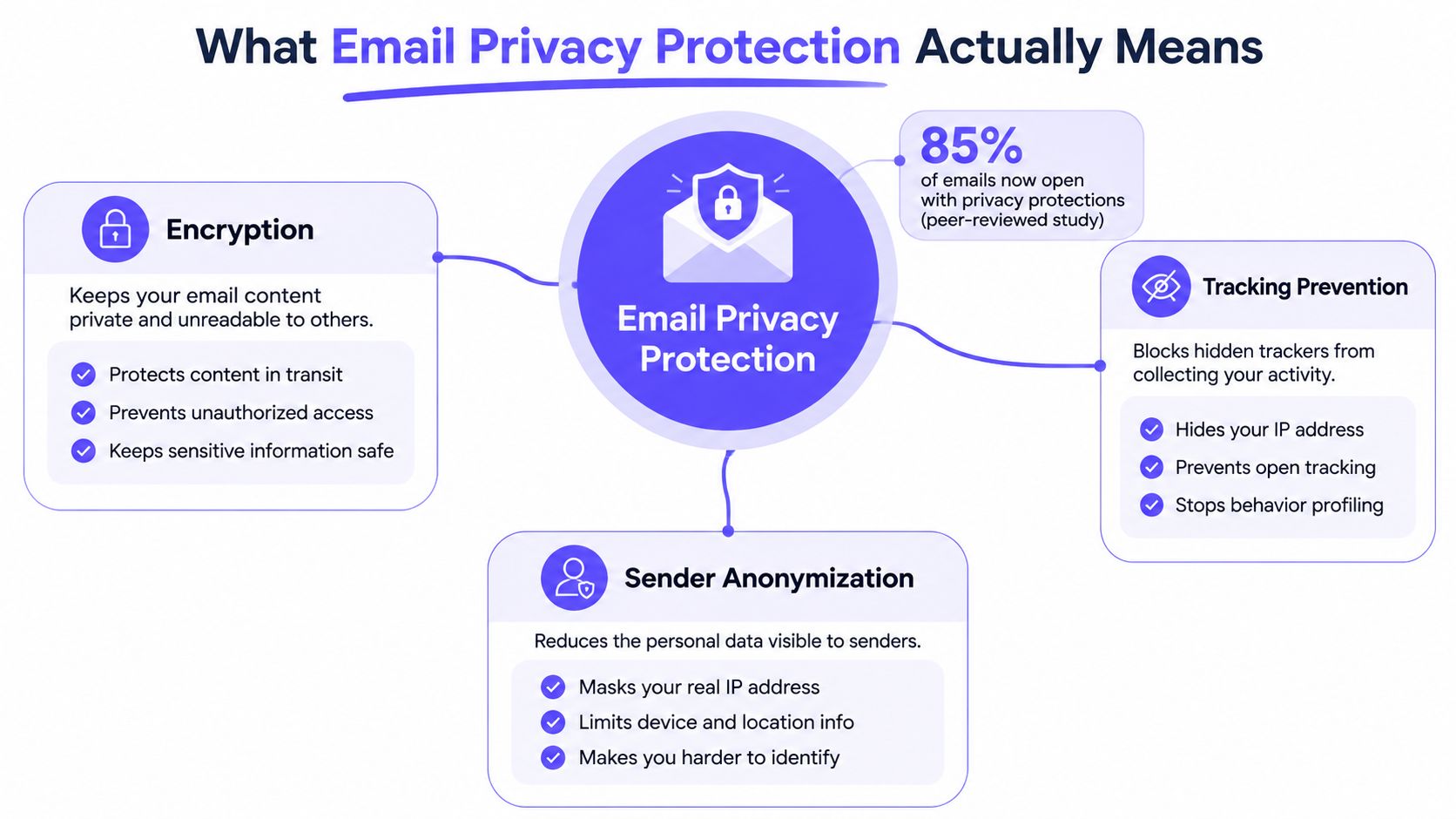
Email privacy protection is the mix of policies, technical controls, and sender habits that reduce who can read, trace, or tamper with email. The hard part is that 85% of emails in one peer-reviewed study contained embedded third-party content, so privacy risk is often inside the message itself, not just in the account. That's why email privacy protection now matters for senders, not just recipients.
For founders, marketers, recruiters, sales teams, and agencies, the issue is practical. Privacy protections change what inboxes reveal, what analytics can be trusted, and which engagement signals still deserve weight. The teams that adapt their reporting and sending strategy early usually make better decisions with less noise.
What Email Privacy Protection Actually Means
Email privacy protection is the practice of limiting unwanted disclosure at every stage of email use, from transport and storage to rendering, tracking, and reporting. It isn't the same thing as just setting a strong password or enabling two-factor authentication. It also covers what happens when a message loads images, fires pixels, rewrites links, or exposes an address to third parties.
The scale of that problem is larger than many assume. A peer-reviewed study found that 85% of emails in its corpus contained embedded third-party content, 70% contained resources classified as trackers by common tracking-protection lists, and about 29% of emails leaked the user's email address to at least one third party. In other words, the privacy issue often starts the moment the message is opened, not only when the mailbox is breached. See the underlying findings in the peer-reviewed POPETS paper on embedded third-party content and email tracking leakage.
Three layers matter in practice
Transport privacy protects the message while it moves between servers and clients. Content privacy limits what the message reveals once it's opened. Behavioral privacy reduces how much a sender can infer from opens, device details, and cross-site activity.
Practical rule: if a team only thinks about account security, it's solving the wrong problem.
That's why privacy-first sending also includes clear policies. Many organizations now spell out data use, opt-out rights, and tracking practices in their published commitments, including privacy commitments for clients. For senders, the point isn't to copy legal language. It's to understand that privacy expectations now shape deliverability, compliance, and analytics at the same time.
How Apple MPP, Image Proxies, and Pixel Blocking Work
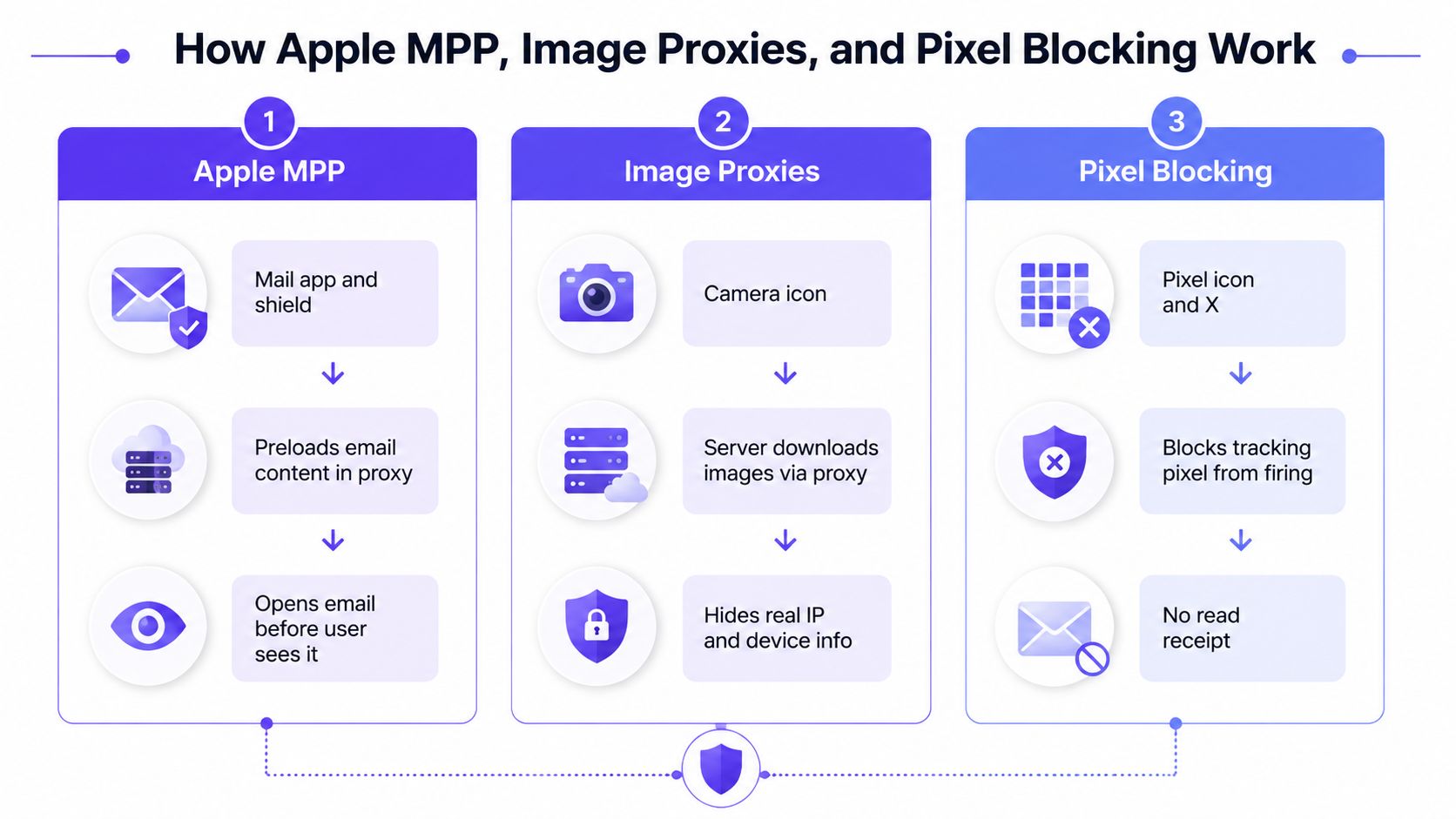
Apple Mail Privacy Protection changed the way many senders read open data. Apple says Mail Privacy Protection preloads remote content through separate relays, so the sender no longer gets a reliable recipient IP address or a dependable human-open event from Apple Mail users. Apple also says this prevents senders from using IP address as a unique identifier to connect activity across sites or apps. Read Apple's own explanation of Mail Privacy Protection for the technical framing.
What each mechanism hides
Apple MPP is the broadest change because it separates content loading from a human open. Image proxies work in a similar way in many mailbox systems, because the server fetches images on behalf of the user and hides device and network details. Pixel blocking is simpler, the client stops the tracking pixel from firing at all.
These mechanisms stack on top of each other as layers of privacy. A user might have MPP enabled, an enterprise filter may proxy images, and a personal setting might block remote images entirely. Each layer removes another slice of visibility, but none of them automatically removes all tracking.
What still leaks through
Privacy protections do not eliminate every signal. Links can still be clicked, replies can still be sent, and some content can still be inferred from message structure or timing. What changes is the sender's confidence. Open counts become less reliable, while behavior that requires a conscious user action remains much more meaningful.
Independent privacy guidance also points to stronger user-side options. Disabling automatic image loading can stop tracking pixels, and the Electronic Frontier Foundation recommends turning off HTML email entirely for stronger protection, because HTML rendering creates many remote-content tracking paths. For teams that care about segmentation, the useful resource is smart audience segmentation tactics, but the lesson is the same, segmentation gets harder when opens stop telling the truth.
For sender-side teams, that means the work shifts to the decisions still under your control. Warmup, authentication, content design, and list selection matter more when open data is partially synthetic. The senders who adapt fastest are the ones who stop treating opens as a primary truth source and start weighting stronger signals, especially when working through a setup like Mastering Email Authentication Guide.
Authentication and Transport as the Privacy Foundation
Email privacy protection starts with the basics of trust and transport. NIST guidance for trustworthy email recommends DKIM and/or S/MIME digital signatures for integrity, and SMTP over TLS for confidentiality. That means privacy isn't just about hiding content, it's also about making sure the message wasn't altered and wasn't passively intercepted in transit. Read the NIST guidance in Special Publication 800-177r1.
The practical role of SPF, DKIM, DMARC, and TLS
SPF helps mailbox providers check whether a server is allowed to send for a domain. DKIM signs the message so the receiving system can verify integrity. DMARC ties those checks together with policy, while TLS protects the transport path.
That stack matters more when behavioral data is thinner. If opens are noisy, providers lean harder on trust signals in the message itself and on the sender's history. A weak authentication setup leaves every other privacy-aware tactic with less support.
The regulatory backdrop is just as dense. As of early 2026, 144 countries had enacted data and consumer privacy laws, covering about 6.64 billion people, or 82% of the global population. The same source says organizations must track more than 160 privacy laws worldwide, and GDPR fines reached €2.1 billion in 2023. Those figures show why consent, data handling, and communication rules can't be treated as a local issue anymore, especially for global senders. See the dataset at email privacy regulation statistics.
For teams still tightening their setup, a practical starting point is the internal guide on mastering email authentication. Strong transport and authentication don't solve privacy by themselves, but they make the rest of the stack worth trusting.
How Privacy Protection Changes Email Analytics
Privacy changes don't just hide data, they reshape what reporting means. Open rate used to be a convenient proxy for engagement. Under Apple MPP and similar systems, it's now closer to a mixed signal, part human behavior, part automated fetching, part client policy.
| Signal | Reliable Before Privacy Protections | Reliable After Privacy Protections | Notes for Senders |
|---|---|---|---|
| Open rate | Often used as a rough engagement proxy | Less reliable, especially with MPP and image preloading | Avoid using opens alone for lifecycle decisions |
| Click tracking | Useful, but not always the primary metric | Still useful, but can be reduced by proxying or link rewriting | Treat clicks as stronger than opens, but not perfect |
| Reply rate | Useful for human response | Still highly trustworthy | Strong signal for sales and recruiting workflows |
| Inbox placement | More important than most teams realized | Still critical | Use testing, seed monitoring, and reputation checks |
| Bounce data | Reliable server-side signal | Still reliable | Keep this in core hygiene reporting |
Open data is the first thing to degrade because it depends on content fetching. Click tracking usually survives longer, but link rewriting, security scanning, and proxy systems can still blur attribution. Server-side metrics such as bounces remain much more dependable because they happen in the delivery pipeline, not inside the message renderer.
What to stop using as a decision trigger
Open-based automation is the biggest casualty. If a workflow assumes that an open equals interest, privacy protections can make that workflow over-send, over-score, or misclassify contacts. That's why inbox placement testing and seed-list monitoring matter more now than dashboards built around opens.
A better reporting stack focuses on fewer, stronger signals. Teams should use clicks for engagement where possible, replies for sales and recruiting, and server-side delivery metrics for list health. For teams benchmarking performance, a practical reference point is the internal guide on cold email open rates industry benchmarks, but the fundamental shift is philosophical, not cosmetic.
Useful rule: if a metric can be inflated by a mailbox client fetching content in the background, it should not drive major decisions.
Signals You Can Still Trust and How to Use Them
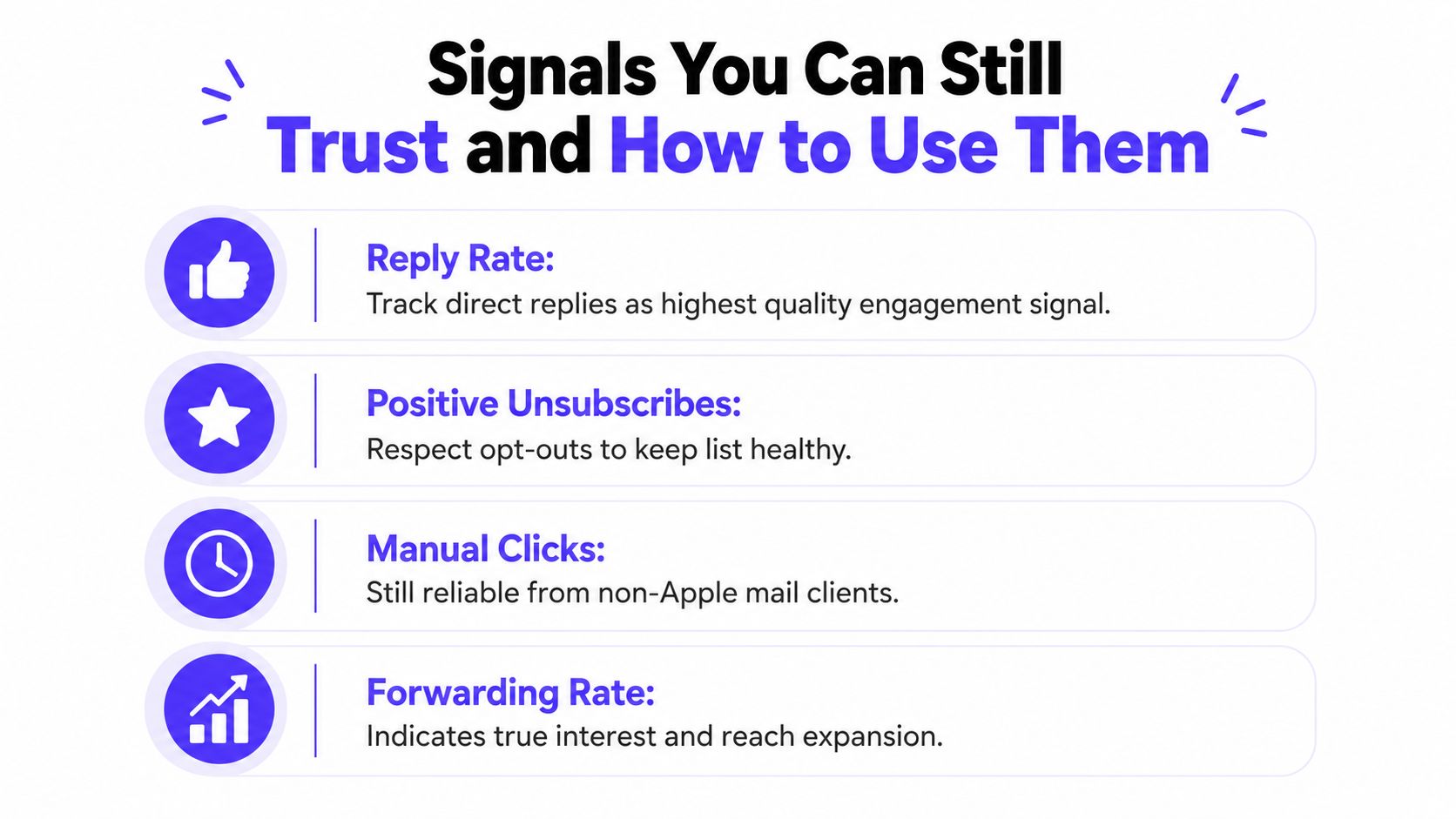
The strongest signals after privacy protections are the ones that require a real action from the recipient. Replies, thread continuation, spam removal, important marking, and server-side bounce data all tell a clearer story than a passive open. Mailbox providers tend to weight these kinds of interactions more heavily because they're harder to fake and more closely tied to user intent.
Which signals deserve more weight
Reply rate is often the cleanest engagement metric for outreach teams. Thread continuation tells a sales rep that the conversation is moving, not just that a message was opened. Spam removal and important marking are especially useful because they reflect mailbox-level trust decisions.
For marketing teams, the right move is to separate curiosity from commitment. A person who opens but never clicks may be less engaged than a person who replies once. For recruiters, a direct answer about availability matters more than repeated opens. For B2B and B2C senders alike, that's a better foundation for segmentation.
What to add to the dashboard
A privacy-aware dashboard should include:
- Reply-driven engagement: track direct replies instead of treating opens as proof of attention.
- Server-side health: watch bounces, delivery failures, and suppression lists.
- Inbox placement checks: use testing to understand where mail lands.
- Positive mailbox actions: look for important marking and spam removal when the provider exposes them.
These signals don't replace every old metric, but they do give a truer picture of sender reputation. The more privacy shields the inbox adds, the more valuable these deliberate actions become. That's especially true in sales, where one reply can matter more than a dozen automated opens.
Tactical Playbook for Sales and Deliverability Teams
The teams adapting fastest are treating privacy protection as a sending strategy issue, not just an analytics issue. The playbook is straightforward. Build reputation carefully, authenticate every stream, simplify content, and monitor inbox placement instead of assuming the old open-based model still works.
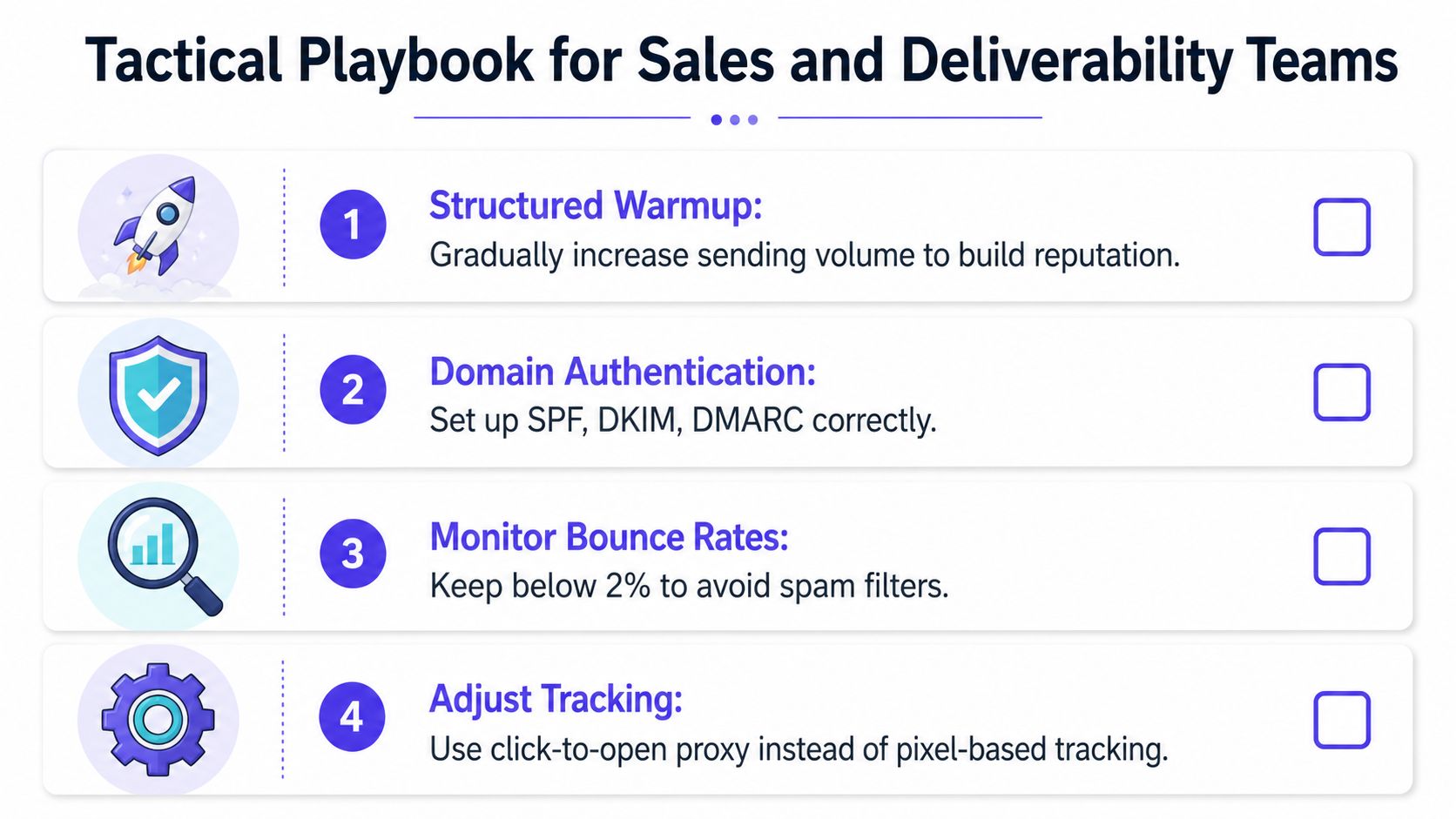
1. Warm up with real engagement
Structured warmup still matters because sender reputation matters more when metrics are noisier. Mailwarm is a premium email warmup and deliverability platform built for teams that want real inbox placement improvement, not just automated warmup activity. It uses 50,000+ aged real inboxes and real engagement signals such as opens, replies, threads, spam removal, and important marking, with provider-level warmup and deliverability guidance built in.
That approach helps teams build reputation in a way that resembles real mailbox behavior. It also avoids a common mistake, relying on fake engagement patterns that don't match how providers evaluate trust. For teams that need a practical option, Mailwarm is one tool in the category, and its value comes from combining warmup with monitoring and expert guidance.
2. Keep authentication clean
Privacy-aware sending punishes weak setup. SPF, DKIM, DMARC, and TLS should be in place before volume increases. If those controls are inconsistent, even a well-designed campaign can look suspicious.
3. Simplify content and tracking
Heavy HTML, overused tracking pixels, and noisy automation don't age well in a privacy-first inbox. Shorter emails with clearer calls to action usually create cleaner engagement signals. When tracking is necessary, teams should be honest about which signals are still trustworthy and which ones are not.
4. Monitor inbox placement, not just sending volume
Sending more mail does not mean reaching more people. Inbox placement insights, bounce prevention, and spam score monitoring show whether the program is healthy. That's where a deliverability platform earns its keep, because it helps teams see the difference between activity and results.
For teams trying to keep mail out of the spam folder, the internal guide on how to avoid spam folder is a useful companion. The bigger point is simple, privacy protection rewards disciplined senders and exposes lazy measurement.
Bringing It All Together in 2026
Email privacy protection is no longer a niche compliance topic. It changes how teams measure engagement, how they protect reputation, and how they decide what to automate. The winners in 2026 will be the senders who trust replies, inbox placement, and server-side health more than opens.
The working model is simple. Authenticate first. Warm up carefully. Simplify content. Monitor placement. Those four pillars fit together, and none of them works well in isolation. A privacy-aware email program is less about chasing visible activity and more about building durable trust.
For teams that want help doing that with real inbox engagement and expert guidance, Mailwarm is built for exactly that kind of work. It's a premium email warmup and deliverability platform, and it fits best when sender reputation and inbox placement matter more than vanity metrics.
Frequently Asked Questions
What is email privacy protection?
It's the set of practices that reduces exposure of email content, metadata, and user behavior. That includes transport security, authentication, blocking tracking surfaces, and limiting how much a message reveals after it's opened.
Why do emails go to spam even when content looks fine?
Content is only one part of deliverability. Sender reputation, authentication, engagement quality, and list hygiene all affect placement, so a message can still miss the inbox even if the copy looks clean.
Is email warmup enough to fix deliverability?
No. Warmup helps build reputation, but it won't fix weak authentication, poor list quality, broken tracking assumptions, or content that triggers filters. It works best as one part of a larger deliverability system.
How does Mailwarm help improve sender reputation?
Mailwarm helps senders build reputation through real inbox engagement, provider-level warmup, spam score monitoring, inbox placement insights, authentication fix tools, and expert deliverability calls. It's designed for teams that need more than simple automated warmup activity.
Why is Mailwarm more expensive than basic warmup tools?
Mailwarm costs more because it combines real inbox engagement, up to 100% replies to warmup emails depending on the plan, spam score monitoring, provider-level warmup, authentication tools, no IMAP access required, and expert deliverability calls included in every plan.
Does Mailwarm need access to my inbox?
No. Unlike basic warmup tools, Mailwarm does not require IMAP access or permission to read a private inbox. That makes the setup less intrusive while still supporting warmup and deliverability work.
Mailwarm helps teams that rely on email build sender reputation, monitor inbox placement, and reduce spam risk with real inbox engagement and expert guidance. If privacy protections have made open rates less trustworthy for your team, the next move is to rebuild around signals that still matter. Visit Mailwarm to see how a premium warmup and deliverability platform fits into that strategy.