

An email deliverability platform helps businesses improve inbox placement by monitoring sender health, strengthening sender reputation, and identifying issues that push messages into spam. In practice, it gives teams the tools to track, troubleshoot, and improve whether emails reach the inbox across providers like Gmail, Outlook, Microsoft 365, and Yahoo.
Quick answer
An email deliverability platform helps you improve inbox placement, not just email delivery.
It monitors authentication, sender reputation, engagement signals, and provider-specific performance.
It supports use cases like cold email deliverability, B2B email deliverability, lifecycle campaigns, and deliverability monitoring.
It can help teams avoid the spam folder by combining technical checks, warmup, analytics, and expert guidance.
The main takeaway: good email performance depends on ongoing reputation management, not one-time DNS setup.
A team writes a strong outbound sequence. The copy is clean. The offer is relevant. The list looks reasonable. Then results come back weak, and nobody knows why.
That situation is common because email success is not decided only by copy or campaign setup. It is decided by whether mailbox providers trust the sender enough to place messages in the inbox. If that trust slips, even good emails can land in spam, promotions, or disappear before a buyer ever sees them.
For sales leaders, marketers, founders, recruiters, and agencies, that is where an email deliverability platform becomes useful. It helps teams stop treating deliverability like a one-time DNS task and start managing it like a live operating system for growth.
What is an email deliverability platform?
An email deliverability platform is a system that helps a business monitor, manage, and improve the factors that affect inbox placement.
That definition matters because delivery and deliverability are not the same thing. A message can be accepted by a server and still miss the inbox. It may land in spam, go to a secondary tab, or get filtered before the recipient notices it.
What is a simple definition of an email deliverability platform?
An email deliverability platform tracks the health of a sender's email program and helps improve where messages land, especially across providers like Gmail, Outlook, Microsoft 365, and Yahoo.
A basic tool checks whether technical settings exist. A platform goes further. It helps teams understand ongoing reputation, engagement quality, placement trends, spam risk, and provider-specific behavior.
Why do leaders often misunderstand deliverability?
Many teams still treat deliverability like a setup project. They authenticate the domain, run a few tests, and assume the problem is solved.
It usually is not.
Mailbox providers change how they evaluate senders. Audiences change. Sending patterns change. Engagement changes. That means sender reputation also changes. A platform exists to manage that moving target, not just confirm that SPF, DKIM, and DMARC were configured once.
Good deliverability is not a box to check. It is a reputation to maintain.
This matters even more for teams running outbound or lifecycle email as a growth channel. For leaders thinking about the larger sales stack, this guide to sales engagement for SaaS founders is useful context because campaign tools only work when the messages reach people.
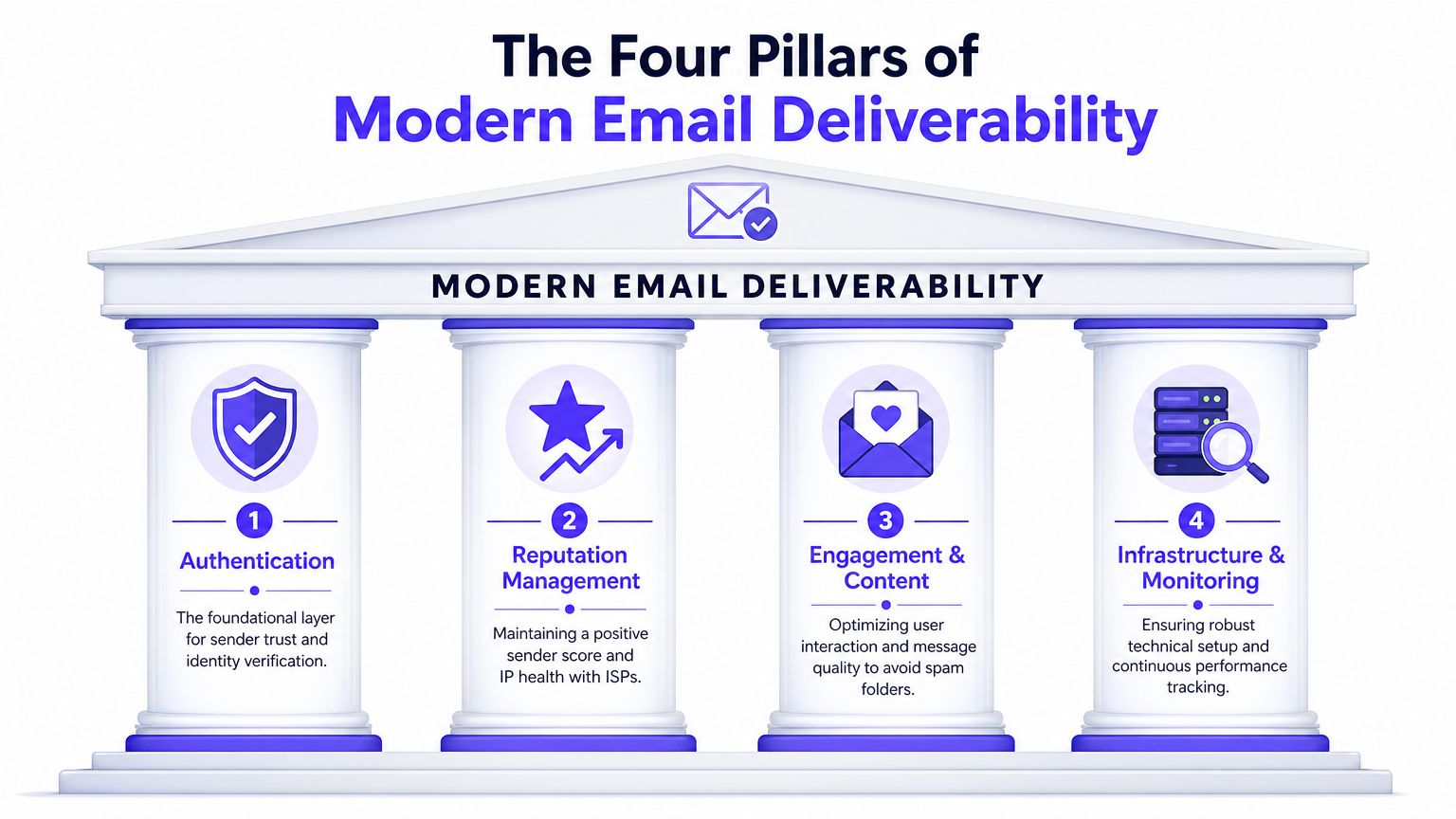
What are the four pillars of modern email deliverability?
Deliverability gets confusing when teams treat it like one problem. It is four connected systems.
How does sender reputation affect inbox placement?
Sender reputation works like a credit score. Mailbox providers build a view of whether a domain or sending source behaves like a trustworthy sender.
That reputation changes based on patterns. If a team suddenly increases volume, sends to poor-quality contacts, or gets weak engagement, trust can drop. If a sender consistently gets positive interaction and low complaints, trust tends to improve.
Reputation is why inbox placement cannot be managed by one generic rule. A sender may perform well with one provider and struggle with another.
Why is email authentication necessary but not sufficient?
Authentication is the identity layer. SPF, DKIM, and DMARC act like a digital passport. They help prove that a sender is allowed to send on behalf of a domain.
Without authentication, a sender starts at a disadvantage. But authentication only proves identity. It does not prove quality, relevance, or trustworthiness over time.
For teams that need a clearer explanation of those records, this guide to email authentication is a useful technical companion.
How do engagement and content influence deliverability?
Mailbox providers do not just inspect the sender. They also observe how recipients react.
Replies, ongoing conversation, spam removal, and other positive signals can support reputation. Complaints, deletes without engagement, and low relevance can work against it. Content quality matters because weak targeting and generic messaging usually create weak engagement.
Many teams get stuck. They ask whether a message is technically valid, when the better question is whether recipients act like the message belongs in the inbox.
Practical rule: if recipients consistently ignore a campaign, providers may eventually treat that campaign like it deserves less visibility.
Why do infrastructure and deliverability monitoring matter?
Infrastructure covers the health of the sending environment. Deliverability monitoring covers whether the team can see where performance is breaking.
Provider-specific visibility matters here. Industry guidance notes that inbox placement monitoring is most useful when it is tracked by provider, not just as one blended number, because Gmail, Outlook/Microsoft 365, and Yahoo can react differently to the same sending behavior, and deliverability tools increasingly use seed inboxes across providers to observe where mail lands, according to G2's email deliverability category overview.
A strong platform needs all four pillars working together:
Identity control: authentication and alignment
Trust management: reputation tracking over time
Audience response: engagement and complaint awareness
Operational visibility: provider-level placement monitoring
If one pillar weakens, the others cannot fully compensate.
Why are basic technical checks not enough to avoid the spam folder?
A lot of teams stop at SPF, DKIM, and DMARC. That is a mistake.
Authentication is required, but it is only the entry ticket. It tells mailbox providers who the sender is. It does not persuade them to trust every campaign. That trust comes from reputation, consistency, list quality, and audience behavior.
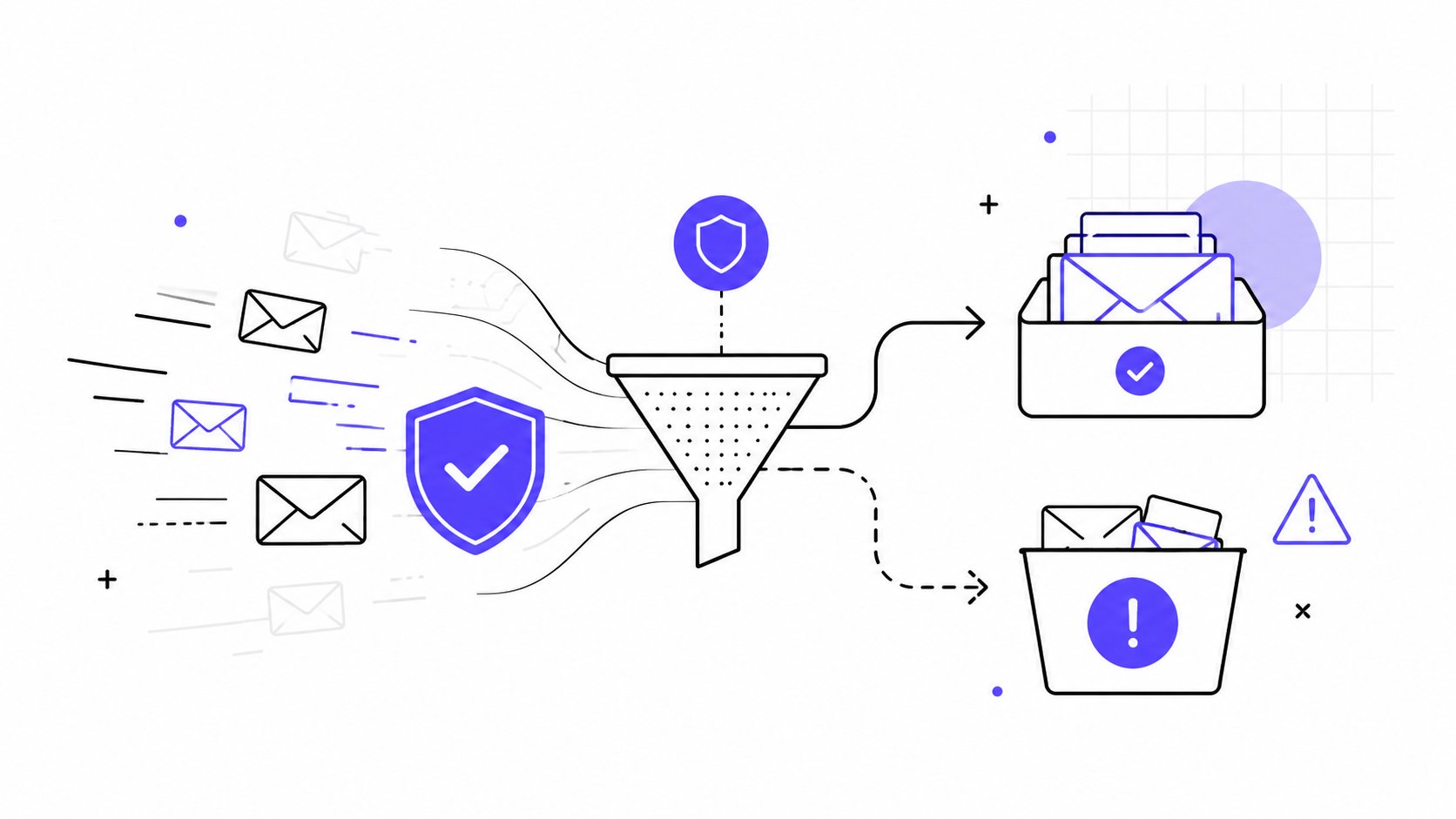
What do the numbers show about inbox placement?
A 2026 benchmark study across 15 email service providers found an average email deliverability rate of 83.1%, which means 16.9% of messages did not reach the inbox. In the same benchmark, 10.5% landed in spam and 6.4% were undelivered. The provider gap was also large, with Google at 89.8% inbox placement and Microsoft at 77.4%, according to EmailTooltester's deliverability benchmark.
Those numbers change the conversation. The issue is not whether mail gets sent. The issue is where it lands, and that outcome varies by provider.
Why does a one-size-fits-all deliverability strategy fail?
A team can have clean authentication and still struggle with Outlook while performing reasonably well in Gmail. That is why a basic checklist does not solve the underlying problem.
Different providers respond to different combinations of signals. One may be more sensitive to engagement patterns. Another may react more sharply to sender reputation drift. Another may interpret sudden volume changes more aggressively.
Authentication gets a sender recognized. It does not get a sender trusted.
For a marketing or sales leader, the takeaway is simple. If the strategy ends after technical setup, inbox placement is being left to chance. Deliverability needs active management, not just validation.
What core and advanced features should an email deliverability platform include?
Not every email deliverability platform deserves the name. Some products are monitoring utilities. Others are lightweight email warm-up software with a few add-ons. The difference becomes obvious when features are separated into baseline capabilities and the ones that help a team improve inbox placement.
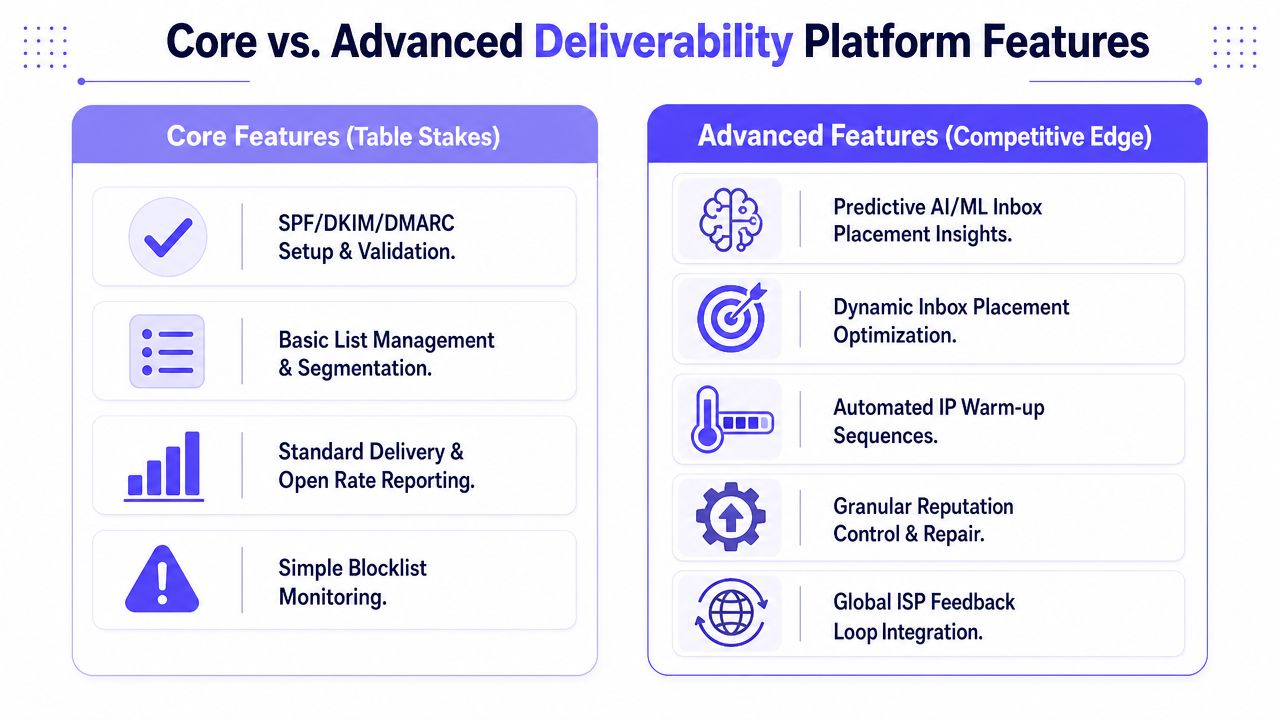
What are the core features?
Core features are table stakes. A serious sender should expect them by default.
| Feature type | What it should do | Why it matters |
|---|---|---|
| Authentication checks | Validate SPF, DKIM, and DMARC setup | Confirms identity basics are in place |
| Blocklist monitoring | Flag reputation issues tied to known lists | Helps spot obvious trust problems |
| Basic reporting | Show delivery, bounce, and campaign metrics | Gives a surface-level health view |
| List hygiene support | Help identify invalid or risky recipients | Reduces bounce and complaint risk |
These are useful, but they do not solve modern deliverability by themselves.
What advanced features actually improve deliverability?
Advanced features help a team influence the outcome, not just observe it.
Industry guidance says healthy programs now target 98 to 99% delivery rate, 95%+ inbox placement, below 0.1% spam complaint rate, and below 2% hard bounce rate, according to MessageFlow's email deliverability guide. Reaching that level requires more than authentication checks.
A stronger platform should include:
Provider-level inbox placement visibility: shows what is happening in Gmail, Outlook, Microsoft 365, and Yahoo separately
Reputation trend monitoring: helps teams spot decline before inbox placement drops further
Warmup tied to real engagement signals: builds trust through realistic activity instead of shallow automation
Spam-risk analysis: identifies content and sending issues that raise filtering risk
Guided troubleshooting: helps teams diagnose whether a problem comes from content, list quality, authentication alignment, or reputation
Operational controls: supports different mailboxes, sending environments, and use cases across sales and marketing
For teams comparing products, Mailwarm's feature set is a useful example of how vendors package monitoring, warmup, analytics, and support into one workflow.
How can buyers tell a real platform from a reporting tool?
A simple way to evaluate any platform is to ask two questions:
Does it only tell the team what happened?
Or does it help the team change what happens next?
A dashboard is not the same thing as a deliverability system.
The first category is reporting. The second is platform capability. Buyers should know the difference before they sign a contract.
How does Mailwarm improve real inbox placement?
A platform becomes useful when it turns deliverability theory into day-to-day control.
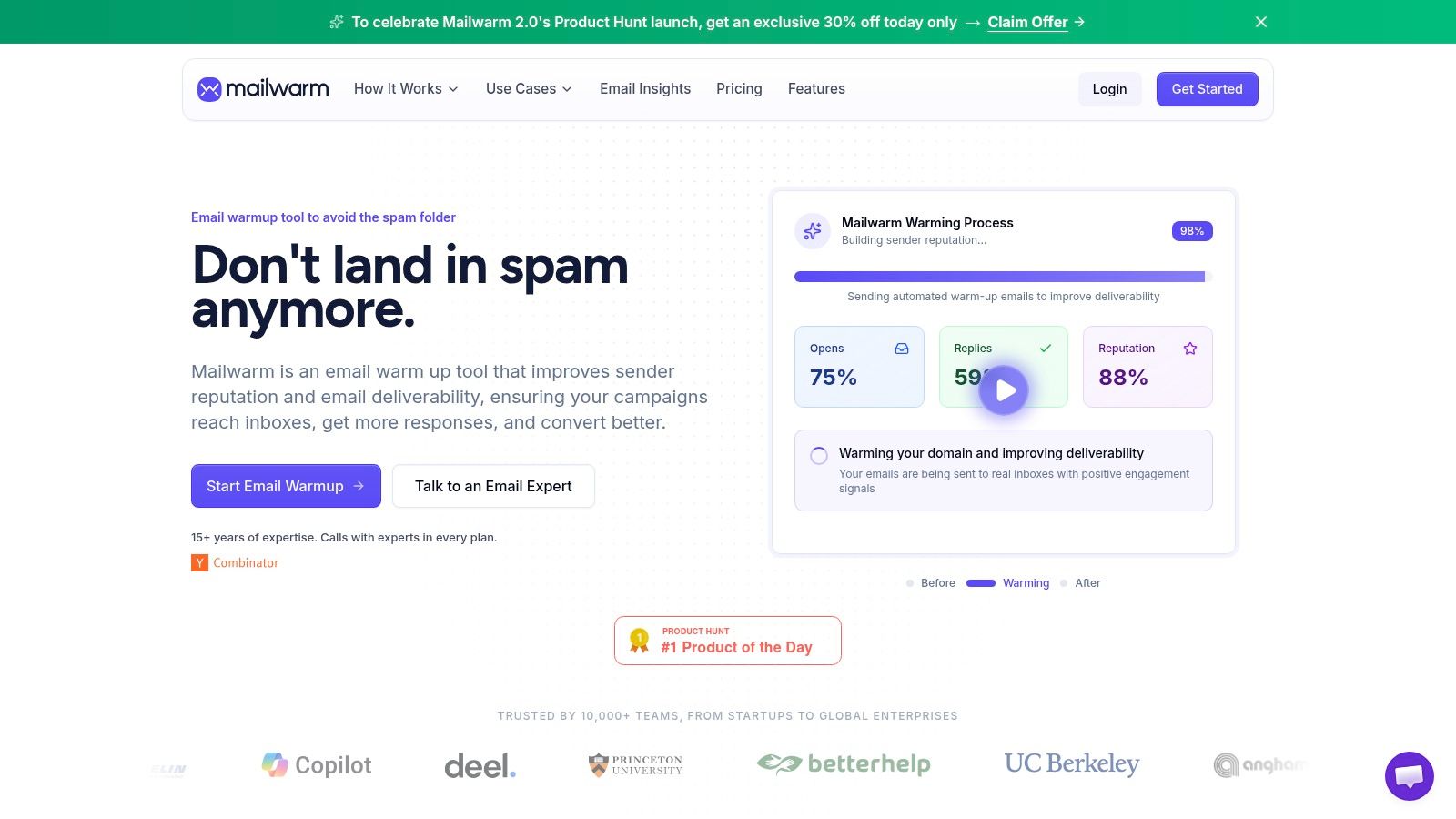
Mailwarm is an example of a product built around that broader model. It combines warmup, reputation support, inbox placement insight, deliverability analytics, authentication fixes, spam score monitoring, bounce prevention, and expert guidance rather than treating warmup as a standalone tactic.
Mailwarm helps senders build reputation, monitor inbox placement, and improve deliverability through real inbox engagement, advanced warmup controls, and expert guidance.
Why does the warmup model matter for cold email deliverability?
Recent industry commentary argues that traditional warmup models are losing relevance, and the more important question is which signals move reputation now and how those signals vary across Gmail, Outlook, and Yahoo, as discussed in Zeta Global's deliverability analysis.
That distinction matters. Low-quality warmup can produce activity that looks synthetic. Higher-quality warmup is designed to create realistic trust signals that support long-term sender reputation.
Mailwarm uses 50,000+ aged real inboxes, real engagement signals, and provider-level warmup across Gmail, Outlook, Microsoft 365, Yahoo, and SMTP providers. It also supports opens, replies, threads, spam removal, important marking, and custom content warmup. Depending on the plan, it can provide up to 100% replies to warmup emails.
Unlike tools that need inbox-level reading permissions, Mailwarm also states that it requires no IMAP access and no access to the user's private inbox.
Why does expert guidance improve B2B email deliverability outcomes?
Many deliverability problems do not come from one obvious error. They come from a mix of weak targeting, domain reputation drift, poor list quality, sending behavior, and provider-specific filtering.
That is why expert review matters. Every Mailwarm plan includes deliverability guidance calls, which helps teams interpret what they are seeing instead of guessing.
A closer look at the workflow helps:
For teams evaluating warmup specifically, Mailwarm's email warmup tool shows how warmup can sit inside a larger deliverability process instead of operating as an isolated feature.
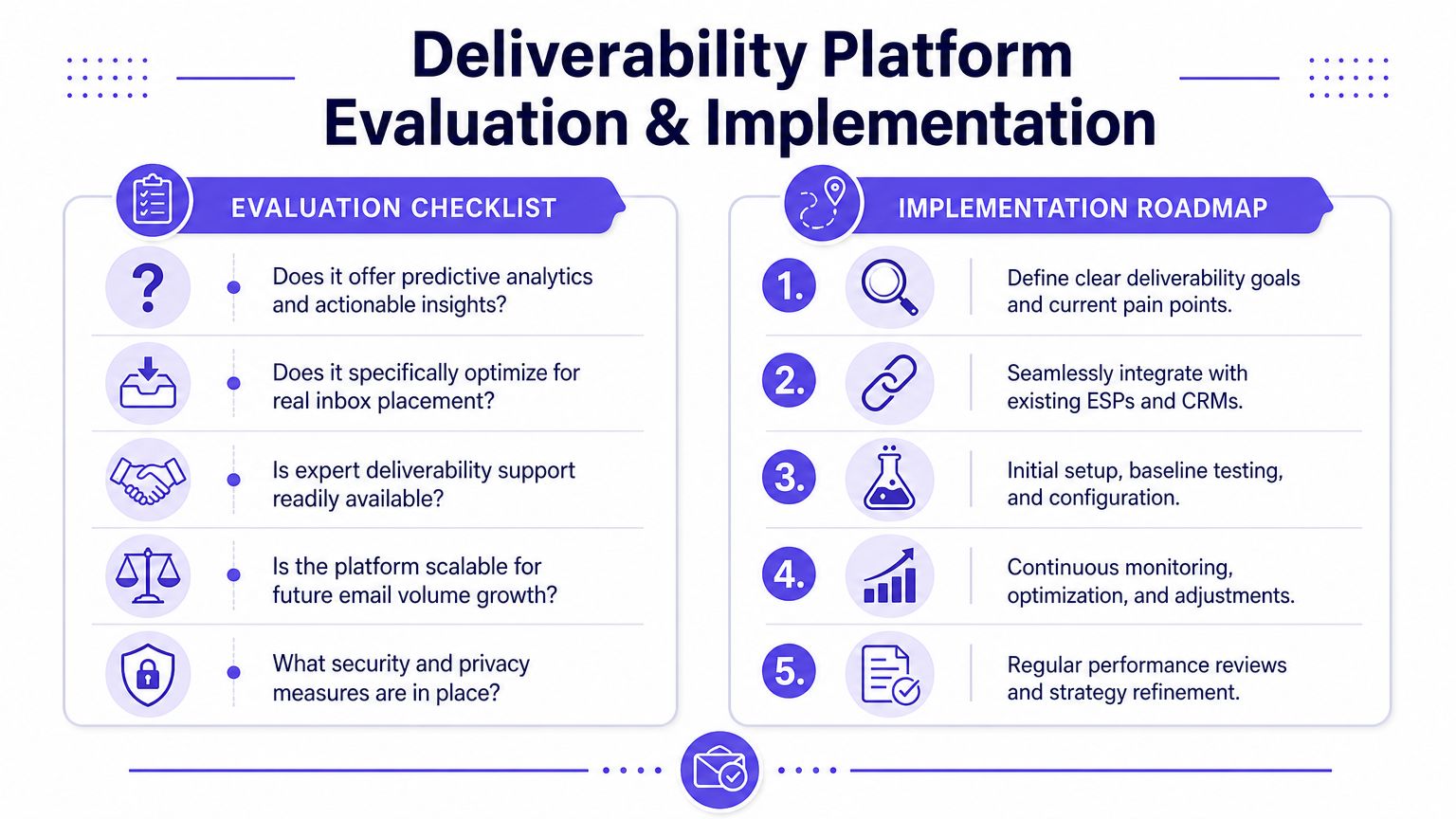
What is the best way to evaluate and implement an email deliverability platform?
Buying an email deliverability platform gets easier when the team uses a decision framework instead of a feature dump.
What should be on your evaluation checklist?
When comparing tools, a buyer should ask:
Provider visibility: does the platform show placement and trends by mailbox provider, or only in aggregate?
Engagement quality: does warmup rely on real inbox engagement, or mostly automated actions that may carry less weight?
Security model: does the product require IMAP access or permission to read private inbox content?
Guidance depth: is expert deliverability support included, or is the user left with a dashboard and documentation?
Reputation controls: can the team monitor spam risk, sender reputation signals, and bounce-related issues in one place?
Use-case flexibility: can the platform support both B2B and B2C sending patterns, different providers, and custom warmup content?
Operational fit: does it work for a single mailbox, a sales team, an agency, or a multi-domain business without becoming hard to manage?
What is a simple implementation roadmap?
Most teams do not need a complicated rollout. They need a disciplined one.
Technical audit
Confirm authentication, sending setup, list quality, and baseline campaign health. This creates the starting point.Reputation building
Use controlled sending, quality warmup, and audience discipline to build trust gradually. Avoid sudden jumps in volume or broad sends to weak contacts.Ongoing monitoring
Track inbox placement, engagement quality, complaints, spam risk, and provider-specific changes. Adjust content, cadence, and targeting based on what the data shows.
Teams usually fail in phase three, not phase one. They set things up correctly, then stop watching.
A platform should support that ongoing loop. If it only helps with the first phase, it is not enough for a team that depends on email revenue or outbound pipeline.
Why is an email deliverability platform a growth partner, not just a technical tool?
An email deliverability platform is not just a technical utility. It is part of revenue protection.
Inbox placement in 2026 depends on more than authentication. It depends on sender reputation, engagement quality, provider-specific behavior, and the team's ability to monitor and adapt over time. That is why the right platform acts more like an operating layer for email than a one-time setup tool.
This also connects to the broader revenue stack. Teams that want to automate lead qualification with AI still need strong inbox placement, because better workflows do not matter if email performance is weak at the delivery layer.
If email is part of your growth strategy, Mailwarm helps you build sender reputation, monitor inbox placement, and reduce spam risk with expert-guided warmup.
Frequently Asked Questions
| Question | Answer |
|---|---|
| What is an email deliverability platform? | An email deliverability platform helps a business improve inbox placement by monitoring authentication, sender reputation, engagement signals, spam risk, and provider-specific performance. |
| Is an email deliverability platform the same as an email warmup tool? | No. A warmup tool focuses on building sender activity and reputation signals. A full platform also includes monitoring, analytics, troubleshooting, and ongoing reputation management. |
| Is SPF, DKIM, and DMARC enough to fix deliverability? | No. Authentication is necessary, but it is not enough. Inbox placement also depends on sender reputation, audience engagement, list quality, and mailbox-provider behavior. |
| Why do emails still go to spam after technical setup? | Because mailbox providers evaluate more than identity. They also consider complaint risk, engagement quality, sending patterns, content relevance, and trust over time. |
| How long does deliverability improvement take? | It depends on the sender's current reputation, sending volume, provider mix, and list quality. Improvement is usually gradual because reputation changes over time, not instantly. |
| Can any platform guarantee inbox placement? | No. No legitimate platform can guarantee inbox placement because mailbox providers make the final decision. A platform can improve the odds through better reputation management and monitoring. |
| Why is Mailwarm more expensive than basic email warmup tools? | Mailwarm costs more because it combines real inbox engagement, up to 100% replies to warmup emails depending on the plan, spam score monitoring, provider-level warmup, authentication tools, no IMAP access required, and expert deliverability calls included in every plan. |
| Does Mailwarm need access to a user's inbox? | No. Mailwarm does not require IMAP access or permission to read the user's private inbox. |
If email is a serious growth channel, Mailwarm gives teams a practical way to improve sender reputation, monitor inbox placement, and reduce spam risk with real inbox engagement and expert deliverability support.