

An email deliverability check is the process of verifying whether your emails are reaching the inbox, not just getting accepted by a receiving server. To run one, review list quality, confirm SPF, DKIM, and DMARC, test inbox placement, and monitor sender reputation, complaints, bounces, and engagement over time.
Quick answer
Start with list hygiene, domain readiness, and verified contacts.
Check SPF, DKIM, DMARC, plus alignment across your sending setup.
Measure inbox placement, not just delivery rate.
Watch bounces, complaints, engagement, and provider-level trends.
The key takeaway: deliverability monitoring works best as an ongoing process, not a one-time check.
A campaign can look healthy inside the sending platform. Messages are accepted. Volume goes out on schedule. Then replies slow down, opens soften, and revenue teams start asking whether email is broken.
That is usually the moment an email deliverability check becomes urgent.
The common mistake is treating deliverability like a one-time technical task. It is not. It is an operating discipline that sits between infrastructure, list quality, sender reputation, and recipient behavior. A mailbox provider can accept a message and still place it somewhere the recipient never sees.
Why is a regular email deliverability check non-negotiable?
Many senders still treat “sent” as success. That is not how inbox placement works.
A 2026 benchmark found that the average email deliverability rate across 15 email service providers was 83.1%, which means 16.9% of marketing emails did not reach the intended inbox. The same benchmark reported that 10.5% landed in spam and 6.4% were missing altogether, while over 95% was framed as excellent and below 80% as poor in the EmailTooltester deliverability benchmark.
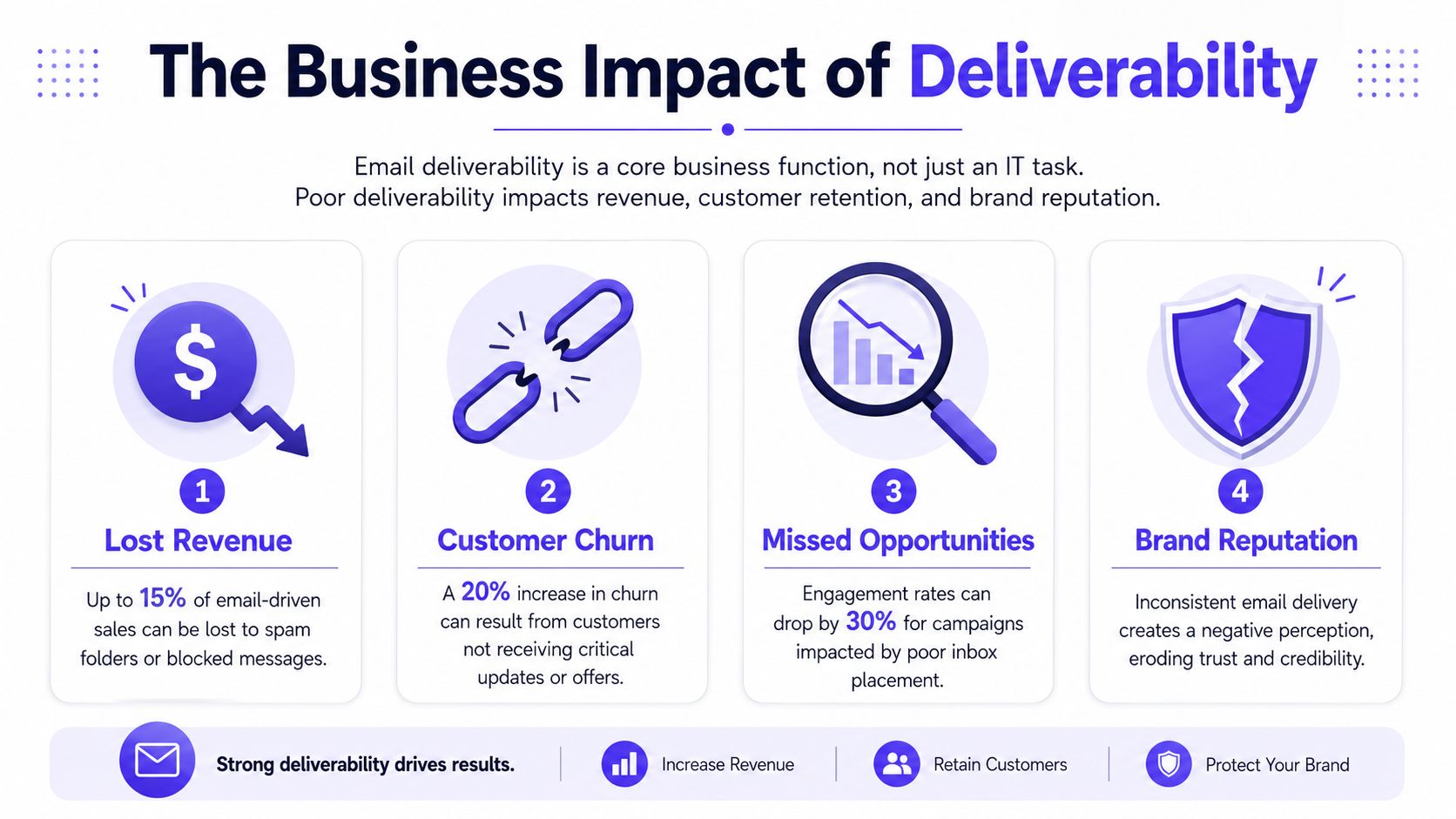
That gap matters because sales, lifecycle marketing, onboarding, renewals, recruiting, and support all depend on email being seen, not just accepted. If a founder thinks a launch email reached prospects because the platform marked it delivered, that founder is looking at the wrong metric.
What does “sent” actually mean in email deliverability?
Delivery rate only shows that a receiving server accepted the message. It does not confirm inbox placement. A message can clear that technical hurdle and still land in spam, promotions, or filtering patterns that reduce visibility and engagement.
Practical rule: If a channel drives pipeline or retention, deliverability belongs in regular operating reviews, not in a one-off setup checklist.
A regular check protects more than campaign performance. It protects trust. Customers who miss onboarding emails or account notices do not blame mailbox providers. They blame the brand that failed to show up.
Why is deliverability a business risk issue?
Poor deliverability wastes good work. Teams can write strong copy, segment carefully, and launch on time, then still miss outcomes because the domain or mailbox has weak reputation signals.
That is why mature teams treat deliverability checks the same way they treat uptime checks or payment monitoring. When content and offer quality are strong but response weakens, the next step should be checking authentication, complaints, inbox placement, and provider-specific behavior.
For teams building outbound or lifecycle programs, broad execution advice like MarTech Do's B2B email marketing advice is useful, but it only works when the underlying deliverability layer is healthy.
What is the complete email deliverability check workflow?
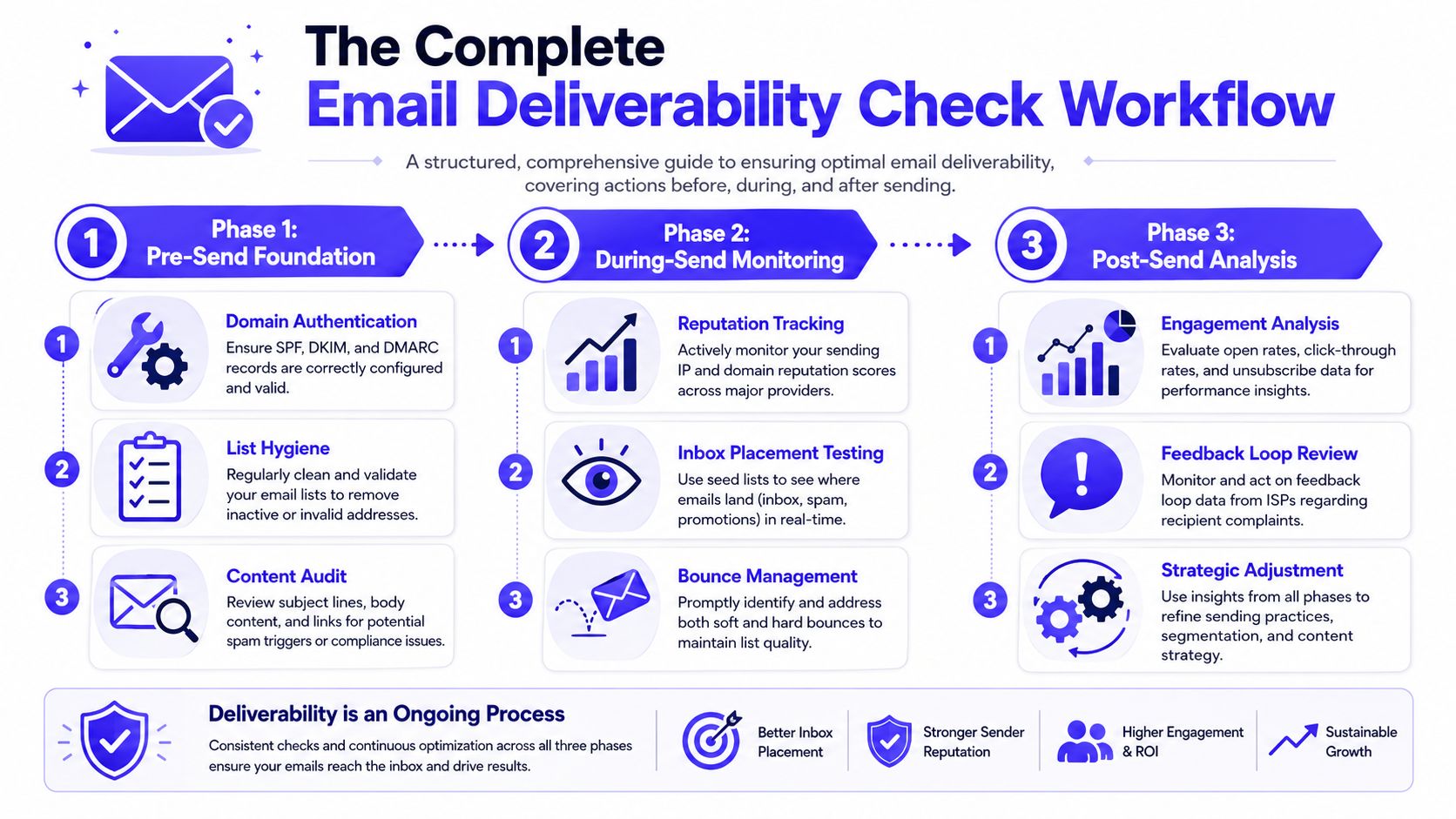
A reliable email deliverability check follows a sequence. Start before the send, validate technical identity, then inspect what happened after mail went out. Skipping the order often leads to bad diagnosis.
Teams often blame content when authentication is the problem, or blame infrastructure when the issue is list quality.
What should you review before sending?
The first layer is simple. Check whether the sending domain, mailbox, and list are ready to send.
Start with these basics:
List hygiene comes first: Remove bounced contacts, inactive addresses, and anything that was never properly verified. Dirty data creates fake demand at the top of the funnel and real reputation damage at the mailbox provider level.
Capture quality matters: Use verification at the point of form submission or lead capture. That reduces bad addresses before they ever touch a campaign.
Domain intent should be clear: Sending from a domain with inconsistent history, mixed use, or neglected setup usually creates friction later.
Industry guidance also separates deliverability from delivery rate and recommends checking bounce rates, spam complaints, sender reputation, authentication, and inbox placement as part of a proper review in Mailtrap's deliverability guide.
A strong pre-send review also includes content inspection, but content should be treated as one factor, not the whole story. Teams often obsess over spam words and ignore the larger issue of reputation.
For a practical checklist that can support internal audits, this guide on how to improve email delivery for businesses is a useful companion resource.
How do SPF, DKIM, and DMARC affect deliverability?
Authentication is the minimum standard. If SPF, DKIM, or DMARC is missing or misaligned, the sender starts from behind.
Here is the plain-English version:
SPF verifies who is allowed to send on behalf of the domain.
DKIM adds a signature so the receiving side can verify message integrity.
DMARC tells providers how to handle failures and gives visibility into alignment problems.
Passing an inbox test while authentication is incomplete is not reassurance. It is borrowed time.
A practical check usually includes:
Validate SPF
Confirm that the record exists and points to the systems sending mail.Validate DKIM
Make sure signing is active and the signature resolves correctly.Validate DMARC
Confirm that policy and reporting are in place so failures can be seen and acted on.Check alignment
The sending identity, return path behavior, and signed domain should make sense together.Review provider diagnostics
Use Google Postmaster Tools and Microsoft SNDS to spot reputation or filtering issues at the provider level.
Free tools can speed up the audit process. A curated set of free email deliverability tools helps teams test setup, placement, and reputation signals without building a manual stack from scratch.
This walkthrough is also helpful for teams that prefer a visual explanation before they audit their own setup.
How should you monitor sending behavior after the send?
Even perfect records will not protect a sender with bad behavior.
Mailbox providers watch patterns. Volume shifts, low engagement, and complaint spikes can hurt inbox placement even when the technical layer looks clean. That is why sending behavior belongs in every email deliverability check.
Watch these areas closely:
Bounce patterns: Rising bounces often point to acquisition quality, stale data, or poor segmentation.
Complaint behavior: Complaints are one of the strongest negative trust signals.
Engagement by provider: Gmail and Outlook may react differently to the same campaign.
Consistency: Erratic sending patterns often create suspicion, especially on newer mailboxes or domains.
Inbox placement over time: Today’s inbox result does not guarantee next week’s result.
A simple way to structure this is to treat deliverability as three layers:
| Layer | What to check | What it tells you |
|---|---|---|
| Foundation | List quality, sender identity, domain readiness | Whether the sender is starting from a clean base |
| Technical | SPF, DKIM, DMARC, alignment, provider diagnostics | Whether the sender is authenticated and recognizable |
| Behavioral | Bounces, complaints, engagement, inbox placement | Whether providers continue to trust the sender |
The workflow only works when it repeats. A single test can catch obvious breakage. Ongoing deliverability monitoring catches drift.
How should you interpret your results and prioritize fixes?
Results need triage. Not every failure has the same impact, and not every pass is equally meaningful.
The clearest line is between hard blockers and reputation drags. Hard blockers are issues that can stop trust quickly. Reputation drags are the problems that chip away over time until placement declines across providers.
Independent guidance recommends keeping spam complaints below 0.1%, or 1 complaint per 1,000 emails, because crossing that line degrades deliverability and can trigger filtering. The same guidance notes that senders without properly configured SPF, DKIM, and DMARC are at a major disadvantage, with authentication now treated as baseline by major providers in Salesforce's deliverability guidance.
Which deliverability issues deserve immediate action?
If any of these show up, the team should stop guessing and fix them first:
| Issue | Severity | Recommended Action |
|---|---|---|
| Missing or failing SPF, DKIM, or DMARC | Critical | Fix authentication before focusing on content or copy |
| Spam complaints trending above the acceptable threshold | Critical | Slow or pause sending to affected segments, review targeting and list source |
| Repeated hard bounces | High | Remove invalid addresses and inspect how contacts enter the list |
| Good delivery rate but weak inbox placement | High | Check provider-level reputation and seed placement instead of relying on send acceptance |
| Mild content warnings with otherwise healthy signals | Medium | Test copy changes, links, and formatting, then monitor |
| Inconsistent engagement across providers | Medium | Segment by provider and inspect placement patterns separately |
What does a passing deliverability test really mean?
A pass on one inbox placement test means only one thing. That specific message, from that sender, under those conditions, performed acceptably at that moment.
It does not mean the domain is healthy across all providers. It does not mean the next campaign will perform the same way. It also does not mean the sender can safely increase volume without side effects.
Authentication interpretation is often where teams need a deeper reference. This guide to mastering email authentication helps clarify what a technical pass should look like and how to spot weak configurations that still create deliverability risk.
Fix the issue that changes provider trust first. Polish comes later.
What common mistakes invalidate an email deliverability check?
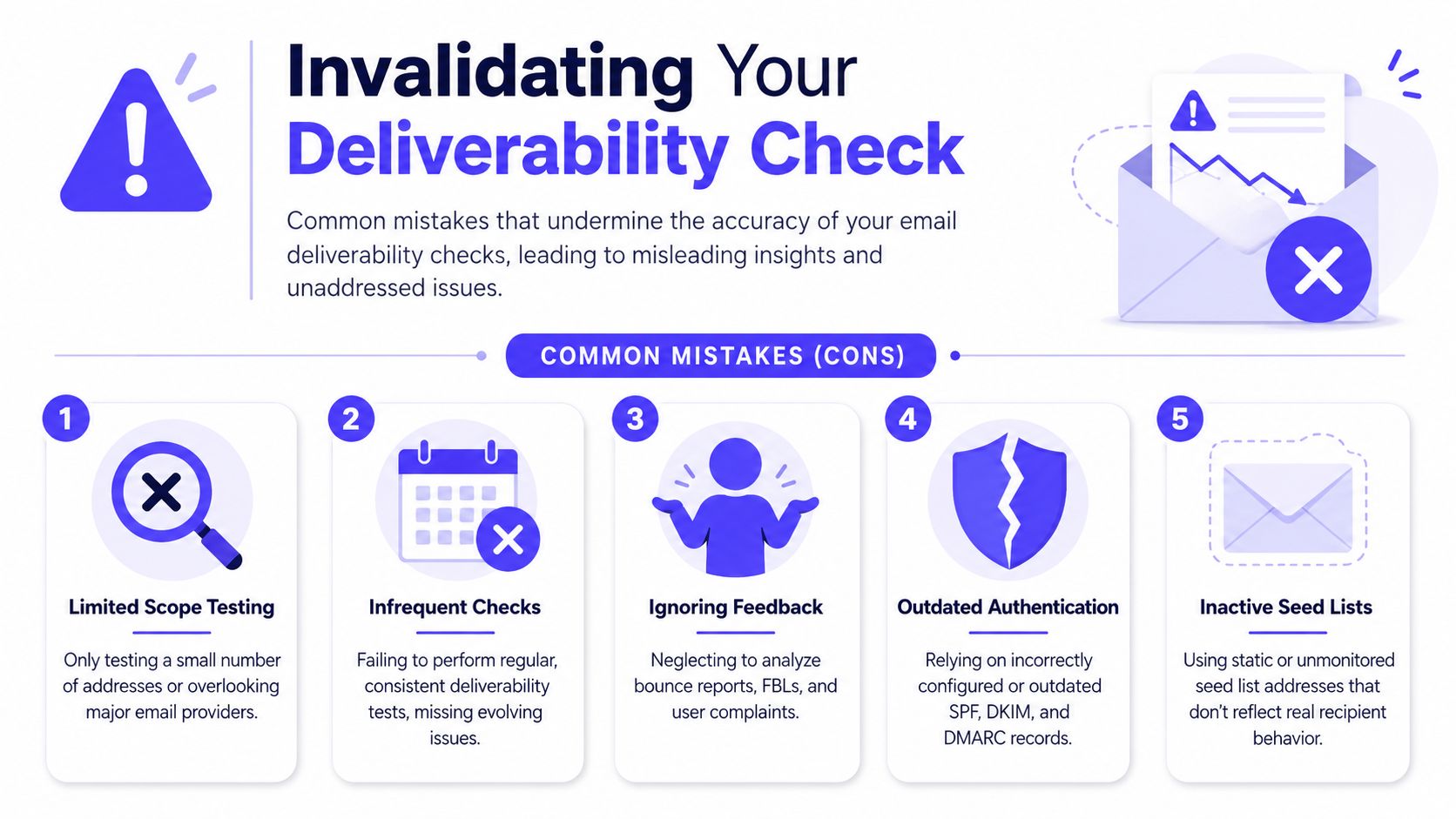
The most common deliverability mistake is not failing a test. It is running a shallow test, getting a clean-looking result, and assuming the job is done.
An email deliverability check is only a snapshot, not a prediction. Inbox placement can vary by provider and over time, and mailbox providers continuously re-score senders based on reputation and engagement, as explained in Mailforge's review of deliverability testing.
Which traps create false confidence?
Several patterns make test results less useful than they look:
Single-provider testing: A message that reaches Gmail inboxes can still struggle at Outlook or Microsoft 365.
Authentication blind spots: Teams run seed tests but never verify whether SPF, DKIM, and DMARC are aligned correctly.
Static testing habits: One check before a launch does not reflect how providers score a sender after repeated campaigns.
Ignoring recipient behavior: Opens, replies, complaints, and deletions shape trust over time.
Treating content tools as deliverability tools: Spam-checking copy helps, but it cannot repair a weak sender reputation.
What does a valid deliverability check look like?
A valid process compares providers, reviews technical identity, and watches post-send behavior long enough to see patterns instead of isolated outcomes.
That also means checking whether messages consistently avoid spam folder placement, not just whether they were accepted by the receiving system. Teams that need a stronger operational routine can use this guide on how to avoid spam folder placement as a practical follow-on to testing.
A superficial pass can be more dangerous than an obvious fail, because it delays the real fix.
How does Mailwarm support continuous deliverability monitoring?
Manual checks are useful, but they break down fast when a team is sending from multiple mailboxes, testing several providers, and trying to separate technical issues from reputation issues. That is where an ongoing platform becomes more useful than occasional spot checks.
Where do manual workflows fall short?
A manual process usually fragments into several tools. One for authentication checks. Another for inbox placement. Another for provider diagnostics. Another for email warm-up. Then someone has to interpret the signals and decide which problem matters.
That is manageable for a small audit. It is much harder as an operating system.
What changes with continuous monitoring and email warm-up?
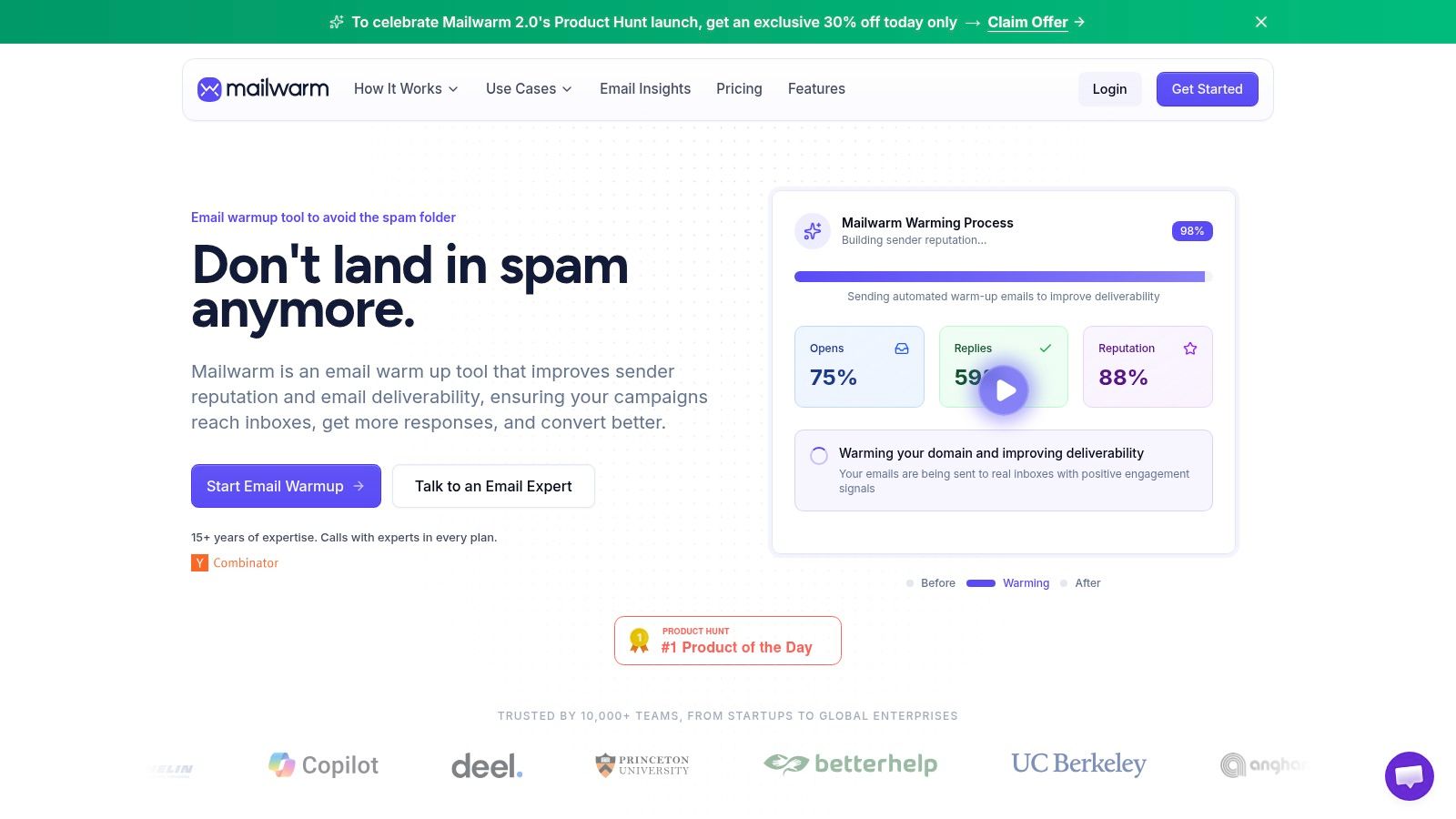
Mailwarm helps senders build reputation, monitor inbox placement, and improve deliverability through real inbox engagement, advanced warmup controls, and expert guidance.
Mailwarm combines warmup activity with deliverability monitoring so teams can build sender reputation, review inbox placement signals, and catch issues before campaign performance drops. The platform uses 50,000+ aged real inboxes, supports real engagement signals such as opens, replies, threads, spam removal, and important marking, and can generate up to 100% replies to warmup emails depending on the plan. It also includes provider-level warmup, spam score monitoring, authentication fix tools, bounce prevention, deliverability analytics, and expert deliverability calls in every plan.
That matters because inbox placement is not static. A sender can pass a test on Monday and still weaken by Friday if complaints rise, engagement drops, or volume changes too quickly. Continuous monitoring closes that gap.
There is also a practical security difference. Mailwarm does not require IMAP access and does not need permission to read the user’s private inbox. For teams that care about control and privacy, that removes a common objection to warmup tooling.
Why should you treat deliverability as an ongoing strategy?
A proper email deliverability check looks at foundation, authentication, and sending behavior together. It does not stop at “message accepted,” and it does not assume one passing test means the channel is healthy.
The right mindset is ongoing control, not one-time validation. Teams that rely on email for pipeline, retention, recruiting, or customer communication should monitor sender reputation continuously, fix trust-breaking issues quickly, and review provider-level outcomes on a regular cadence. When manual checks become too fragmented, a platform approach becomes easier to manage and easier to act on.
If email is part of your growth strategy, Mailwarm helps you build sender reputation, monitor inbox placement, and reduce spam risk with expert-guided warmup.
Frequently Asked Questions
What is an email deliverability check?
An email deliverability check is the process of verifying whether emails are likely to reach the inbox, not just be accepted by the receiving server. It typically includes authentication, reputation, bounces, complaints, and inbox placement testing.
How often should a team run an email deliverability check?
Teams should treat deliverability as ongoing monitoring. Running a check before major campaigns helps, but regular review matters more because provider scoring changes over time.
What's the difference between delivery rate and deliverability?
Delivery rate shows that a mailbox provider accepted the message. Deliverability shows where the message landed, such as the inbox, promotions tab, or spam folder.
Is email authentication enough to fix deliverability?
No. Authentication is baseline infrastructure. It helps providers recognize the sender, but inbox placement also depends on complaints, engagement, list quality, and sending behavior.
Why do emails go to spam even when setup looks correct?
A sender can have valid SPF, DKIM, and DMARC and still go to spam because of weak reputation, poor list quality, low engagement, or complaint issues. Technical setup helps, but it does not override negative trust signals.
Does email warmup help with cold email deliverability?
It can help when the mailbox or domain needs stronger trust signals, especially before scaling volume. It will not compensate for poor targeting or bad list practices in cold email deliverability.
Why is Mailwarm more expensive than basic email warmup tools
Mailwarm costs more because it combines real inbox engagement, up to 100% replies to warmup emails depending on the plan, spam score monitoring, provider-level warmup, authentication tools, no IMAP access required, and expert deliverability calls included in every plan.
Does Mailwarm need access to a private inbox?
No. Mailwarm does not require IMAP access or permission to read the user’s private inbox.
If email is part of the growth engine, Mailwarm helps teams build sender reputation, monitor inbox placement, and reduce spam risk with guided warmup and ongoing deliverability insight.