
Amazon SES Deliverability Setup Overview for 2026
Amazon SES can deliver at scale, but successful inbox placement depends on meticulous technical setup. This comprehensive guide walks you through the exact steps to ensure stable and reliable delivery in 2026. You will configure domain-level identity, align essential authentication protocols, and build strong observability into your stack. Then you’ll ramp up sending volume responsibly and implement continuous monitoring.
By following these steps, you can expect consistent delivery, fewer deferred messages, and a healthier sender reputation. Keep your sentences, DNS configurations, and operational processes simple. Steady and consistent practices always outperform sudden bursts of high volume.
Verify Your Amazon SES Domain Identity Before Sending Real Traffic
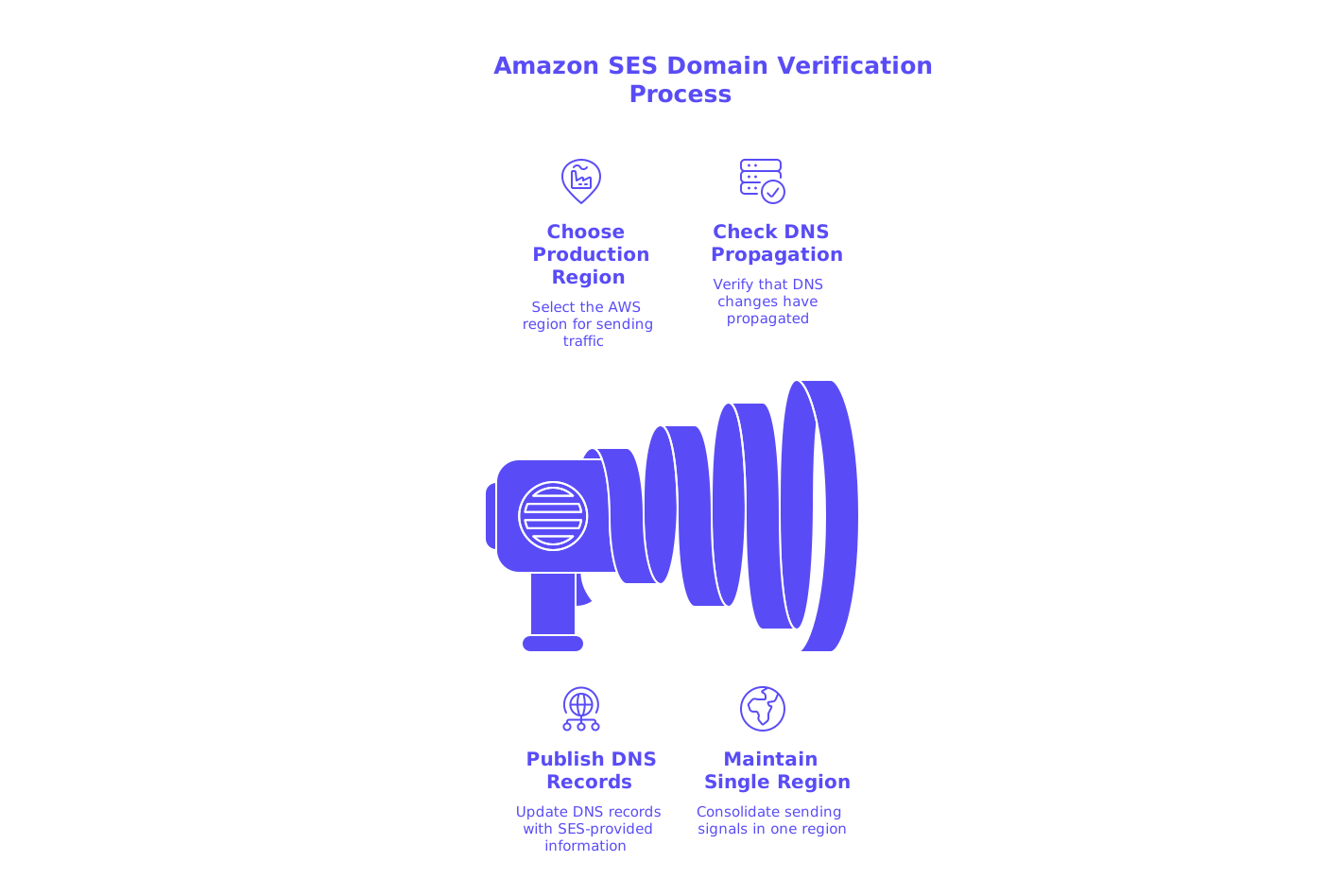
Begin by verifying your domain identity, rather than a single email address. Managing this at the domain level enhances both alignment and trust with mailbox providers. In the SES console, add your domain and choose the AWS region designated for production sending.
Next, publish the domain verification records provided by SES to your DNS host. Start with short TTL values for initial setup, then increase them once validation is complete. Whenever possible, maintain a single sending region, this accelerates reputation growth by consolidating signals in one location.
- Verify the domain in SES for your selected region.
- Avoid using multiple regions for the same domain unless absolutely necessary.
- Check DNS propagation using your provider’s tools before proceeding.
Configure a Custom MAIL FROM Domain to Align SPF with Amazon SES
Sender Policy Framework (SPF) checks the envelope sender, which is different from the visible “From” address. Set up a custom MAIL FROM domain so SPF alignment reflects your brand identity. Common choices include subdomains such as mail.example.com or bounce.example.com.
Amazon SES will supply you with the MX record for this subdomain, along with clear SPF instructions. For SES-only sending, add a TXT record such as v=spf1 include:amazonses.com -all. If your domain sends through multiple email services, incorporate additional mechanisms selectively and monitor DNS queries closely.
Avoid duplicate records and unnecessary nested “include” statements. For organizations managing multiple domains, learn more on how to avoid SPF record length limits in multi-domain setups and ensure you don’t exceed the 10-lookup limit imposed by SPF.
Enable DKIM Signing in Amazon SES with Modern Key Lengths
Activate DomainKeys Identified Mail (DKIM) signing for your domain identity using 2048-bit keys for optimal security. Publish the CNAME or TXT records from SES to your DNS provider, and ensure the SES console displays “verified” once records have propagated.
If you require continuity across different providers, consider using Bring Your Own (BYO) DKIM. This ensures selector stability and reputation retention during migration. Rotate DKIM keys annually, or as your security policies specify.
- Strive for strict DKIM alignment wherever possible.
- Use source control for selector tracking alongside your DNS changes.
- Monitor DKIM pass rates within your email event pipeline.
Deploy a DMARC Policy for Amazon SES with Actionable Reporting
Domain-based Message Authentication, Reporting, and Conformance (DMARC) ties together SPF and DKIM alignment. Begin with a monitoring policy, and only move to enforcement once you observe stable authentication outcomes. A typical initial DMARC record looks like:
v=DMARC1; p=none; rua=mailto:dmarc@yourdomain.com; fo=1; aspf=s; adkim=sReview aggregate DMARC reports at least weekly. Confirm that most messages pass SPF or DKIM and align with your From domain. Once confidence is established, incrementally escalate your policy to quarantine and then to reject. Keep the reporting mailbox accessible and always monitored.
Route Bounces and Complaints from Amazon SES to SNS for Fast Fixes
Create an SES configuration set and link an event destination to Amazon SNS (Simple Notification Service). Subscribe either an operations-focused inbox or webhook endpoint to receive bounce and complaint notifications. Track events such as bounces, complaints, and deliveries; monitor opens only if needed for diagnostics, not vanity metrics.
Set up your system to automatically update the suppression process based on feedback from bounces and complaints. Immediately remove hard bounces and confirmed complaints. Use the account-level suppression list to block repeated failed attempts, this helps reduce blocklisting risks and preserves your domain’s health.
Warm Amazon SES Traffic and Manage IP Choices Without Reputation Shocks
Shared IP pools can accommodate the needs of many email marketing programs, allowing smaller senders to benefit from Amazon's existing reputation. For organizations with high and stable daily sending volumes, dedicated IPs may be a better fit. If you use dedicated IPs, keep the Simple Email Service (SES) automatic warm-up enabled. This feature allows for a gradual increase in your daily sending allowance while continuously monitoring and tracking your IP reputation health.
Maintain consistent sending patterns. Avoid sudden spikes, as these can trigger negative signals with mailbox providers. Distribute email sends evenly across days rather than batching in large single bursts. Keep complaint and bounce rates low by practicing strong list hygiene and ongoing deliverability monitoring.
Understand HELO, Reverse DNS, and TLS in the Amazon SES Context
Mailbox providers evaluate the Simple Mail Transfer Protocol (SMTP) greeting and the reverse Domain Name System (DNS) as part of reputation checks. Amazon SES manages HELO/EHLO commands (the initial communication in an email transmission) and Pointer (PTR) records (which map an IP address to a hostname for reverse DNS lookups) on your behalf. While you cannot customize these records, they are configured to comply with industry baseline requirements. Always ensure Transport Layer Security (TLS) is negotiated for every connection.
If you want to learn more about these technical signals, read about how HELO and EHLO values influence sender reputation. Technical trust begins at the connection level, before your email content is ever evaluated.
Use a Spam Checker, a Blacklist Checker, and a Warm‑Up System for Validation
Always run a spam checker before launching campaigns in a production environment. These tools test your email headers, authentication status, and common spam indicators. Pair this with a blacklist checker to identify domain or IP listings early, address any listings before increasing sending volume.
For advanced deliverability and reputation monitoring capabilities, including scalable email warm-up across multiple accounts and providers, and spam score tracking tailored to different platforms, explore modern automated warm-up solutions. Some third-party services use large, actively maintained networks to simulate real message engagement. Their sole purpose is technical: to establish positive sending patterns and help real communications reliably reach inboxes, not to deliver marketing content.
Troubleshoot Amazon SES Bounces and Deferrals Using 2026 Rules
Always review SMTP response codes in detail. A 550 error with a DMARC failure usually signals alignment or DNS misconfigurations. A 421 code points to throttling, rate control, or sender reputation limits. 554 errors often relate to policy blocks or content issues.
Systematically map each error code to a corrective step. Double-check SPF alignment with your custom MAIL FROM domain. Confirm your DKIM status and selector match. Audit DMARC reports to identify the failing source. For up-to-date provider policies, read why emails get bounced in 2026 under new delivery rules and update your configuration accordingly.
Recommended Amazon SES Configuration Set Events
- Track delivery, bounce, and complaint events with SNS notifications.
- Include rendering failure events to catch issues like malformed MIME or headers.
- Monitor rejection events for quick detection of throttling or policy blocks.
Advanced DNS Hygiene for Complex Amazon SES and Multi-Sender Stacks
Maintain a single SPF record per domain, merging mechanisms as needed, rather than publishing duplicate records. Monitor your SPF records closely to avoid exceeding the 10-lookup DNS limit. Consider rationalizing includes, subdomain delegation, and conditional record flattening for larger installations.
If your email traffic spans several providers, it’s vital to learn practical strategies to avoid SPF record length limits in multi-domain setups. Meticulously document every DNS change, because untracked DNS modifications often disrupt alignment, sometimes months after the initial update.
Final Checklist for Launching Production Traffic on Amazon SES in 2026
- Domain identity is verified in the appropriate SES region.
- Custom MAIL FROM domain is active with SPF properly aligned.
- DKIM enabled using 2048-bit keys, and selectors are verified.
- DMARC record is published with reports sent to monitored inboxes.
- Configuration set is in place, feeding bounces and complaints to SNS.
- Account-level suppression list is active and regularly updated.
- Spam and blacklist checks completed before increasing send volume.
- A warm-up plan is established, employing consistent daily sending practices.
With your SES setup complete, run a final spam check and begin sending at a steady, moderate pace. Monitor signals closely and adjust your configuration early if issues arise. Following these steps will help safeguard your domain and ensure lasting deliverability success.
FAQ
What is the importance of verifying domain identity with Amazon SES?
Verifying domain identity rather than individual email addresses builds authenticity and boosts mailbox provider trust. It's a critical step for maintaining your sender reputation and ensuring high deliverability rates.
Why should SPF records be aligned with Amazon SES?
SPF records confirm the sender's identity and prevent spoofing, critical for brand reputation. Use of a custom MAIL FROM domain with SPF alignment ensures emails pass provider checks, minimizing bounce risks.
How does enabling DKIM improve email deliverability?
DKIM adds a cryptographic signature to emails, heightening security and authenticity. Using modern key lengths ensures robust authentication, a cornerstone for gaining provider trust.
What role does DMARC play in Amazon SES configurations?
DMARC unifies SPF and DKIM policies, converting them into actionable reports. By transitioning from 'monitoring' to 'enforcement,' senders prevent unauthorized use of their domain.
How can Amazon SNS assist in bounce and complaint management?
Amazon SNS forwards event notifications, enabling rapid response to bounces and complaints. Ignoring these can lead to blocklisting and deteriorate your domain reputation quickly.
When should you opt for dedicated IPs over shared IPs?
Dedicated IPs are beneficial for large, consistent sending volumes, allowing for independent reputation management. Shared IPs, however, leverage collective reputations, useful for smaller senders.
What is the advantage of using Mailwarm tools for spam and blacklist checking?
Mailwarm offers precise insights into potential spam triggers and blacklist statuses, preventing reputation damage. Such proactive checks avert escalation and maintain sender integrity.
Why is it vital to manage DNS and SPF records closely?
DNS complexities and SPF limits can cripple email deliverability if mismanaged. Structured, strategic oversight avoids costly disruptions in domain alignment and message authentication.