
550 5.7.1 relaying denied is a permanent authorization failure, not a temporary delivery glitch. The SMTP server refuses to forward the message because the client is not authorized to relay it, so retrying the same message won't fix the problem.
That's why this error frustrates senders. The message looks like a sending problem, but the issue is policy, identity, or relay permission. If the connection is pointing at the wrong server, missing authentication, or using a sender the relay won't accept, the mail gets stopped before it can move.
What the 550 5.7.1 Relaying Denied Error Means
A 550 5.7.1 relaying denied response is an SMTP policy rejection. The leading 5 means it's a permanent failure, and the 7.1 detail tells you the sender is not authorized to send through that server to that destination. RFC 5321 treats 550 as the right class for mail rejected for policy reasons, including access restrictions, not for a broken connection. Google's support guidance describes the same underlying condition as authorization and policy failure.
Why retries don't help
If the configuration hasn't changed, the next attempt usually fails in the same place. The server has already decided that the session, the sender, or the route doesn't meet policy.
Practical rule: if the SMTP response starts with 5, fix the configuration first. Don't keep retrying the same message and expect a different result.
That distinction matters because many senders waste time looking at inboxes, message content, or network uptime when the underlying issue sits in the SMTP transaction. The receiving or submitting server doesn't recognize the sender as allowed to relay mail to that domain. Microsoft describes this same family of errors as the outgoing server not recognizing the sender as an authorized user. Microsoft's relay-prohibited guidance is useful here because it frames the problem as authorization, not connectivity.
The safest mental model is simple. 550 5.7.1 means the server rejected the message because the sender failed a permission check somewhere in the SMTP session.
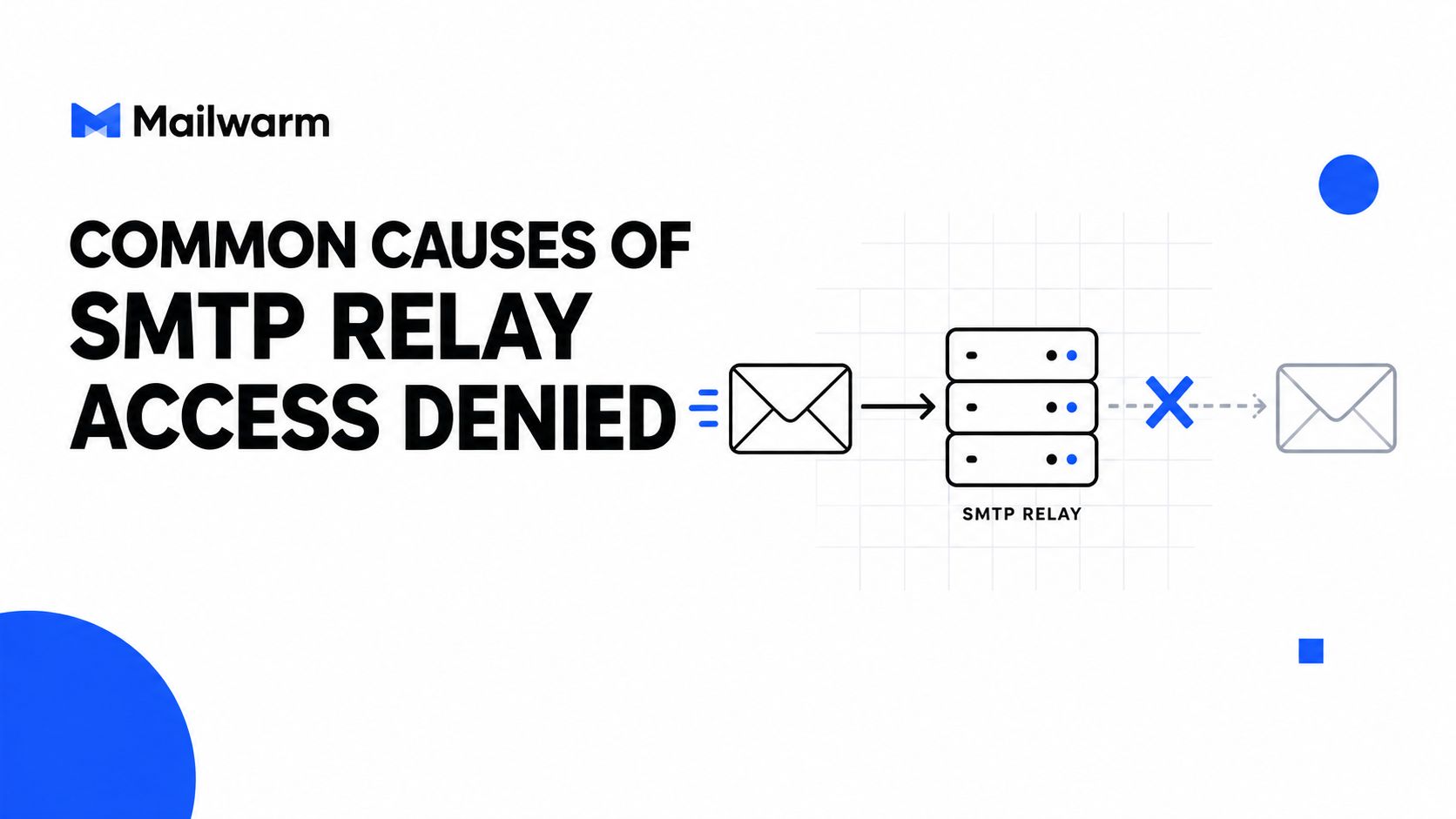
Common Causes of SMTP Relay Access Denied
Wrong server or wrong route
The most common mistake is using the wrong SMTP host. A sender points an app at a recipient-domain mail exchanger, then wonders why the server refuses to relay anything onward. Relay permission belongs to the submission service, not every server that accepts mail for a domain.
Missing or failed authentication
If the server expects SMTP AUTH and the session doesn't present valid credentials, the relay is denied. That can happen with a bad password, the wrong authentication method, or a client that never completed the login step.
Sender identity not allowed
Some services only permit certain envelope senders or onboarded domains. Cloudflare's SMTP documentation notes that 550 5.7.1 can mean the MAIL FROM domain hasn't been onboarded for the account owning the sending credentials, which is why the visible From: header can be misleading. Cloudflare's SMTP guidance shows why the envelope sender matters.
Transport or IP policy mismatch
Google Workspace documents two authorization models, specified source-IP authentication and SMTP authentication, and notes that SMTP authentication requires a TLS-protected connection. It also supports client submission on ports 25, 465, and 587, but the port has to match the provider's TLS mode and policy. Google Workspace's relay documentation makes clear that transport and authorization have to line up together.
Open relay prevention
Modern mail systems block this error on purpose. Open relays were abused heavily in the past, so providers now enforce authorization, sender policy, and transport security before they let a message pass.
For broader hygiene, tools like an email blacklist check can help teams rule out reputation issues that sit beside the relay problem, even though blacklist status isn't the same thing as relay permission.
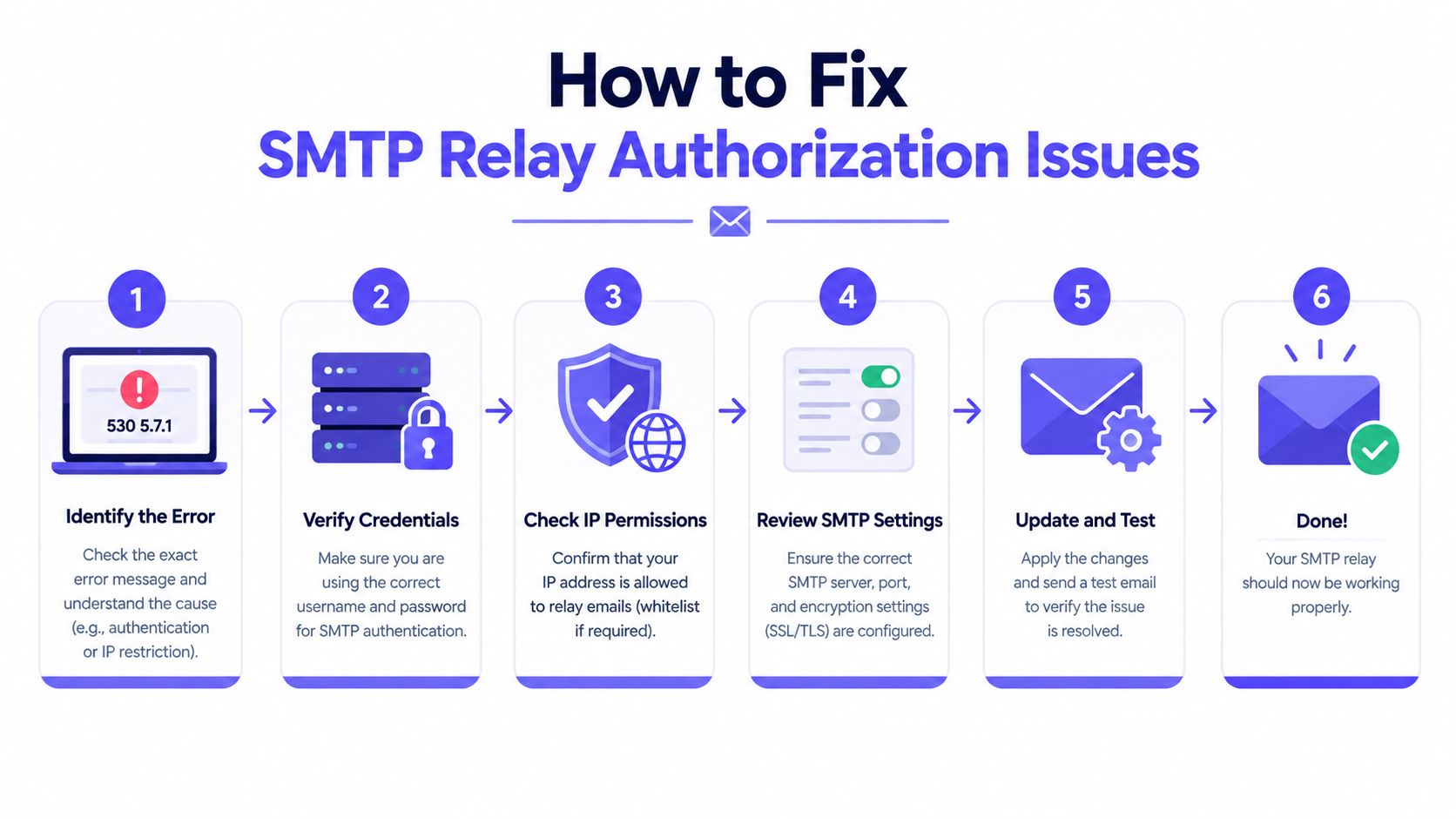
How to Fix SMTP Relay Authorization Issues
Start with the server that rejected the message. A 550 5.7.1 after MAIL FROM points to a different check than a refusal after RCPT TO, so the fix depends on where the session stopped.
A practical troubleshooting sequence
Identify the rejecting server.
Check whether the rejection came from your submission server, a relay, or the recipient's MX host.Confirm the host is the right one.
Make sure the application is talking to the intended submission service, not a recipient-domain MX.Verify TLS mode.
Use STARTTLS or implicit TLS if the provider requires it.Authenticate with the approved method.
Use valid SMTP credentials, OAuth, or an approved sending IP.Check sender-domain permission.
Confirm that the authenticated identity can use the envelope sender and the destination domain.Retest with an external recipient.
Use a controlled address outside your local environment so the result reflects real outbound behavior.
Internal-only tests can hide the failure. Some systems accept local delivery but reject external recipients, which delays the real fix until production mail bounces.
SPF, DKIM, and DMARC help prove message identity. They do not grant relay permission. Changing only the visible From: header also misses the point. Relay authorization is checked against the SMTP session, the envelope sender, the credentials, the IP, and the destination.
The fastest path is to isolate each SMTP stage. Test EHLO, TLS negotiation, authentication, MAIL FROM, and RCPT TO one by one. That shows exactly where the server says no.
Distinguishing Sender-Side from Recipient-Side Rejections
The first question is simple, who refused the message. If the sending application gets 550 5.7.1 from its submission server, the failure is usually sender-side authorization. If the reply comes from the recipient's MX server, the block is more likely tied to recipient policy, routing, or acceptance rules.
How to read the refusal
Sender-side rejections usually appear right after MAIL FROM or RCPT TO during submission. That points to the wrong host, missing authentication, a blocked sender identity, or the wrong port and TLS combination.
Recipient-side rejections look different. One MX host may accept the message while another rejects it, which usually means the recipient environment is applying different rules on different servers. Checking the recipient domain's MX records and comparing each host's response helps separate a routing problem from a policy issue. Suped's diagnostic guidance is useful here, and a spam trigger words checker can help once routing is ruled out, since content filters can still block mail at the recipient edge.
What the pattern tells you
- All MX hosts reject the message. The recipient side likely has a domain-wide policy or routing problem.
- Only one MX host rejects it. The recipient environment may be inconsistent.
- The submission server rejects it immediately. The sender is not authorized to relay.
If the error appears only when mail leaves the local network, the mailbox is usually not the problem. The outbound path is.
That distinction saves time. Teams often change DNS records when the actual issue is an unauthenticated connection to the wrong SMTP endpoint. The stage where the refusal happens matters more than the bounce text alone.
Relay Fixes and Modern Sender Authentication Requirements
Relay authorization now sits inside a wider authentication system. Google's Gmail rules require every sender to Gmail accounts to configure at least SPF or DKIM, and bulk senders must use SPF, DKIM, and DMARC. Google also requires bulk senders to keep user-reported spam rates below 0.3 percent. Gmail's sender requirements show how identity, reputation, and policy now work together.
A sender can pass authentication and still be blocked if the provider does not trust the route, the sender identity, or the traffic pattern. Authentication proves who sent the mail. Relay permission decides whether the server will forward it.
A clean SPF record does not fix every rejection. A valid DKIM signature does not grant outbound relay rights. A DMARC policy does not replace submission authorization. Those controls matter, but they solve different problems.
What to align together
- Submission host and sending application
- TLS mode and provider policy
- Authenticated user and allowed sender domain
- Complaint rate and ongoing acceptance
For senders that rely on outreach, lead gen, recruiting, or customer communications, regulated programs face the same alignment challenge. how law firms nurture leads by email shows how compliance-sensitive teams balance authentication, policy, and content.
Modern providers make fewer decisions on raw trust and more on verifiable signals. If relay authorization fails, that often points to a wider deliverability gap. The SMTP path still has to match the account, the domain, and the provider's rules.
Building Sender Reputation to Prevent Future Relay Errors
A team can clear the immediate relay block and still keep losing mail later if sender reputation stays weak. That's why ongoing warmup and inbox placement monitoring matter after the technical fix. Mailwarm is a premium email warmup and deliverability platform that uses real inbox engagement, spam score monitoring, inbox placement insights, authentication fix tools, and expert guidance to help teams improve sender reputation over time.
What healthy prevention looks like
A send team that watches placement and reputation catches trouble earlier. If warmup activity, authentication alignment, or reply behavior looks off, the issue can be corrected before a provider becomes stricter.
A useful benchmark comes from check inbox placement, because inbox placement is often the first signal that a sender's technical setup and reputation are drifting. That matters even after a relay problem is solved, since a server can accept mail today and start filtering more aggressively later.
For teams that want to warm up a sending domain or infrastructure more systematically, it helps to warm up an SMTP server instead of just pushing more volume through a shaky setup. Mailwarm's approach is built for teams that care about real inbox placement, not just automated warmup activity.
The practical takeaway is simple. Fix the relay authorization issue first, then keep the sending environment healthy with real engagement, placement tracking, and proper authentication. That combination is what reduces repeat incidents.
If email is part of your growth strategy, Mailwarm helps teams build sender reputation, monitor inbox placement, and reduce spam risk with expert-guided warmup. Visit Mailwarm to see how its premium deliverability tools can support the same sending infrastructure that's failing on 550 5.7.1 today.