
Email Warmup Guide Overview: How Staged Inbox Activity Boosts Deliverability
Email warmup is an essential preparatory step for any new or dormant mailbox before real outreach begins. The process involves sending small, controlled volumes of emails to trustworthy peers, who in turn open, reply to, and pull your messages out of spam folders if necessary. This consistent, positive engagement helps mailbox providers recognize your address as credible, strengthening your sender reputation and ensuring more of your emails reach recipients' inboxes.
Mailwarm specializes in this targeted, technical process. It is not an email marketing platform; instead, it creates safe, trust-building interactions. Our network features 50,000+ active, continuously maintained mailboxes, which respond, move messages into the inbox, and tag emails as primary. These actions provide strong trust signals to major providers like Gmail and Outlook, laying a solid foundation for your future email campaigns.
As of February 2026, Mailwarm expanded into a fully advanced email warm-up system, adding features such as centralized multi-account management, comprehensive email reputation monitoring, cross-provider warm-up capabilities, and granular spam score tracking per provider (Gmail, Microsoft, Yahoo...), optimized for scalable performance.
Treat warmup like calibration, not promotion.You’re teaching spam filters to trust your sender identity.
Email Warmup Prerequisites: Sender Reputation and Authentication Steps
Set Up Your Technical Identity First
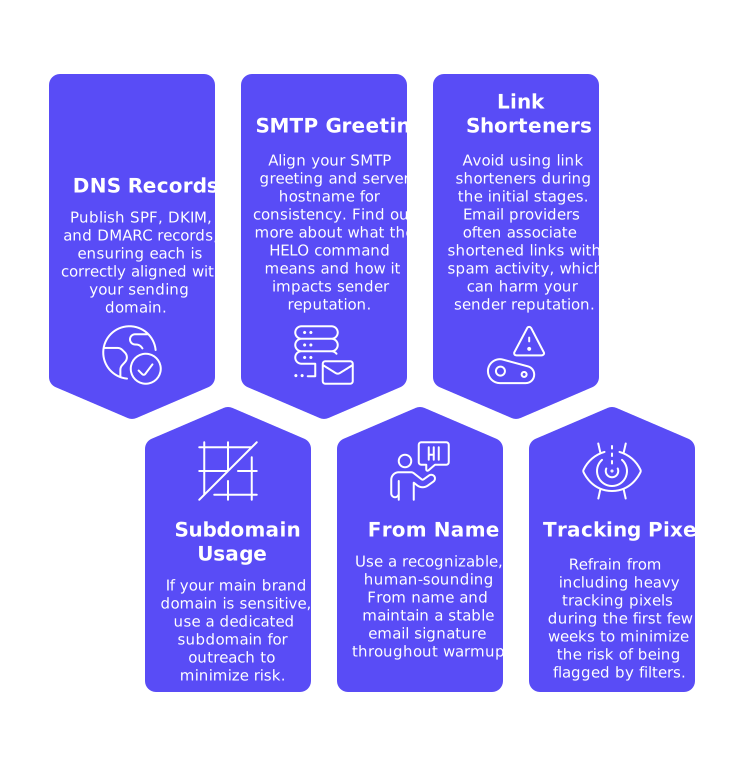
- Publish SPF, DKIM, and DMARC records, ensuring each is correctly aligned with your sending domain.
- If your main brand domain is sensitive, use a dedicated subdomain for outreach to minimize risk.
- Align your SMTP greeting and server hostname for consistency. Find out more about what the HELO command means and how it impacts sender reputation.
- Use a recognizable, human-sounding From name and maintain a stable email signature throughout warmup.
- Avoid using link shorteners during the initial stages. Email providers often associate shortened links with spam activity, which can harm your sender reputation.
- Refrain from including heavy tracking pixels during the first few weeks to minimize the risk of being flagged by filters.
Prepare Your Sending Environment
- Secure either a dedicated IP address for your emails, or, if using a shared IP pool, ensure that other users (neighbors) are reputable and not associated with spam or low-quality emails.
- Verify that reverse DNS is set up properly, and ensure TLS encryption is enabled, as these technical handshakes are monitored by spam filters.
- Keep billing notifications and system alerts separate from your warmup mailbox to avoid clutter and confusion.
- Plan your sending volume realistically, start small and increase gradually. Only stage toward higher daily sends after warmup establishes a solid reputation.
Email Warmup Step-by-Step: Days 1 to 30
Effective email warmup is a gradual process. Messages should remain short, simple, and varied. Do not include prospects at this stage; use only the warmup network for your initial outreach.
Days 1–7: Establish a Clean Identity
- Send 3–5 emails per day, prioritizing consistency over speed or high volume.
- Replies will occur naturally through this process, it’s not necessary to seek a large number of responses.
- Monitor early spam rescues performed by the network, as these are vital signals at this stage.
- Avoid sending attachments this week. Keep all email content plain and straightforward.
Days 8–14: Build Volume and Variety
- Gradually increase your sends to 10–20 emails per day, spacing them out over the course of each day.
- Introduce email threads and replies to create authentic, conversational activity.
- If necessary, test a dedicated tracking domain, but do so sparingly to avoid triggering filters.
- Do not change your From name or signature; consistency remains key for passing spam checks.
Days 15–21: Reinforce Consistency
- Increase your volume to 20–50 emails per day, if earlier steps remain stable.
- Use the network to pull any emails that land in spam back into the inbox.
- If needed, introduce minimal links using your main sending domain (avoid link shorteners completely).
- Pay attention to bounce notifications and immediately resolve any domain or mailbox issues that may arise.
Days 22–30: Get Ready for Real Outreach
- Expand steadily to 50–120 emails per day, but only if your sender reputation indicators remain healthy.
- Recheck SPF, DKIM, and DMARC settings to ensure no misalignments have occurred as you scale.
- Conduct seed tests to verify that your emails reach inbox folders across major providers.
- Review this email warmup schedule guide for scaling up to 1,000 emails per day before increasing volume further.
If deliverability metrics worsen at any point, maintain or decrease your sending volume until stability returns. A steady pace is more important than fast growth.
Key Email Warmup Metrics for Deliverability Improvement
- Inbox placement rate: Monitor seed test results across email providers. View typical benchmarks in our inbox placement standards guide.
- Spam rescue rate: Over time, fewer messages should need to be retrieved from spam folders.
- Reply ratio within the warmup network: Replies should be steady, appearing natural in the context of the warmup process.
- Hard and soft bounces: Investigate and address any sudden increases by checking DNS records and mailbox restrictions.
- Domain and IP reputation: Regularly check reputation dashboards, such as Google Postmaster Tools.
- Spam complaints: These should remain extremely low or at zero during the warmup period.
Do not chase higher send numbers for their own sake, always prioritize positive reputation signals. Trust and deliverability must come before increased volume.
Common Mistakes During Email Warmup That Damage Reputation
- Increasing email volumes too rapidly: Unexpected surges in email volume can appear suspicious to email filters and may trigger filtering, reducing deliverability.
- Mixing in prospects too early: Do not send outreach messages to prospects from your warmup mailbox at the start.
- Changing your sender identity mid-process: Avoid modifying the From name or signature once warmup begins.
- Using link shorteners: Filters are skeptical of shortened links, especially from new or untrusted domains.
- Adding lots of images or attachments: Reserve these elements for later stages, once a good sender reputation is established.
- Ignoring HELO and rDNS alignment: Make sure your SMTP greeting and reverse DNS pointer remain matched.
- Having an overcrowded SPF record: Before scaling up, simplify or flatten your SPF includes for clarity.
- Purchasing email lists: This practice often results in high bounce rates and spam complaints. Never use bought lists for outreach.
How Mailwarm Automates Email Warmup Through Genuine, Positive Interactions
Manually warming up an email system can be time-consuming and require extensive effort. Mailwarm simplifies this process by automating the warmup schedule and diligently managing all the critical steps required for building trust with inbox providers. The Mailwarm platform simulates real-world mailbox behavior, drawing on a curated and private network.
- Authentic conversations: Networked mailboxes exchange genuine opens, replies, and threaded conversations with your new mailbox.
- Spam folder recovery: The system detects and pulls emails from spam back into the inbox, improving future placement.
- Primary tab tagging: Where available, messages are marked as “primary” to strengthen trust signals.
- Intelligent volume planning: The sending cadence adapts in response to mailbox signals, never following a rigid, potentially risky schedule.
- Ongoing tune-ups: Maintain a light daily volume even after your warmup phase, which safeguards your reputation over the long term.
Remember, this process is like maintaining technical best practices in email deliverability. The focus is on training spam filters to trust your emails, marketing messages will follow, and from a stronger starting position.
When to Move Beyond Warmup and Start Regular Outreach Safely
Look for three clear indicators before moving from warmup to regular prospecting: First, inbox delivery rates stay reliably high across all major providers. Second, the number of spam rescues and bounce notifications remains low. Third, all email authentication records are still properly configured after scaling up.
Start by dedicating only a fraction of your daily sending capacity (an initial 10–20%) to real outreach, while the remainder stays in warmup mode. Monitor your metrics for several days. If results stay strong, gradually increase your outreach batch size. Keep the background warmup running, even after go-live, to stabilize your reputation as your email volume grows and during any seasonal gaps.
If you notice any negative changes, immediately reduce outreach volume and return to a more conservative warmup pace. Investigate and resolve the root causes before attempting to scale again.
Email Warmup Guide Summary and Next Steps for Improved Deliverability
Email warmup is all about building trust before you scale. Properly set up your technical identity, grow your sending volume in phases, and keep close watch on inbox placement and sender reputation, don’t focus on raw send counts. Avoid shortcuts, and sustain a gentle sending cadence even once you enter full production.
Want a streamlined, low-effort path to a trusted inbox? Start warming up with Mailwarm and convert best practices into consistent inbox delivery.
FAQ
What is email warmup and why is it necessary?
Email warmup is the process of gradually increasing your email sending activity to build credibility with email service providers. Skipping this step can cause severe deliverability issues, as unrecognized or inactive domains are more likely to be flagged as spam.
How does Mailwarm contribute to the email warmup process?
Mailwarm automates the warmup process by simulating authentic email interactions—such as opens and replies—through a network of controlled mailboxes. This automation helps ensure emails land in inboxes rather than spam folders, establishing a credible sender reputation effectively.
Why shouldn't I start sending emails to prospects during warmup?
During warmup, focusing on prospect outreach can jeopardize sender credibility by triggering spam filters, which may result in poor deliverability. Use the warmup period to cultivate trust with email providers first to maximize impact when real outreach begins.
What are the consequences of increasing email volume too quickly?
Rapid spikes in email volume can look suspicious to email providers, raising red flags for spam detection systems. This mistake often leads to reduced deliverability and a damaged sender reputation that can take substantial time and effort to repair.
How can SPF, DKIM, and DMARC records affect email warmup?
Properly configured SPF, DKIM, and DMARC records authenticate your emails, verifying your identity to email providers. Misconfigured or missing records can lead to emails being filtered out as spam, negating warmup efforts and harming deliverability.
Is there a risk in using link shorteners during email warmup?
Yes, link shorteners are often associated with spam and can damage sender reputation when used during warmup. Keeping URLs intact during this phase is crucial to maintain trust signals and avoid being flagged by email service providers.
How does Mailwarm handle emails that end up in spam folders?
Mailwarm employs a system to retrieve emails that land in the spam folder, reinforcing positive provider signals and improving future inbox placement. This corrective measure helps to establish a more reliable sender reputation over time.
When is it safe to shift from warmup to full outreach?
You can transition to full outreach once you consistently achieve high delivery rates, low spam rescues, and all authentication records remain secure. Start with a small portion of your capacity to verify stability before scaling outreach.